Stats
Stats is a menu that can be found within the Options menu.[note 1] In the Stats menu, the player can access a variety of stats that they have on their current profile, such as record stats, progress, and card stats.
The following is a list of stats in Balatro.
General stats
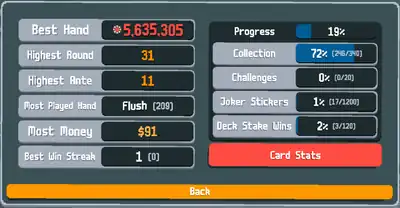
These stats discuss general stats in a profile, such as the best hand played or percent of the collection completed. They are accessed immediately upon clicking the "Stats" button.
Record stats
These stats show the highest records/stats accomplished in a specific profile. There are six record stats:
- Best Hand: The highest score that the player has achieved within a single hand.[note 2]
- Highest Round: The highest round that was ever achieved.
- Highest Ante: The highest ante that was ever achieved.
- Most Played Hand: Lists the most played Poker Hand and then how many times it was used in a profile.
- Most Money: The highest amount of money the player had in possession during a run.
- Best Win Streak: Showcases the highest number of times the player has won a run in a row and then the current number of wins in a row.
Progress
- See also: Profile#Progress
Progress is a set of stats that keep track of how much the player has discovered, unlocked, or accomplished in a specific profile.
The first "Progress" bar indicates the total game progress of a player through that specific profile.
The other Progress stats are:
- Collection: How many, out of the 340 items, are obtained in the Collection.
- Challenges: How many, out of the 20 challenges, were completed by the player.
- Joker Stickers: How many Stake Stickers each Joker has.
- Deck Stake Wins: How many times the player won on each Stake for each Deck.
It should be noted that the percentage of the main Progress bar is calculated through the percentages of the four progress stats mentioned above divided by four. For example, if a profile's Collection percentage is 95%, Challenges percentage is 10%, Joker Strikers percentage is 4%, and Deck Stake Wins percentage is 11%, the Progress percentage would be 30%.
Card stats
These stats showcase the most used cards in a profile. accessed immediately upon clicking the "Card Stats" button that can be found within the General stats menu.
There are six different card stat menus. Each of these card stat menus can be navigated through their individual tabs within the card stats UI:
- Jokers
- Consumables
- Tarots
- Planets
- Spectrals
- Vouchers
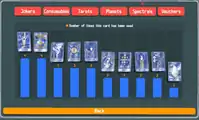
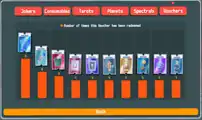
What all of these menus have in common is that their cards are listed in the form of histograms that show up to 10 of the most items. Furthermore, the more an item is used, the more it is positioned leftwards and the more the item's bar's height is increased, depending on how many times that item is used in relative to the other items listed.
- The Jokers menu lists the 10 most used Jokers in a profile. They are determined by how many rounds are completely with what Jokers in hand. Their bars are colored gray.
- The Consumables menu lists the 10 most used Consumables in a profile. Consumables include Tarot Cards, Planet Cards, and Spectral Cards, which can be further distinguished through the colors of their bars (purple, cyan, and blue respectively).
- The Tarots menu lists the 10 most used Tarot cards.
- The Planets menu lists the 10 most used Planet cards.
- The Spectrals menu lists the 10 most used Spectral cards.
- The Vouchers menu lists the 10 most redeemed Vouchers. Their bars are colored orange.
Gallery
-
 Joker stats
 -
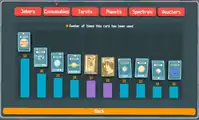 Consumable stats
 -
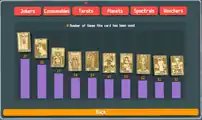 Tarot stats
 -
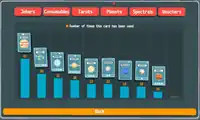 Planet stats
 -
 Spectral stats
 -
 Voucher stats
Notes
- ↑ If the player accesses the Options menu from the main menu, it will be listed as the second option. However, if the player accesses the Options menu during a run, it will be listed as the fourth option.
- ↑ If the player manages to achieve naneinf, the best hand score will be reset to 0 after restarting the game.