Einleitung
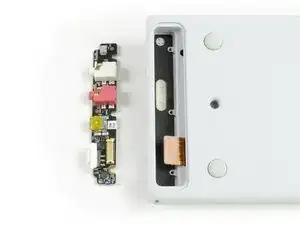
Verwende diese Anleitung, um das OP-1 Connector Board auszutauschen (inklusive Mikrofon, Line-In/Line-Out Anschlüssen und USB Anschluss).
Werkzeuge


Ersatzteile

-
-
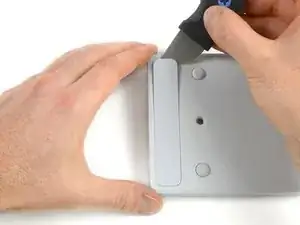
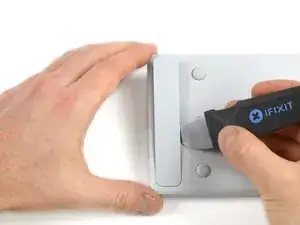
Öffne die Rückabdeckung an der kurzen Seite mit einem Jimmy. Achte darauf, nicht die Beschichtung des OP-1 zu beschädigen.
-
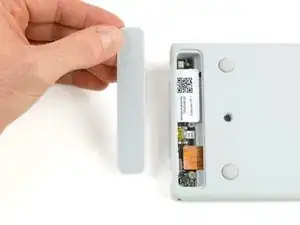
Hebe die Abdeckung an und nimm sie ab. Das Connector Board ist frei gelegt.
-
-
-
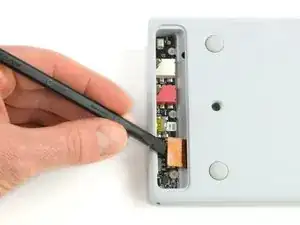
Löse das Flachbandkabel, indem du es mit einem Spudger nach oben anhebst.
-
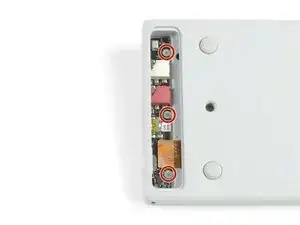
Entferne die drei Kreuzschlitzschrauben. Achte darauf, dass du nicht die Unterlegscheibe bei der untersten Schraube verlierst.
-
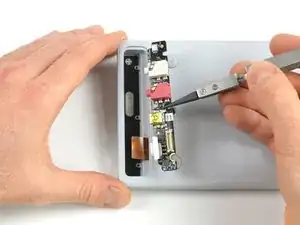
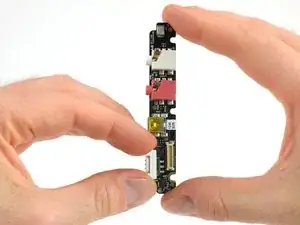
Nimm das Connector Board heraus.
-
-
-
Vergiss nicht die Abdeckung des An-/Aus-Schalters.
-
Nimm sie einfach ab und übertrage sie auf den Schalter am neuen Connector Board.
-
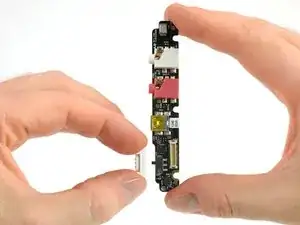
Arbeite die Schritte in umgekehrter Reihenfolge ab, um dein Gerät wieder zusammenzubauen.

37 Kommentare
Veeery useful , thank you !
Even with the Jimmy I can't seem to get the back panel off... a video would be helpful :)
Got the back panel off finally but my connector board won't come out.
I used a broad edged scalpel to do the same thing, just popped right out.
Stephen Holder -
Please!!!!!!…. For the love of God talk to Teenage engineering about getting these back in stock. I am in desperate need of one!!!! Thank you
Matt Robinson -
I believe the instructions here are incorrect - removal of the connector panel in this way will almost certainly damage the paint on the OP1 .
There are two better methods to remove the cover:
- If you have a spare cover (as included, for example, with the iFixit connector board part), carefully screw a self tapping screw into the cover, then use a pair of pliers on the screw to remove the cover.
- Remove the keyboard as per the relevant iFixit guide. Once the keyboard is removed, there is a small hole at a 45 degree angle that allows you to access the underside of the connector board cover whilst avoiding the connector board itself. You can see it at the top of the photo above. Use a small object, such as the handle of a small paintbrush, to push out the connector cover from the keyboard side. This will result in clean removal of the connector board cover without damage to the chassis and allow it to be reused.
lee -