Einleitung
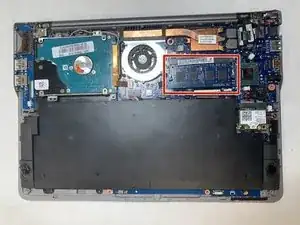
This is a step-by-step guide on how to replace the RAM on the Samsung Series 5 UltraTouch, Model Number: NP540U3C-A01UB. The RAM is the memory used by the computer, so it is important. Be sure to remove electrical power from the device. This can be found at: Samsung Series 5 UltraTouch Battery Replacement. Also, use ESD-safe tools in removing the RAM to ensure safety in part removal.
Werkzeuge


-
-
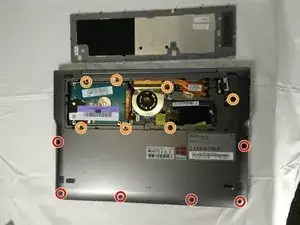
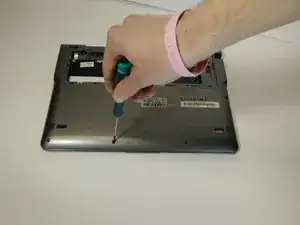
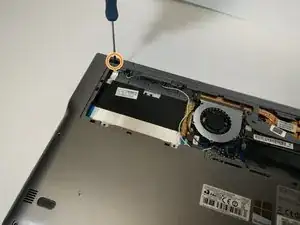
Power off the device. Remove the remaining screws holding the back cover in place:
-
Six 4.0 mm Phillips #00 screws.
-
Seven 6.7 mm Phillips #00 screws.
-
-
-
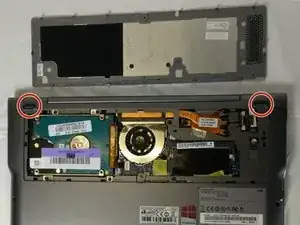
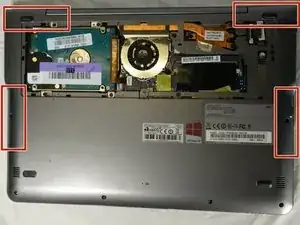
Remove the two rubber pads concealing the final bottom case screws.
-
Remove the two 4 mm Phillips #00 screws found under these pads.
-
-
-
There are clips along the edges of the back cover that hold it in place. Be careful not to break these.
-
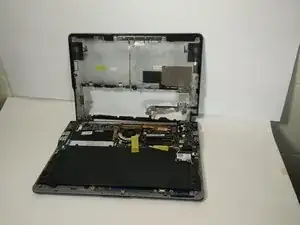
Remove the entire rest of the back cover.
-
-
-
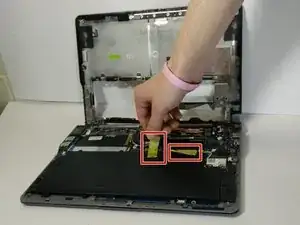
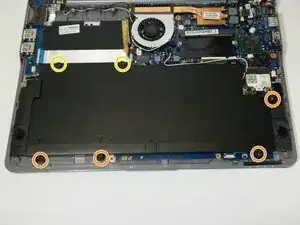
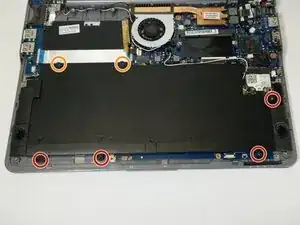
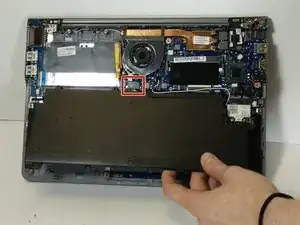
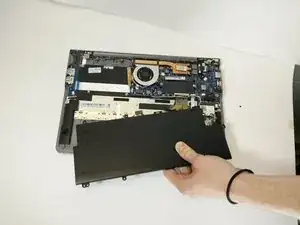
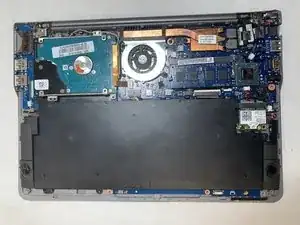
Remove the following Phillips 00 screws securing the battery:
-
Four 4.5 mm screws
-
Two 6.7 mm Phillips screws
-
-
-
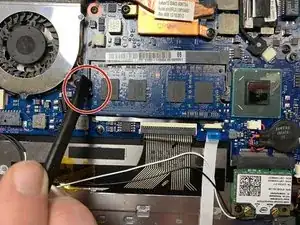
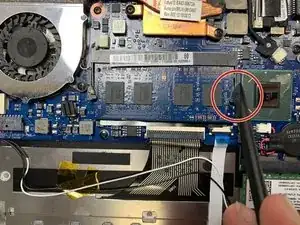
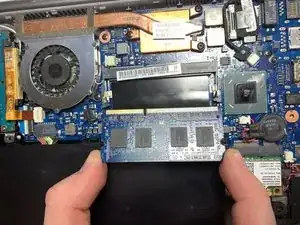
Use a spudger (or your fingers) to unhinge the left and right clips holding the RAM in place.
-
To reassemble your device, follow these instructions in reverse order.
