Einleitung
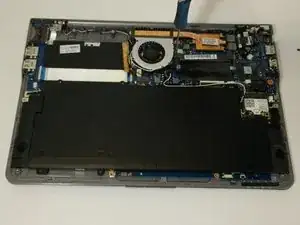
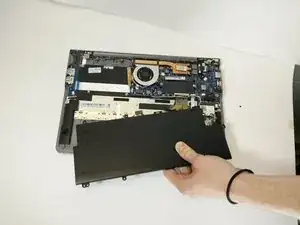
This guide will show how to remove the covers from the underside of the laptop, remove the battery, and replace it with the new battery.


-
-
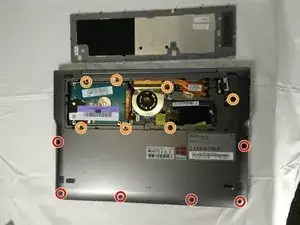
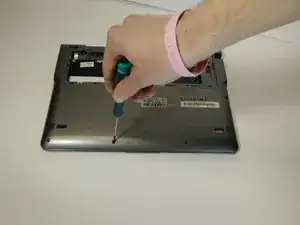
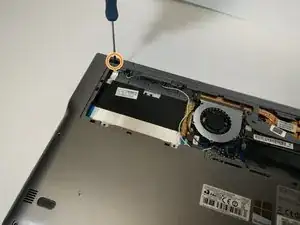
Power off the device. Remove the remaining screws holding the back cover in place:
-
Six 4.0 mm Phillips #00 screws.
-
Seven 6.7 mm Phillips #00 screws.
-
-
-
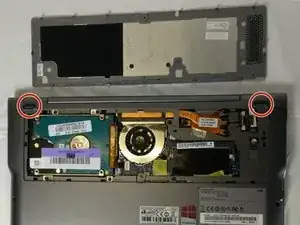
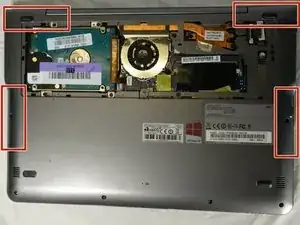
Remove the two rubber pads concealing the final bottom case screws.
-
Remove the two 4 mm Phillips #00 screws found under these pads.
-
-
-
There are clips along the edges of the back cover that hold it in place. Be careful not to break these.
-
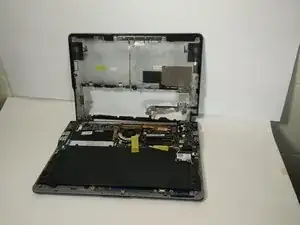
Remove the entire rest of the back cover.
-
-
-
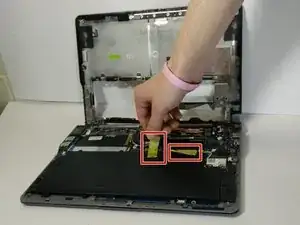
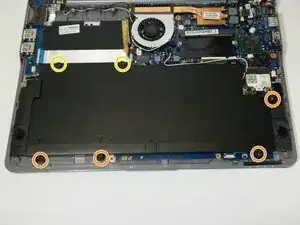
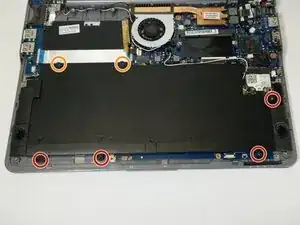
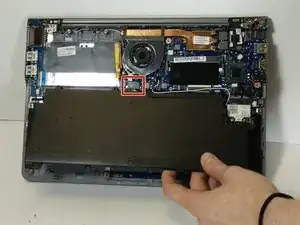
Remove the following Phillips 00 screws securing the battery:
-
Four 4.5 mm screws
-
Two 6.7 mm Phillips screws
-
To reassemble your device, follow these instructions in reverse order.

2 Kommentare
I have one question.. does the laptop operate without the battery? I want to take it out and not replace it.. thanks for your time..Chris
Chris -
If you have a computer connected to a power supply that will still allow it to work.