Einleitung
Hier wird der Austausch des RAM gezeigt.
Werkzeuge


Ersatzteile
-
-
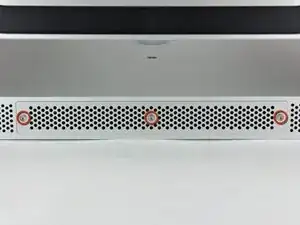
Löse die drei Kreuzschlitzschrauben, mit denen die Abdeckung auf der unteren Seite des iMac befestigt ist.
-
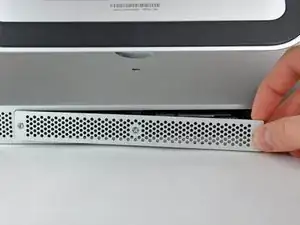
Entferne die Abdeckung des iMacs.
-
-
-
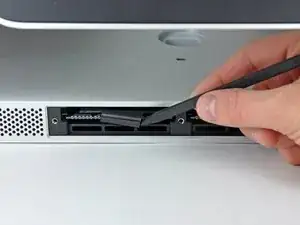
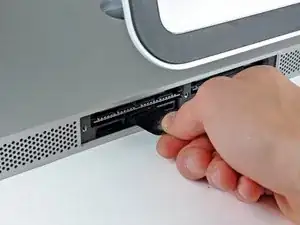
Schiebe mit den Fingern oder der Spudgerspitze die schwarze Zuglasche aus Plastik für die RAM Aufnahme aus der schmalen RAM Öffnung.
-
-
-
Ziehe die schwarze Lasche aus dem iMac heraus, um die RAM Chip aus ihrem Anschluss auszuwerfen.
-
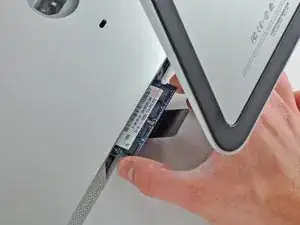
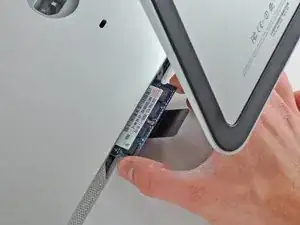
Schiebe den RAM Chip mit den Fingern aus seinem Anschluss.
-
Um dein Gerät wieder zusammenzusetzen, folge den Schritten in umgekehrter Reihenfolge.

13 Kommentare
My iMac 21.5-inch Mid 2011 has EMC 2428, but still directions turned out to be the same.
I replaced the memory in my MacBook Pro, and used the old cards (2x2GB) to fill out the 2 empty slots that apple left empty, doubled the memory of 2 machines for the price of one ^_^
Mabel Xu -
So confused. I have an end 2429 and I ordered some memory hut its says notebook memory, do these machines use the same type of ram?
Thanks ifixit team, I did it. It is really piece of cake! Thanks again!
What's the real max capacity for the RAM?
16 Gb (4 x 4 Gb) DDR3 1333 MHz
16gb according to Apple but 32gb is no problem I would recommend using all identical sticks ie. same manufacturer/speed etc etc.
I have run 32gb for years in that machine With no issues.
I am going to put a very important comment here. Before you start this process listen to the fans on your iMac do any of them sound obviously loud (think about how quiet your iMac used to sound as a reference) If you notice one or more of them sounding substantially loud compared to the others consider locating a replacement fan prior starting this process. After all if you are already “in the neighborhood” it is a shame to do all this work only to have to disassemble your imac a couple weeks later because you realize the fan is failing. I speak from my own personal learning experience of having to disassembly my iMac 3 weeks later because the HDD was failing and apparently the moving the fan around was just enough to push it to start really under performing.
Wizbang FL -
I’m not sure why it is necessary to remove the RAM. As far as I can tell, it can remain in place during this procedure.
gordonhamachi -