Einleitung
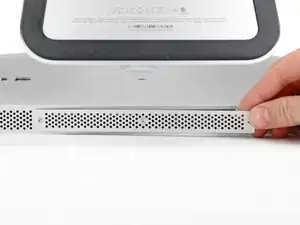
Hier wird gezeigt, wie du die Zugangsklappe an der Unterseite des iMac ersetzen kannst.
Werkzeuge
-
-
Ziehe den Netzstecker am iMac und allen sonstigen Peripheriegeräten.
-
Lege deinen iMac mit der Scheibe nach unten auf eine saubere weiche Oberfläche.
-
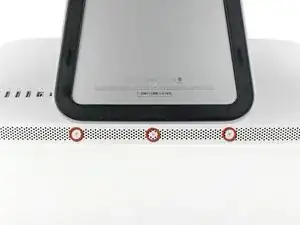
Die Klappe ist mit drei Kreuzschlitzschrauben an der Unterseite des iMac befestigt. Drehe sie heraus.
-
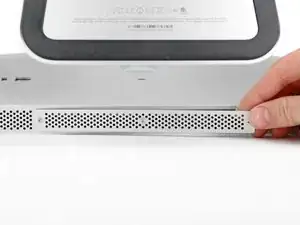
Entferne die Klappe.
-
Abschluss
Um dein Gerät wieder zusammenzusetzen, folge den Schritten in umgekehrter Reihenfolge.

Before beginning unplug your iMac.
Henry Barnett -
The screws are not phillips #1 as implied above. My phillips#2 bit fit.
John McWilliams -
Yes phillips #2 is the correct Bit
Heath -
Whenever I go this “deep” into any computer that has a motherboard battery, like the CR2032 for this iMac, I’ll add a new battery to my workflow. I’m in the “neighborhood” anyway.
The battery is in a spring-loaded compartment, which requires patience and persistence.
I make sure to test the new battery before installation. (The “3-2-1 Rule” applies: 3 of something means 2, 2 means 1, and 1 means none - I keep spare batteries on hand.)
When I took part in my dual-drive adventure, I also added a thorough dusting (outside/outdoors) - phew!
Carrick -