Einleitung
Hier wird der Austausch des RAM gezeigt.
Werkzeuge


Ersatzteile
-
-
Ziehe den Netzstecker am iMac und allen sonstigen Peripheriegeräten.
-
Lege deinen iMac mit der Scheibe nach unten auf eine saubere weiche Oberfläche.
-
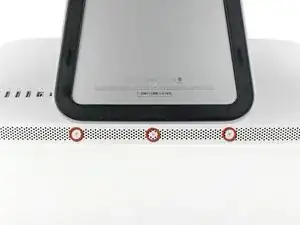
Die Klappe ist mit drei Kreuzschlitzschrauben an der Unterseite des iMac befestigt. Drehe sie heraus.
-
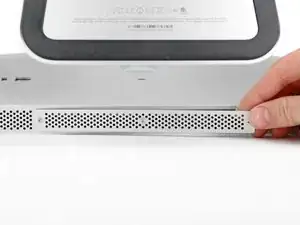
Entferne die Klappe.
-
-
-
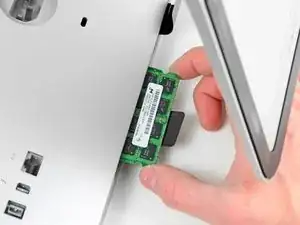
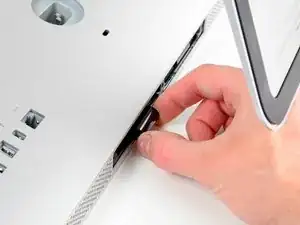
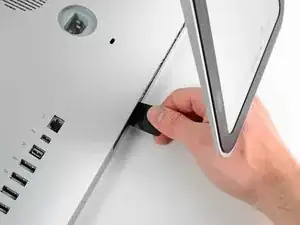
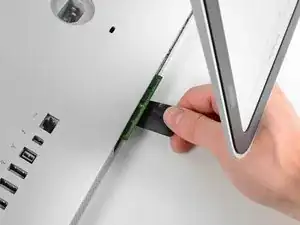
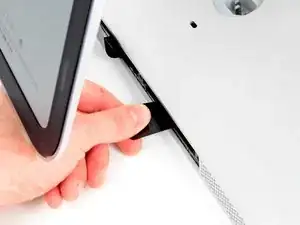
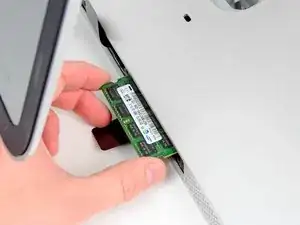
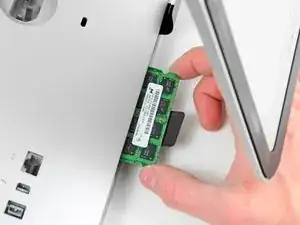
Ziehe vorsichtig die schwarze Plastiklasche zum Entfernen der RAM aus dem RAM-Slot.
-
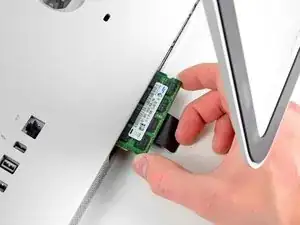
Zieh die schwarze Plastiklasche von der unteren Kante des iMacs weg, um so das Modul/die Module auf dieser Seite des Ram-Gehäuses auszuwerfen.
-
-
-
Wiederhole die vorherigen Schritte, um das/die RAM-Module von der anderen Seite des RAM-Gehäuses zu entfernen.
-
-
-
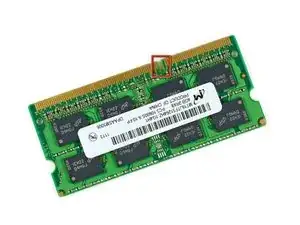
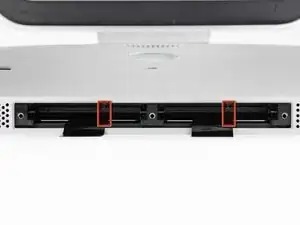
Achte darauf, dass die kleine Kerbe in jedem RAM-Modul (siehe erstes Bild) auf die Erhebung im RAM-Slot (siehe zweites Bild) trifft.
-
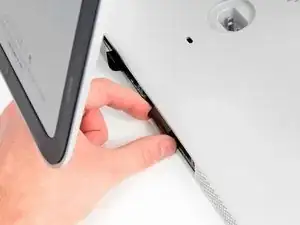
Um dein Gerät wieder zusammenzusetzen, folge den Schritten in umgekehrter Reihenfolge.

10 Kommentare
Can i ad up to 32gb?
I need to know this as well.....
From what I read in the specs for this model it can support up to 16GB
You can't put 8GB modules in these slots. I tried. Apparently the architecture does not support addressing the extra memory in each slot. My iMac would not successfully boot or run for very long before rebooting. So, you have 2GB and 4GB module options, in pairs, among the 4 slots. That should provide 4GB (two 2GBs), 8GB (four 2GBs or two 4GBs), 12GB (pair of each) and 16GB (four 4GBs) options for total RAM.
I'm no expert, but this was my experience.
Larry -
My iMac is a i3 core, can I do the same thing with the same chips?
Thank you for the fix manual. I managed to change my memories in 5 minutes.
Tho it was a mistake to be in a hurry to try all, cause at begining I got the 3 beep warning and iMac didnt want to boot.
I opened again, tried 2x4GB instead of the initial 4x4GB, and it worked.... tried again 4x4GB but swaping memories (not that its something relevant but supposed helped me reconnect all better).
Now my oldie iMac has 16GB instead of 4GB and it works great.
Thank you!
Before beginning unplug your iMac.
Henry Barnett -
The screws are not phillips #1 as implied above. My phillips#2 bit fit.
John McWilliams -
Yes phillips #2 is the correct Bit
Heath -
Whenever I go this “deep” into any computer that has a motherboard battery, like the CR2032 for this iMac, I’ll add a new battery to my workflow. I’m in the “neighborhood” anyway.
The battery is in a spring-loaded compartment, which requires patience and persistence.
I make sure to test the new battery before installation. (The “3-2-1 Rule” applies: 3 of something means 2, 2 means 1, and 1 means none - I keep spare batteries on hand.)
When I took part in my dual-drive adventure, I also added a thorough dusting (outside/outdoors) - phew!
Carrick -