Einleitung
Benutze diese Anleitung, um die RAM Chips auszutauschen oder aufzurüsten.
Werkzeuge


Ersatzteile
-
-
Lege den iMac mit der Vorderseite nach unten auf einen Tisch, so dass die Unterkante zu dir zeigt.
-
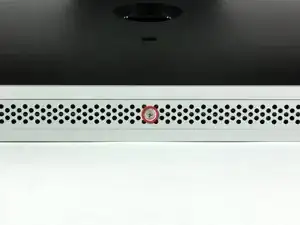
Löse die einzelne Kreuzschlitzschraube in der Mitte der Abdeckung.
-
Entferne die Abdeckung vom iMac.
-
-
-
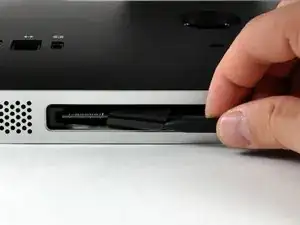
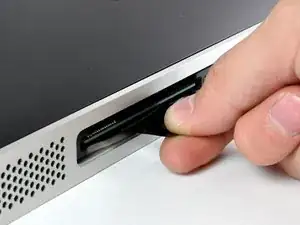
Ziehe die schwarzen Plastiklaschen am RAM mit dem scharfen Ende des Spudgers aus dem Speicher-Einschub.
-
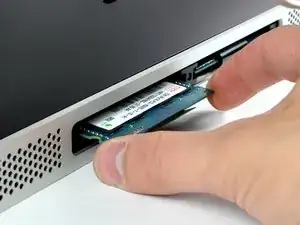
Ziehe die schwarze Plastiklasche aus dem iMac heraus, um den RAM Chip auszuwerfen.
-
Abschluss
Um dein Gerät wieder zusammenzusetzen, folge den Schritten in umgekehrter Reihenfolge.

The grid won't fall off by itself. You'll have to help it. Use the smallest screwdriver you have; the Torx 6 worked fine for me. It should enter in one of the many holes composing the grid. Use it as a lever to ploy the grid a little bit. You may catch it with your fingers and that's it.
Be carefull not to damage the hole by a too strong leverage.
Laurent -
much more safer to use duct tape, instead of torx 6. (glue it along the length of the grid and pull). it will loose instantly and smooth;)
Hofmann78rus -
Anyone know a guide to replace the plastic piece this screw connects to? I accidentally forgot this step - went to remove the front bezel and bent the plastic piece the access door connects to.
Jason Augustin -