Einleitung
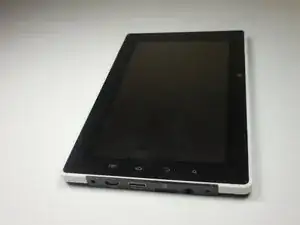
This simple task of replacing the battery will lengthen the lifespan of the charge on the iDeaUSA CT702.
Werkzeuge


Ersatzteile

-
-
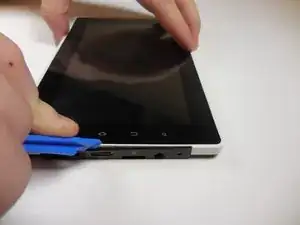
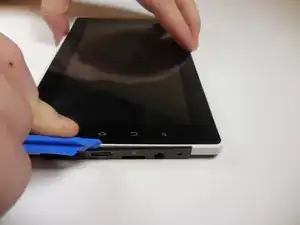
Use a fingernail or a plastic opening tool to gently pry the black panel around the portholes.
-
-
-
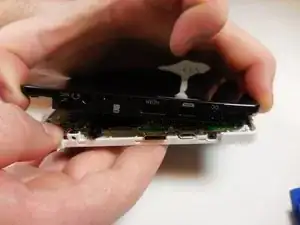
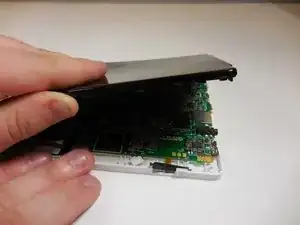
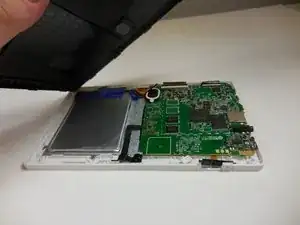
Use your fingers to remove the rest of the back. Slowly apply pressure from each side to break each clip connection
-
-
-
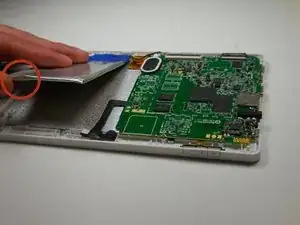
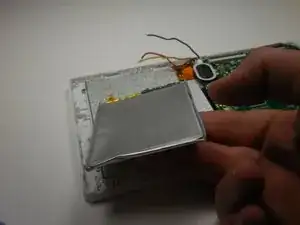
Separate the battery from the device
-
Slowly use your thumb and forefingers to pry open each corner.
-
-
-
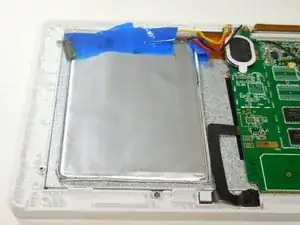
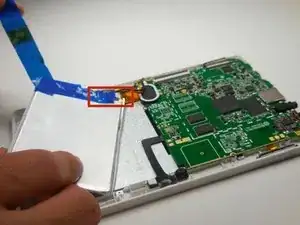
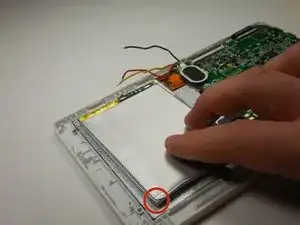
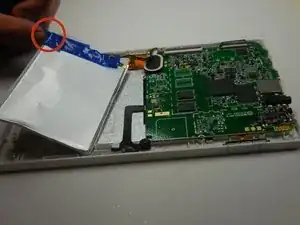
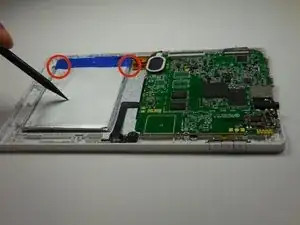
Carefully peel off tape around the top of the battery.
-
Slowly use your fingernail to lift the tape off of the battery. Dispose of the tape or save it for reuse.
-
-
-
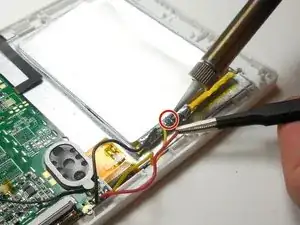
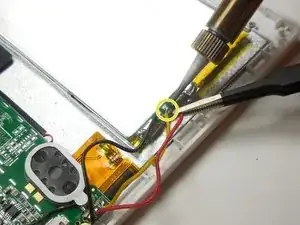
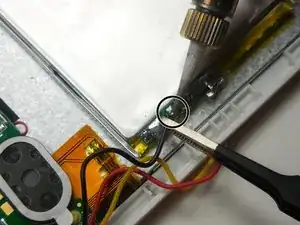
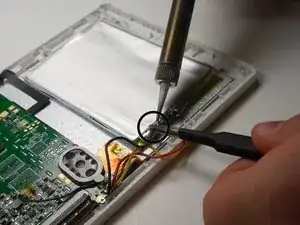
Disconnect the battery using the soldering iron.
-
Start with the red wire, and gently touch the tip of the iron onto the connection.
-
Move to the yellow wire after the red.
-
Move to the black wire after the yellow.
-
-
-
Remove the battery completely. Dispose of the defective battery properly at a recycling center.
-
-
-
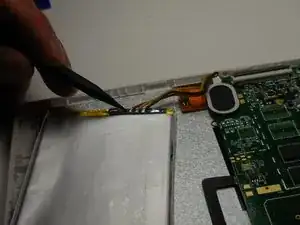
Solder the new battery
-
Start with the black wire and solder to the nearest connection
-
Move to the yellow wire and solder to the middle connection
-
End with the red wire and solder to the farthest connection away
-
-
-
Re-tape the battery at the top
-
Tape the corners in place, onto the shell
-
To replace back cover, follow the first three steps in reverse order
-
To reassemble your device, Start from step 9 and work backwards.
