Einleitung
Use this guide to replace the rear cover of your Zeki TBQG884B tablet, or as a prerequisite for repairs on any of the device's other internal components.
Werkzeuge


-
-
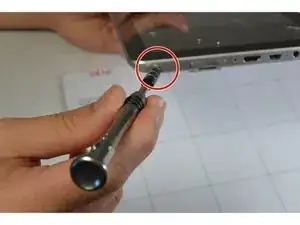
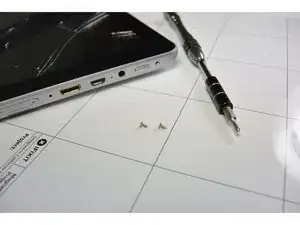
Remove the two screws from the end of the device where the ports are located using a Phillips #1 screwdriver.
-
-
-
Place the tablet down so that the screen is facing away from you.
-
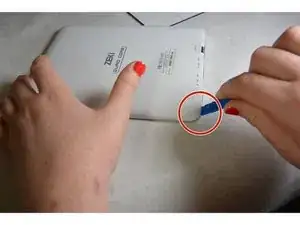
Insert the tip of your opening tool into the small gap between the gray and white plastic covering. Pry it open and you should hear the clips opening up.
-
Gently work your way around the perimeter of the tablet's edge.
-
-
-
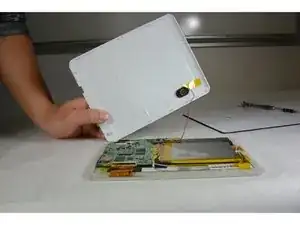
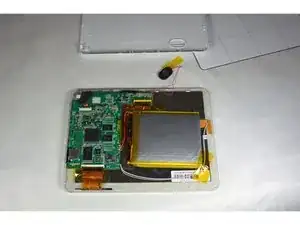
Remove the back cover
-
Remove any tape on the speaker and detach the speaker from the back plate.
-
Abschluss
To reassemble your device, follow these instructions in reverse order.