Einleitung
Replacing the speakers is a fairly simple task. It only requires basic soldering techniques, and both speakers and speaker connection points are easily accessible. Be careful in handling the speakers as their wires are very thin and could be easily broken.
Werkzeuge


-
-
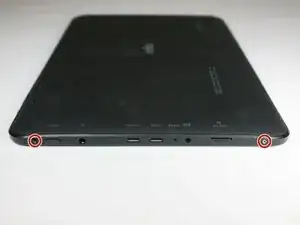
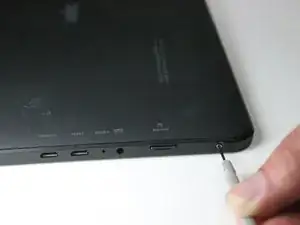
With a Phillips #0 screwdriver, remove the two 3 mm retaining screws from the side of the tablet.
-
-
-
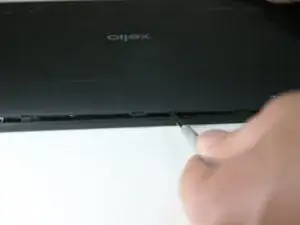
Using the plastic opening tool, disengage the securing tabs that are along the two long sides of the tablet, four on each side.
-
Slowly rotate up the side of the tablet opposite from the control buttons.
-
-
-
If they are, the shell half can be fully separated from the front shell half.
-
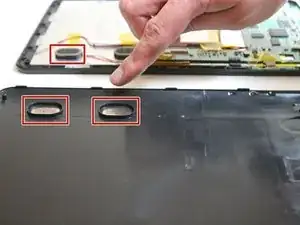
If they are still in their sockets, gently pry them loose with the plastic opening tool.
-
-
-
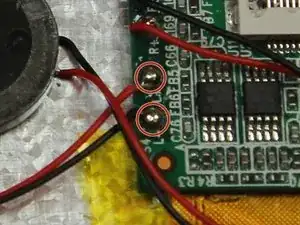
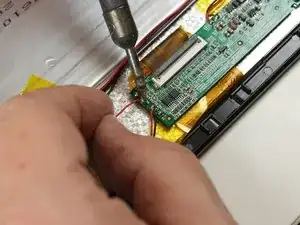
With the soldering iron, de-solder the two speaker wires.
-
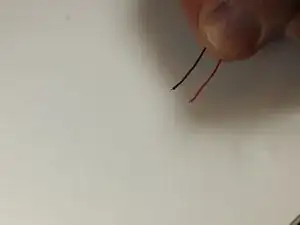
Once the wire loosens remove the wire from the soldering point
-
Use a soldering vacuum to remove the excess solder
-
-
-
Resolder wire to soldering point
-
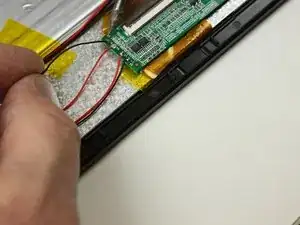
Place wire in soldering point
-
Apply soldering iron and solder wire to the point
-
To reassemble your device, follow these instructions in reverse order.
