Einleitung

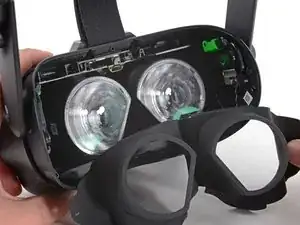
Follow this guide to replace the head strap on a Valve Index VR headset.

Power off and unplug your Index before you begin your repair.

  1. LEW1ePi5WDSU3KZX
    LEW1ePi5WDSU3KZX
    sWNtVUJKWTwAhFZR
    qCn4is6HbviRxBxb
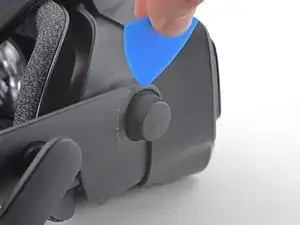
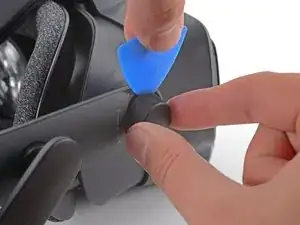
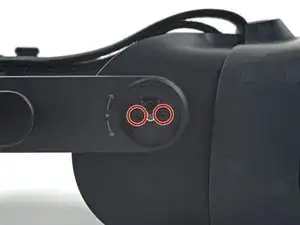
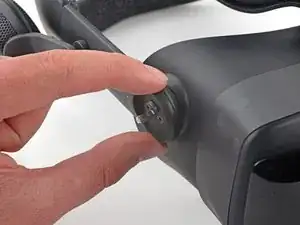
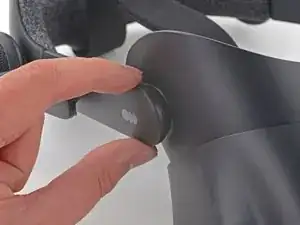
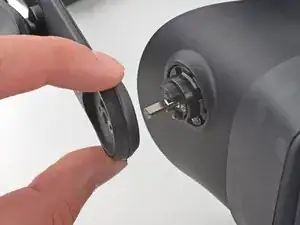
    • Insert an opening pick between the eye relief knob and the head strap.

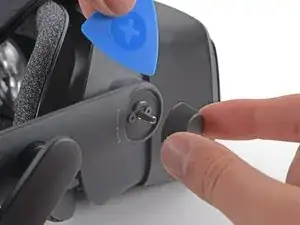
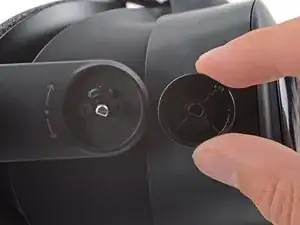
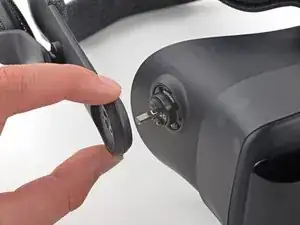
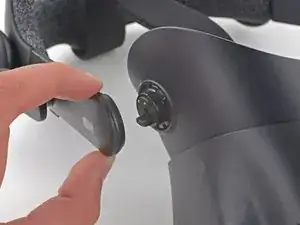
    • Gently pry with the opening pick while pulling the eye relief knob off until it is removed.

  2. n4qMqOcov5SyWqkH
    • During reassembly, ensure the eye relief knob is aligned with the shaft before pressing it on.

  3. 1v6MrVGCDlfnwSvr
    1v6MrVGCDlfnwSvr
    MXEwSPXLipDlNVW3
    JJT5GCa1x3DyNCGT
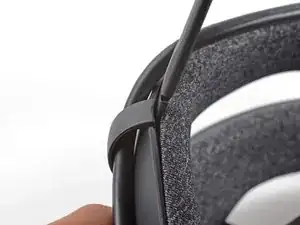
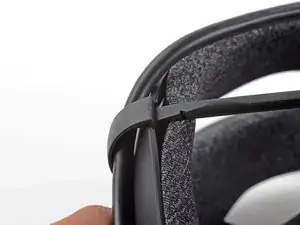
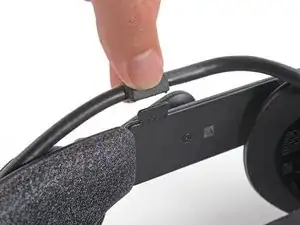
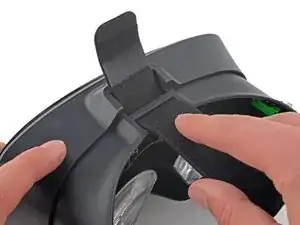
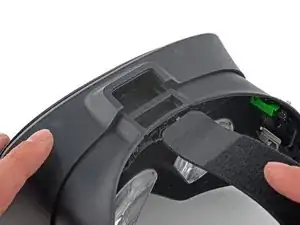
    • Insert the flat end of a spudger in between the bottom of the head strap clip and the head strap padding.

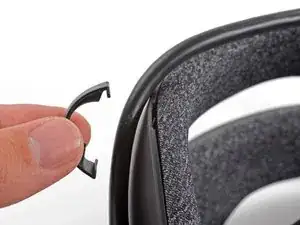
    • Pry up on the head strap clip until it is unclipped from the head strap.

    • To reinstall, first locate the recesses on the head strap for mounting the clip. Next, align the clip with the recesses, verify the tether cable is threaded through the clip, then simply press the clip back into place.

  4. tOH1gFNEuMpQDJKT
    tOH1gFNEuMpQDJKT
    VByiidwDNcbUPiNY
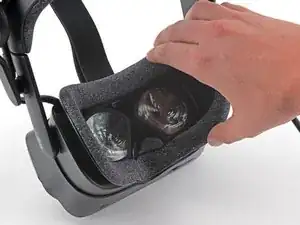
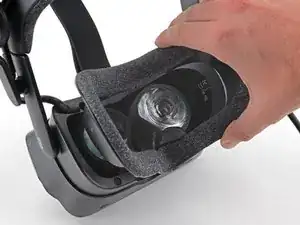
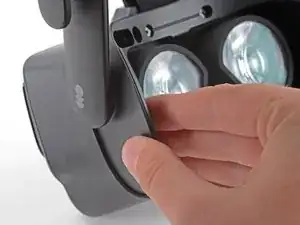
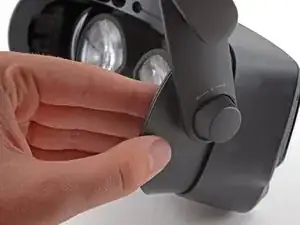
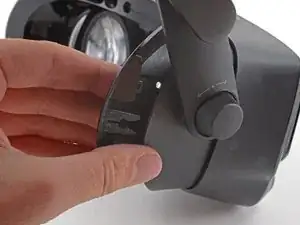
    • Use your hand to gently pull the face gasket straight off of the headset.

    • The face gasket is held in place by four magnets that secure to screws in the face bezel.

    • Before installing a face gasket, ensure the four screws securing the face gasket bezel are installed. Otherwise, the face gasket will not stay in place.

  5. 3aROd5KcPVsfPHKy
    3aROd5KcPVsfPHKy
    Cf2N1rWE4wenPNiQ
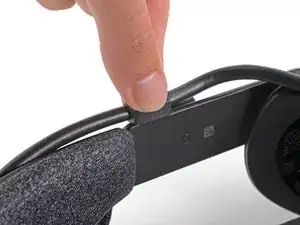
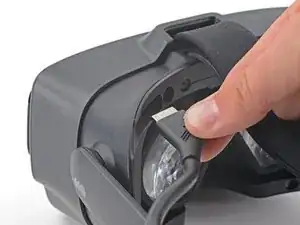
    • Use your fingers to pull the tether cable straight up off of the head strap cable guide.

  6. JJTEad1WoMc4RpTY
    JJTEad1WoMc4RpTY
    DdAuAjCk1RrBQRIH
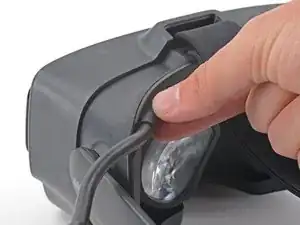
    • Pull the tether cable straight back out of the headset.

  7. rGQRRHfVtx3wJPGB
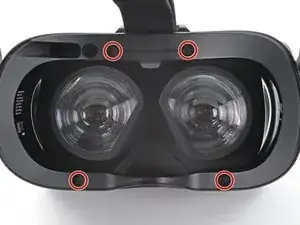
    • Use a T5 Torx screwdriver to remove the four 6.0 mm screws securing the face gasket bezel to the headset.

  8. oiWtZjweuBf2MaBK
    oiWtZjweuBf2MaBK
    Y4Z3aiQwfEvuBYWb
    • Do not try and pry the face gasket bezel off, or you will damage the headset.

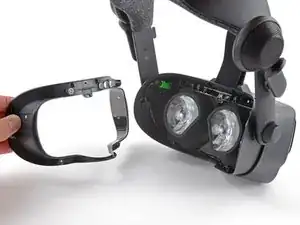
    • Grab the left edge of the face gasket bezel with your hand and slide it off of the headset.

    • During reassembly, visually verify the clips on the face gasket bezel are aligned with the headset before sliding it into place.

    Please make sure the nose section slides in properly. [br]

    Theres a connector in between the top 2 screws of the gasket that will not make a proper connection if the nose is not aligned.[br]

    For me this lead to an array of display output errors.

    Leocracy -

  9. xpt1pbOC4OOBjXYk
    xpt1pbOC4OOBjXYk
    1VlueGuDQqnc6aGZ
    lBXqaWPbS1lGO4bb
    • Repeat the previous step for the right side of the face gasket bezel.

    • Remove the face gasket bezel.

  10. NMNT3GayeVRqcRux
    NMNT3GayeVRqcRux
    54KSAbUUKKPPHXLZ
    PPcM5oL3OWn4IqAN
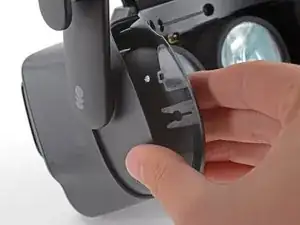
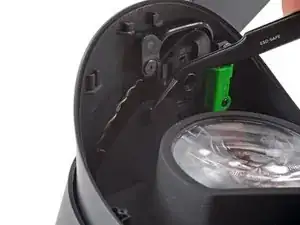
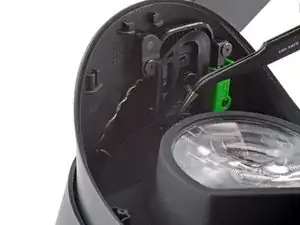
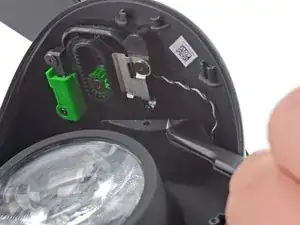
    • Use a pair of tweezers to separate the left edge of the eye tube gasket from the headset.

    • Repeat the process for the right edge of the gasket.

    • During reassembly, make sure these holes are secured to the pegs on the headset before continuing.

  11. kTVsVRUUI63foZYS
    kTVsVRUUI63foZYS
    oOlEQODliClA4Tuf
    BJiyQgNTgoFPWJAw
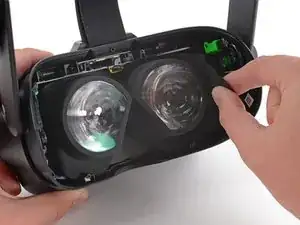
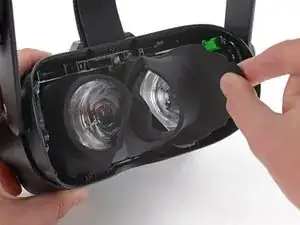
    • Gently peel the eye tube gasket out of the headset.

    • The eye tube gasket is lightly adhered to the perimeter of the lenses. It should pull off easily.

  12. 3KnWsOCx6l6kBskd
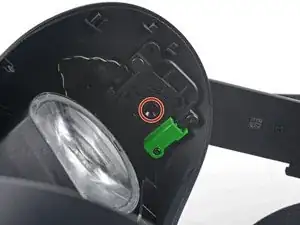
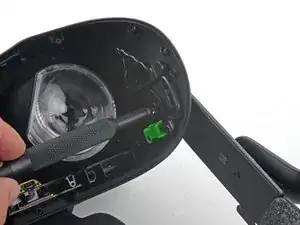
    • Use a T5 Torx screwdriver to remove the two 6.6 mm screws underneath the eye relief knob.

    these are T6 screws, not T5. a T5 will drive them, but it's not ideal.

    Osi -

  13. qSeHVOOMSn3AsWyA
    qSeHVOOMSn3AsWyA
    Pkw1mbonNFQGtUmO
    • Pull the right end of the head strap straight off of the headset.

    • During reassembly, ensure the head strap is correctly positioned on the alignment post.

  14. JVYqGHrsIEdVljHj
    JVYqGHrsIEdVljHj
    FLLiIPYfis6kMAni
    • Use a T5 Torx screwdriver to loosen the screw securing the left side of the head strap to the headset.

    • Do not let this screw fall inside the headset. It is not a captive screw and is very difficult to retrieve.

    It looks like a step is missing for removing the inner lining of the headset

    Nirvash -

    Thanks for noticing this! I am correcting it now.

    Sam Omiotek -

    this is also a T6 screw, not T5.

    Osi -

  15. SJPM2YeBjMyxPFiX
    SJPM2YeBjMyxPFiX
    YRotpnrJpHyGjX3B
    • Pull the left end of the head strap straight off the headset.

    • During reassembly, be careful not to let the screw fall into the headset. Use your driver to hold it in place from behind if necessary.

  16. WEctAAiAFAbaZCSQ
    WEctAAiAFAbaZCSQ
    2lavQt3xGIWrnmLC
    • Slide the head strap band out from the headset.

    • The head strap is now fully removed.

Abschluss

Compare your new replacement part to the original part—you may need to transfer remaining components or remove adhesive backings from the new part before installing.

To reassemble your device, follow the above steps in reverse order.

Take your e-waste to an R2 or e-Stewards certified recycler.

Repair didn’t go as planned? Try some basic troubleshooting, or ask our Valve Index Answers community for help.

Sam Omiotek

Mitglied seit: 25/02/19

41618 Reputation

0 Kommentare