Einleitung
Erstellen eines USB-Bootlaufwerks für Mac OSX El Capitan,Yosemite, Mavericks, macOS Sierra macOS High Sierra, macOS Mojave, macOS Catalina, macOS Big Sur und macOS Monterey.
(Apple beschreibt dieses Verfahren auch auf seiner Support-Seite).
Ersatzteile

-
-
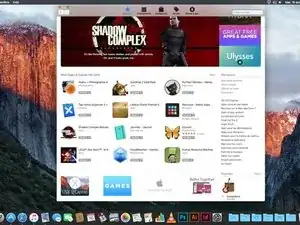
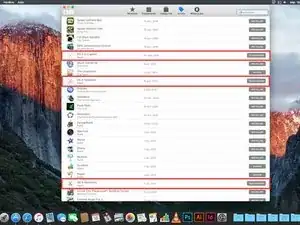
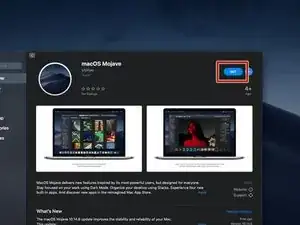
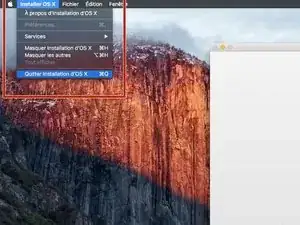
Verlasse nach Beenden des Downloads den App Store. Das Installationsfenster erscheint automatisch.
-
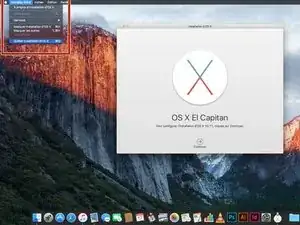
Gehe zu OS X installieren, verlasse dies dann über Installation beenden.
-
-
-
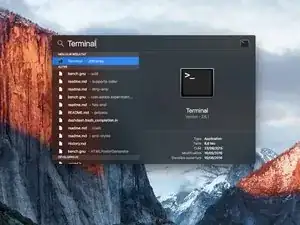
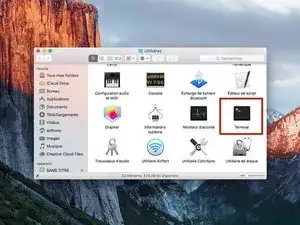
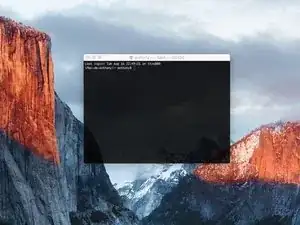
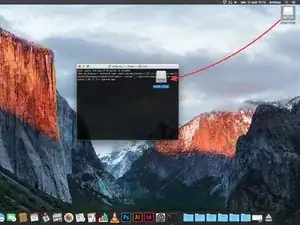
Suche das Terminal entweder über Spotlight oder durch Aufruf von Dienstprogramme/Terminal.
-
Klicke darauf, um Terminal zu starten.
-
-
-
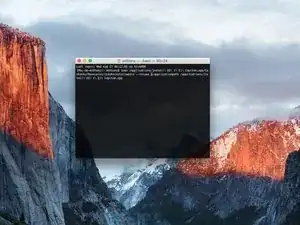
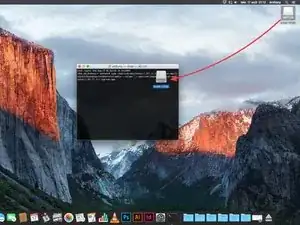
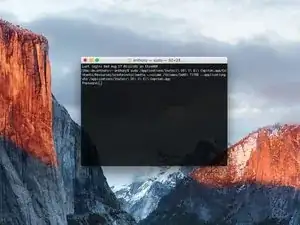
Setze eine der folgenden Zeilen im Terminal ein (der Name des Betriebssystems ist der des Systems, was du auf dem Stick installieren willst, nicht der von dem System deines Mac):
-
Für El Capitan : sudo /Applications/Install\ OS\ X\ El\ Capitan.app/Contents/Resources/createinstallmedia --\ Capitan.app/Contents/Resources/createinstallmedia --volume /Volumes/MyVolume --applicationpath /Applications/Install\ OS\ X\ El\ Capitan.app
-
Für Yosemite : sudo /Applications/Install\ OS\ X\ Yosemite.app/Contents/Resources/createinstallmedia --volume /Volumes/MyVolume --applicationpath /Applications/Install\ OS\ X\ Yosemite.app
-
Für Mavericks : sudo /Applications/Install\ OS\ X\ Mavericks.app/Contents/Resources/createinstallmedia --volume /Volumes/MyVolume --applicationpath /Applications/Install\ OS\ X\ Mavericks.app
-
Für Sierra : sudo /Applications/Install\ macOS\ Sierra.app/Contents/Resources/createinstallmedia --volume /Volumes/MyVolume --applicationpath /Applications/Install\ macOS\ Sierra.app
-
Gehe weiter zum nächsten Schritt.
-
-
-
Für High Sierra : sudo /Applications/Install\ macOS\ High\ Sierra.app/Contents/Resources/createinstallmedia --volume /Volumes/MyVolume --applicationpath /Applications/Install\ macOS\ High\ Sierra.app
-
Für Mojave : sudo /Applications/Install\ macOS\ Mojave.app/Contents/Resources/createinstallmedia --volume /Volumes/MyVolume
-
Für Catalina : sudo /Applications/Install\ macOS\ Catalina.app/Contents/Resources/createinstallmedia --volume /Volumes/MyVolume
-
Für Big Sur : sudo /Applications/Install\ macOS\ Big\ Sur.app/Contents/Resources/createinstallmedia --volume /Volumes/MyVolume
-
Für Monterey : sudo /Applications/Install\ macOS\ Monterey.app/Contents/Resources/createinstallmedia --volume /Volumes/MyVolume
-
-
-
Nachdem der Pfad geändert wurde, drücke die Eingabetaste.
-
Gib das Passwort deines Mac ein.
-
Drücke nach Eingabe des Passworts wieder die Eingabetaste.
-
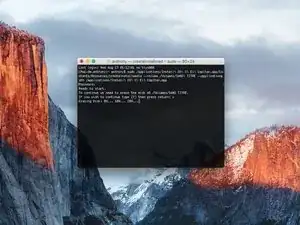
Prüfe nochmal den Pfad zu deinem USB-Laufwerk, wenn er korrekt ist, dann kannst du mit "y" bestätigen und die Eingabetaste drücken.
-
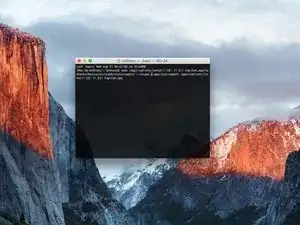
Nun beginnt der Kopierprozess auf das USB-Laufwerk, warte bis er bendet ist.
-
-
-
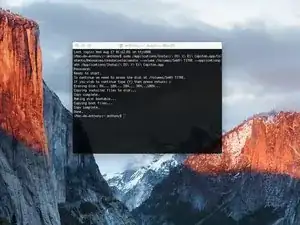
Das Terminal zeigt "Done" an, damit ist das USB-Bootlaufwerk fertig.
-
In Zukunft kannst du von deinem USB-Laufwerk aus starten, indem du während des Neustarts deines Macs die "alt" Taste gedrückt hältst.
-

79 Kommentare
if it is possible with power iso i have installed this one on my system. http://standaloneinstaller.com/download-...
You mean create a USB key from Windows ?
Absolutely possible because I successfully created a Big Sur USB installer on my Windows 10 PC with UUByte DMG Editor.
However, you should download the macOS dmg file first. This software can quickly burn DMG file to USB and you will get a bootable macOS USB disk in a few minutes.
BTW, it also has a Mac version you can try out.
Johin114 -
I'm thinking of using this method to revert back to an older os due to my mac slowing down with Sierra. Will I be able to install just Yosemite or el capitan? Without installing previous os upgrades? This way I can have a fresh mac book.
Hello,
Yes you can but with this method, we must make a clean install.
So, please sure you save all your data to another hard drive.
Réparer ma clé usb
I have previously downloaded this file, but it does not show up on my purchased list. Also tried Apple Support downloads, but they only have “Update” versions to download.
Peter Simons -
If, you’re on macOS Majove, it’s impossible to download previous versions of Mac systems. Excepted, macOS High Sierra but, I don’t know for how long.
Anthony Fassler -
If you have issues logging into the (App Store -> purchased) due to 2FA, get the code sent to your device and append it to your Apple ID password to log in
Joe Verba -
You can download older versions of the OSX. Here are the download-links (unfortunately an article in german, but you can find the download-links below):
https://www.macwelt.de/a/high-sierra-sie...
Gerrit -
If you already have Mojave and just want to download the installer, you might not able to until you disable auto update.
Just head to the Mojave page:
https://apps.apple.com/ph/app/macos-moja...
Then click the download button.
Software Update will come up, click Advanced and uncheck the auto update.
You will be able to download now.
Edmar Herrero -
Does not work anymore :-(
wanda_name -
Hélas , en effet : j’ai été prise de vitesse car je pensais devoir acheter un MAC neuf , et quand j’ai vu les performances à prix égal à celui payé en 2013 , j’ai dit NON !
Comment continuer de me servir de mon MAC BBOK PRO ?
Votre site répond à toutes nos question , même l’assistance en ligne de APPLE est incompétente !
Merci
GULLY -
I’m trying to make a bootable usb for El Capitan for a SSD - my current working mac is High Sierra - is this doable? I keep getting errors because El Capitan is too old to run on my working mac.
Claire -
Hi Claire did you get any response about this enquiry?
Gabriel Davila -
https://support.apple.com/fr-fr/HT201260
tidrol_69 -