Einleitung

  1. nVrtsavtXdVGRnyG
    nVrtsavtXdVGRnyG
    CohPiSmSN3Uv4Phg
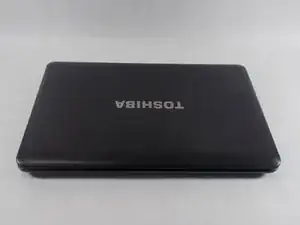
    • Unplug your computer, and make sure that it is shut off before starting.

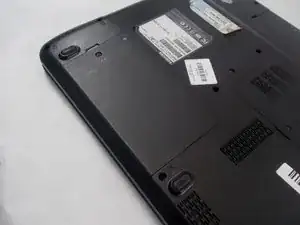
    • Flip over your laptop, making sure the hard drive is facing you.

  2. Z31V5EgWnSVREhHb
    Z31V5EgWnSVREhHb
    PJOXwZiTrsx2YFdb
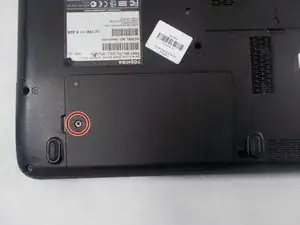
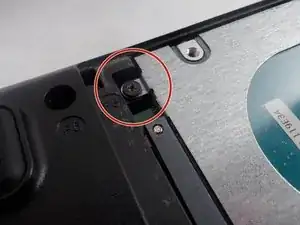
    • Using a Phillips head screwdriver, remove the one screw holding the backplate on.

  3. c6rqggLGWs3tGaaH
    c6rqggLGWs3tGaaH
    iWinpXeBaCgWCFBd
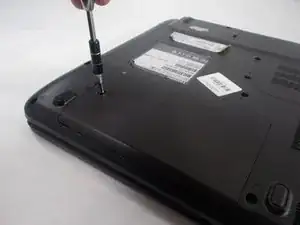
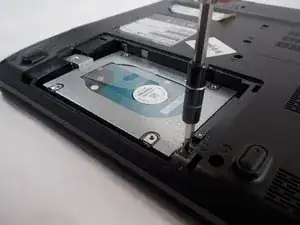
    • With a Phillips head screwdriver remove the final screw holding the hard drive in place.

  4. DvOS6WsggemuEiPt
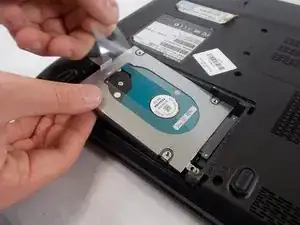
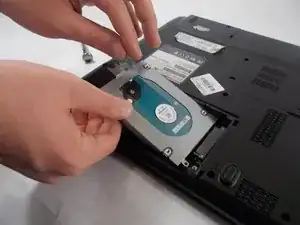
    • To remove the hard drive, lift up the plastic tap attached to it and slowly pull up using your other hand as support.

Abschluss

To reassemble your device, follow these instructions in reverse order.
Alex Kozlowski

Mitglied seit: 21/03/19

217 Reputation

0 Kommentare