Einleitung


-
-
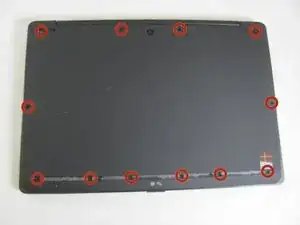
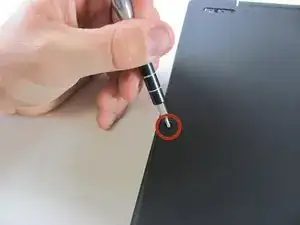
Starting with the laptop top-down, locate and remove the twelve 1mm Phillips #0 screws securing the back cover to the main body of the computer.
-
-
-
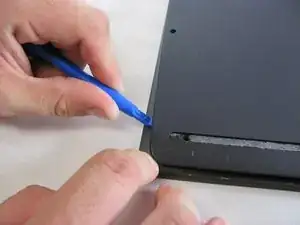
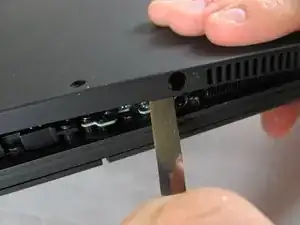
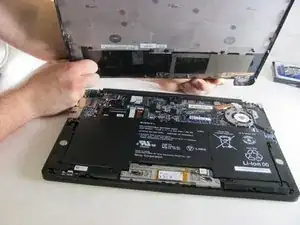
Use the Plastic Opening Tools or Metal Spudger to carefully loosen back cover from the body of the computer.
-
-
-
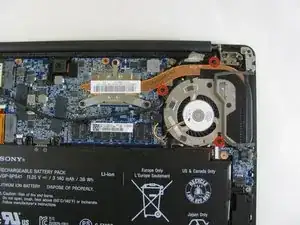
Remove the three 1mm Phillips #0 screws surrounding the fan.
-
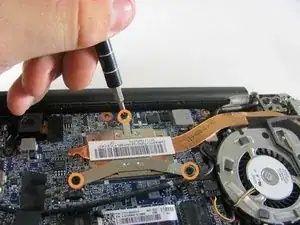
Loosen the three 1mm Phillips #0 screws. These screws will stay captive to the heatsink.
-
-
-
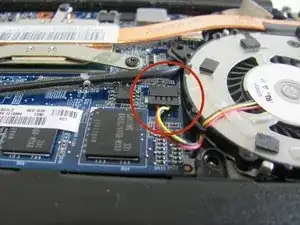
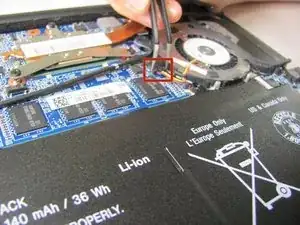
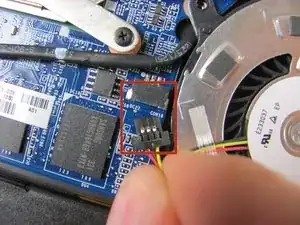
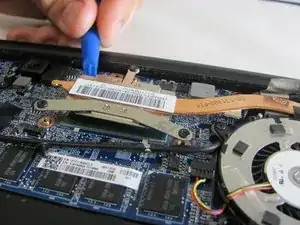
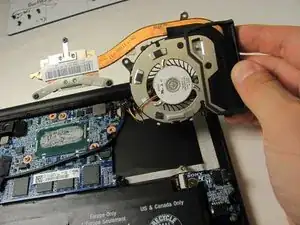
Use the Plastic Opening Tool to gently remove the heat sink and fan assembly from the computer.
-
-
-
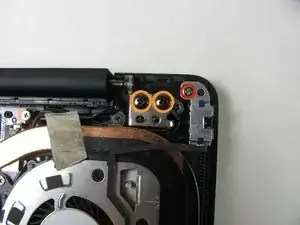
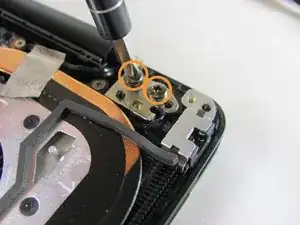
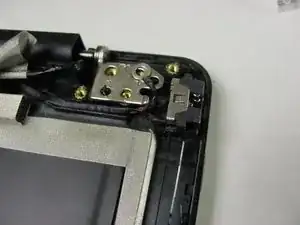
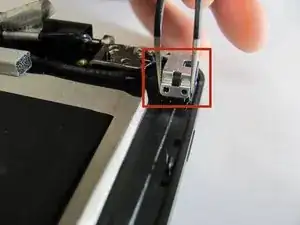
Remove 1mm screw using a Phillips Head #0 screwdriver.
-
Remove two 3mm screws using a Phillips Head #1 screwdriver.
-
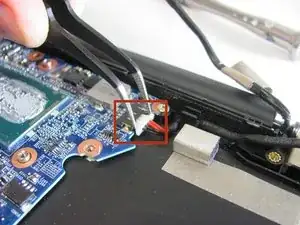
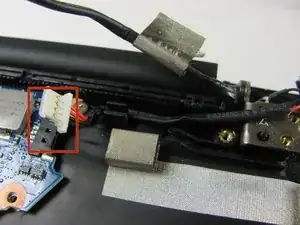
To reassemble your device, follow these instructions in reverse order.

3 Kommentare
Excellent instructions, thank you. Now all I need to do is overcome fear, buy some tools and magnifiers, knock on wood and go for it. But I think I'll wait until I can no longer find the sweet spot.
Where can I buy the charge port?
Hi Patrick
this is the same question I have. Did you managed to find one in the meantime ?
Or does anaybody know where to buy one ?
thanx for any help !
cheers
B
Ben -