Einleitung

This guide shows how to remove the phone keypad.

  1. ZIZxPOpZD4J4jJaW
    ZIZxPOpZD4J4jJaW
    WMPjIZFJom3PGVmS
    urjGnSV1gOIwuMmd
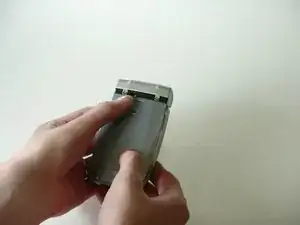
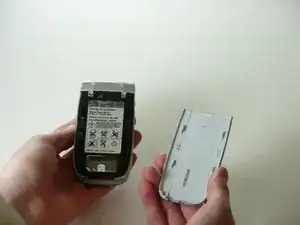
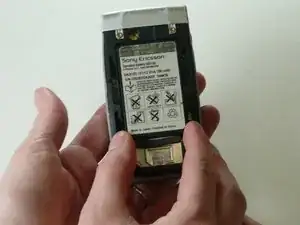
    • Remove the back cover and the battery.

  2. phvOKhtbLabUuhWV
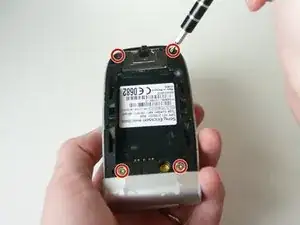
    • Remove the 4 screws using a T6 precision screwdriver.

    • Flip open the phone, and keep the back cover facing you.

  3. jonxwRCQhtusHARC
    jonxwRCQhtusHARC
    1CLxeOtCPegfDUQ4
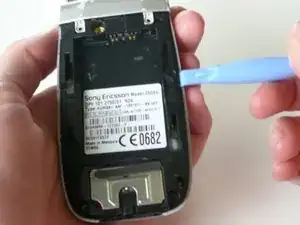
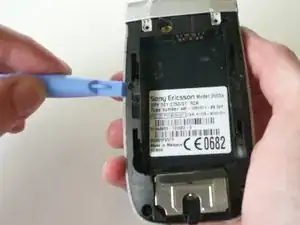
    • Take the plastic opening tool and run it between the phone case and phone body to loosen the key pad while the phone is open.

    • There are 2 clamps that lock it to the phone case (1 on each side).

  4. OWGKe3SiEMLQxWmE
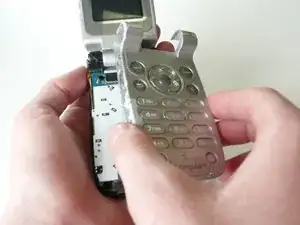
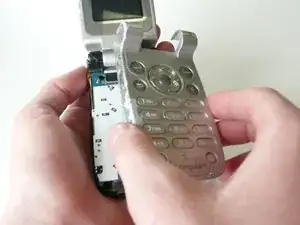
    • Flip the phone over and lift straight up on the key pad to remove it.

    • Be sure to hold the phone flat (parallel to the table), because there are loose parts that may fall out.

Abschluss

To reassemble your device, follow these instructions in reverse order.

Jory Benitez

Mitglied seit: 16/04/10

1 Reputation

0 Kommentare