Einleitung

Use this guide to replace the motherboard of the Samsung Mythic SGH-a897.

  1. 6dKbNtwYgcspHUZT
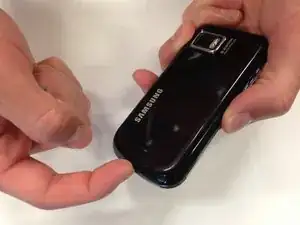
    • Slide your fingernail into the slit at the bottom of the phone to remove the back cover.

  2. BHxVfmsQcyyxgaaG
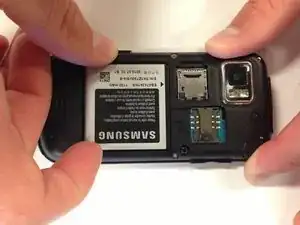
    • Place your finger in either of the bottom corner of the battery slot and lift to remove the battery.

  3. jXxUDeM3IEIBVpGk
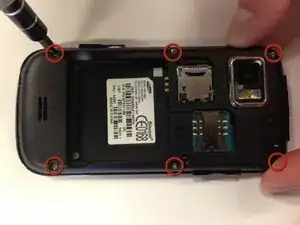
    • Remove six 5 mm Phillips #0 screws from the back of the phone.

  4. 2iSuxDMSVMKD6OeP
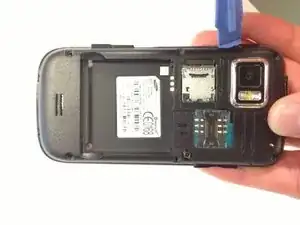
    • Insert a plastic opening tool into the seam between the back case and the rest of the phone.

    • Working along the seam, pry the back from the phone.

  5. TGrCWVQXAiDKEkNi
    TGrCWVQXAiDKEkNi
    yterBEdYfdv5pWBw
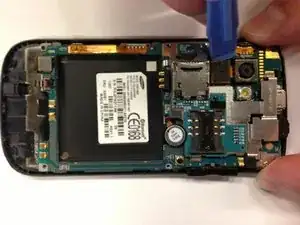
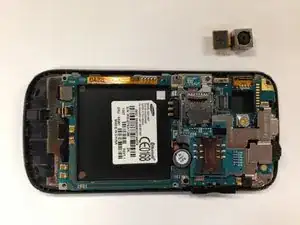
    • Use a plastic opening tool to disconnect the camera cable from the motherboard.

    • Carefully remove the camera from the phone.

  6. oQOBFqIYTDQKdXf3
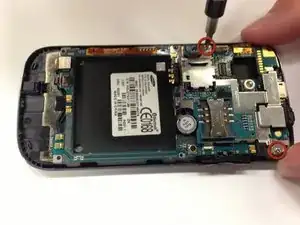
    • Remove the two remaining 3.8 mm Phillips screws.

  7. 4ow1FRJtI2KLxmmE
    4ow1FRJtI2KLxmmE
    XU5fTXhdOdhPTjJV
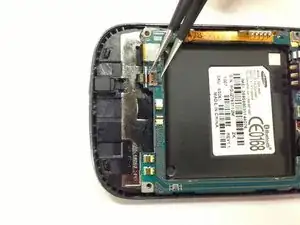
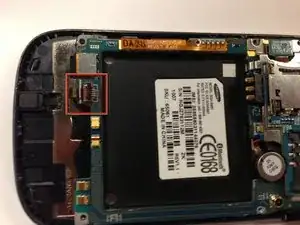
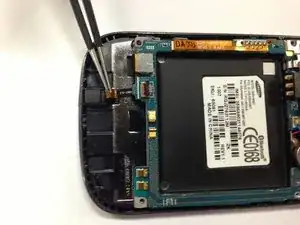
    • Firmly grip the black lever with tweezers

    • Use the tweezers to flip the black lever up so that it is perpendicular to the motherboard.

  8. h6VnCcVfnEYmlheo
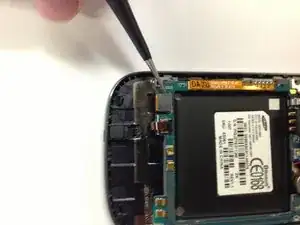
    • Carefully use the tweezers to slide the black ZIF cable out of the socket.

  9. uQprMSrpPC1Eh6WZ
    uQprMSrpPC1Eh6WZ
    rQkfsUuLMfneKkVw
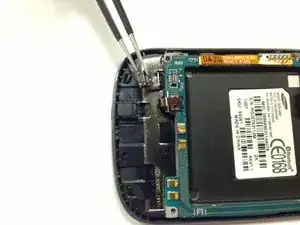
    • Use the tweezers to unclip the black connector.

  10. NGIjlsZimmytPQYI
    NGIjlsZimmytPQYI
    lXSBw6OX3oehfV4G
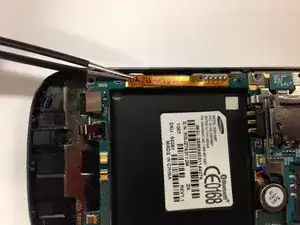
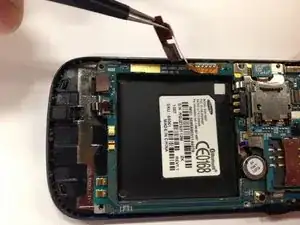
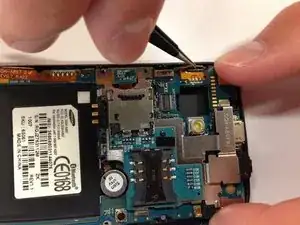
    • Use the tweezers to unclip the orange ribbon cable from the side of the phone.

  11. Wlgu2HKr4iT3FD6y
    • Use the tweezers to unclip the other orange ribbon cable.

    • Work carefully. This is a very delicate part of the phone that can easily be broken.

  12. 2cROXxhrcQwnBiqT
    2cROXxhrcQwnBiqT
    muux2QCIXyCyxFDL
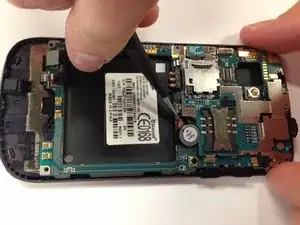
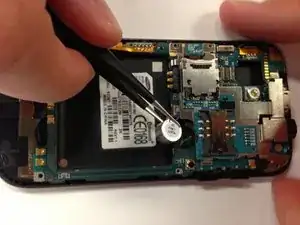
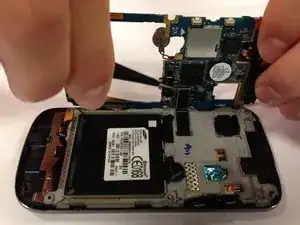
    • Slide one side of the tweezers underneath the red and blue wires of the capacitor.

    • Carefully apply pressure away from the phone to lift.

  13. mOwI3JUyflEkkcRB
    mOwI3JUyflEkkcRB
    knNBDLMaNCYS44Qn
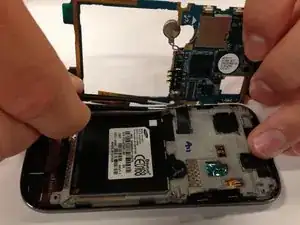
    • Carefully tilt the motherboard up from the back of the phone.

    • Don't remove the motherboard completely. There is one more clip on the backside of the motherboard that needs to be removed.

    • Use tweezers to unclip the black connector.

Abschluss

To reassemble your device, follow these instructions in reverse order.

Morgan Yost

Mitglied seit: 08/04/13

46 Reputation

0 Kommentare