Einleitung

This guide will show you how to replace your microphone.

  1. 6dKbNtwYgcspHUZT
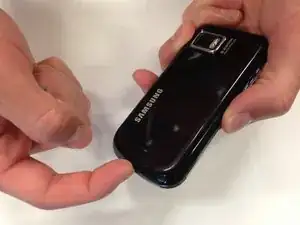
    • Slide your fingernail into the slit at the bottom of the phone to remove the back cover.

  2. BHxVfmsQcyyxgaaG
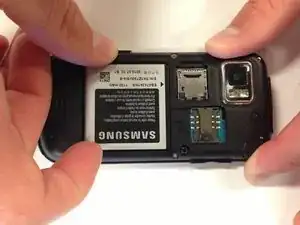
    • Place your finger in either of the bottom corner of the battery slot and lift to remove the battery.

  3. jXxUDeM3IEIBVpGk
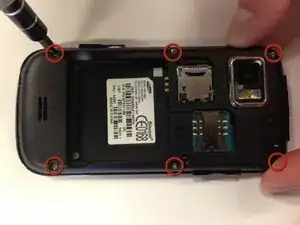
    • Remove six 5 mm Phillips #0 screws from the back of the phone.

  4. 2iSuxDMSVMKD6OeP
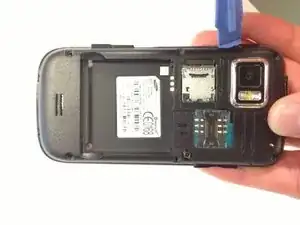
    • Insert a plastic opening tool into the seam between the back case and the rest of the phone.

    • Working along the seam, pry the back from the phone.

  5. oQOBFqIYTDQKdXf3
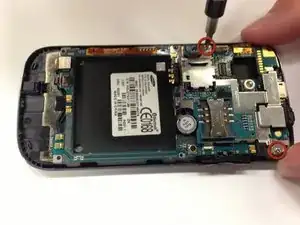
    • Remove the two remaining 3.8 mm Phillips screws.

  6. 4ow1FRJtI2KLxmmE
    4ow1FRJtI2KLxmmE
    XU5fTXhdOdhPTjJV
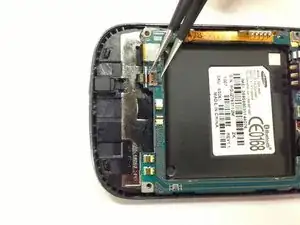
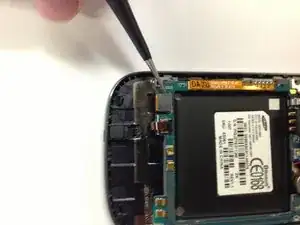
    • Firmly grip the black lever with tweezers

    • Use the tweezers to flip the black lever up so that it is perpendicular to the motherboard.

  7. h6VnCcVfnEYmlheo
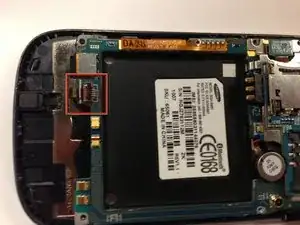
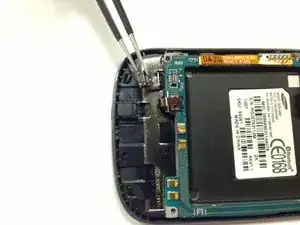
    • Carefully use the tweezers to slide the black ZIF cable out of the socket.

  8. uQprMSrpPC1Eh6WZ
    uQprMSrpPC1Eh6WZ
    rQkfsUuLMfneKkVw
    • Use the tweezers to unclip the black connector.

  9. NGIjlsZimmytPQYI
    NGIjlsZimmytPQYI
    lXSBw6OX3oehfV4G
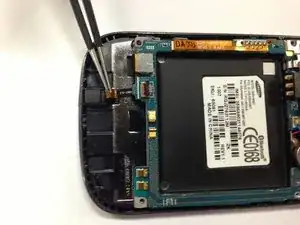
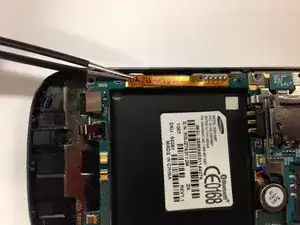
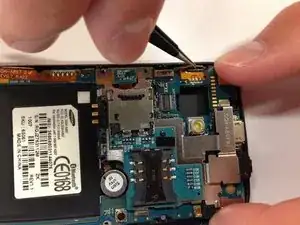
    • Use the tweezers to unclip the orange ribbon cable from the side of the phone.

  10. Wlgu2HKr4iT3FD6y
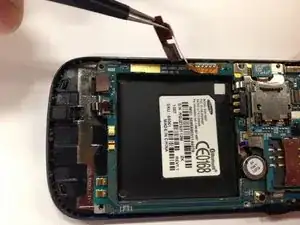
    • Use the tweezers to unclip the other orange ribbon cable.

    • Work carefully. This is a very delicate part of the phone that can easily be broken.

  11. 2cROXxhrcQwnBiqT
    2cROXxhrcQwnBiqT
    muux2QCIXyCyxFDL
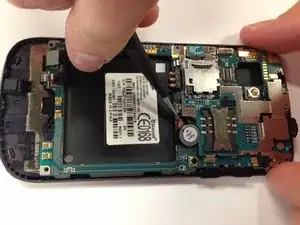
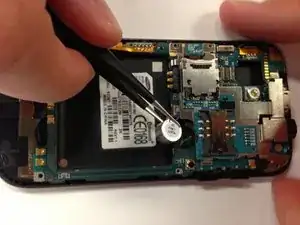
    • Slide one side of the tweezers underneath the red and blue wires of the capacitor.

    • Carefully apply pressure away from the phone to lift.

  12. mOwI3JUyflEkkcRB
    mOwI3JUyflEkkcRB
    knNBDLMaNCYS44Qn
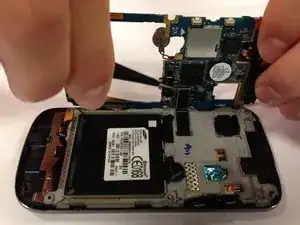
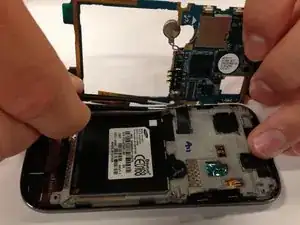
    • Carefully tilt the motherboard up from the back of the phone.

    • Don't remove the motherboard completely. There is one more clip on the backside of the motherboard that needs to be removed.

    • Use tweezers to unclip the black connector.

  13. VwfPCYeBmhuIeZK2
    VwfPCYeBmhuIeZK2
    4RlGhjXVEfA53OCB
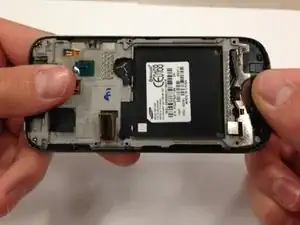
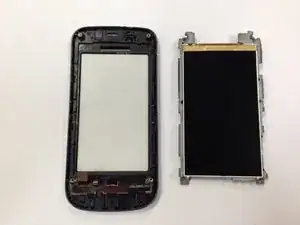
    • Hold the phone by the black plastic at the ends and gently bend them down so that the middle of the phone is the highest point. Apply pressure slowly until the grey portion pops off.

  14. VCLfYGaWSifOimlZ
    VCLfYGaWSifOimlZ
    GqFRPmucJpbxFYVY
    3KRSKQxqlGNt1uTX
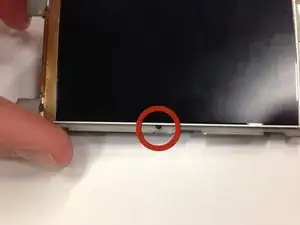
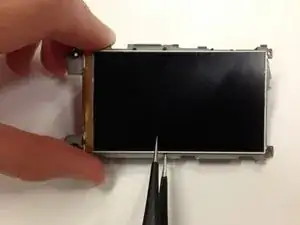
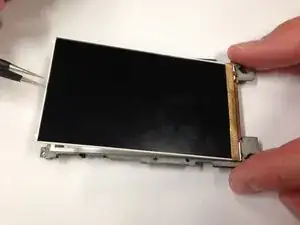
    • Insert the tweezers into the hole to wedge them between the LCD and grey plastic.

    • Once under the LCD, slide the tweezers around the three silver edges until the entire display lifts from the grey plastic.

  15. SGJxQVUPHmFwYLcA
    SGJxQVUPHmFwYLcA
    G6LFcDECL2XyyMA2
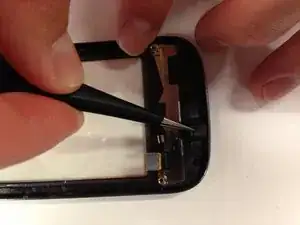
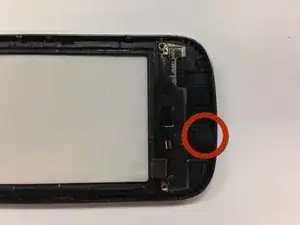
    • Find the rubber microphone backing on the bottom of the back of the front cover as shown in the picture. Use tweezers to pluck the microphone from the casing.

Abschluss

To reassemble your device, follow these instructions in reverse order.

Collin Gordon

Mitglied seit: 08/04/13

45 Reputation

0 Kommentare