Einleitung

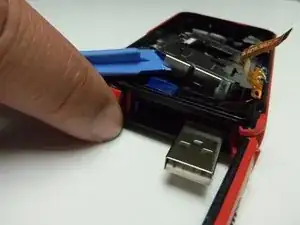
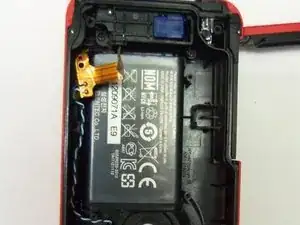
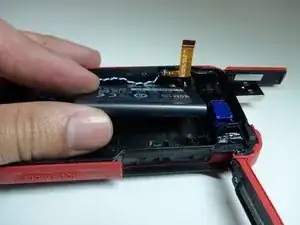
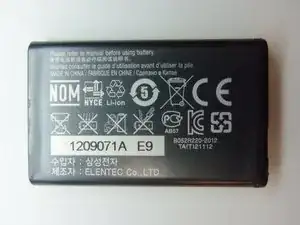
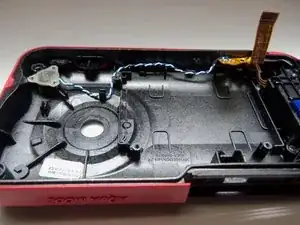
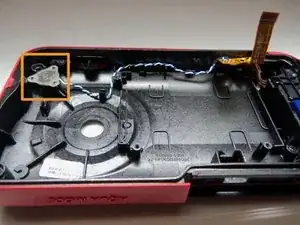
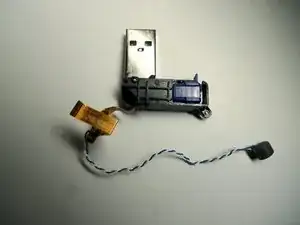
To replace USB port, remove battery first and then remove the USB port while connected to a wire.

  1. BNmHkWcQcrODFUKD
    BNmHkWcQcrODFUKD
    AI5JlIaFPUNjHtVt
    uswsBt2EYeXqvYfo
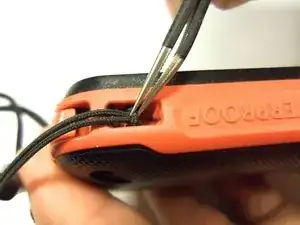
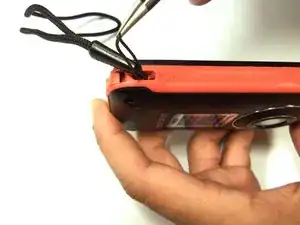
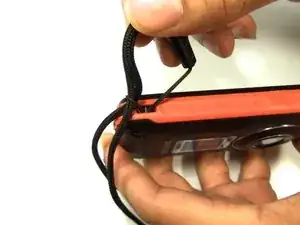
    • To remove the wristband of the device, grab the middle loop and pull. Pull the band through as shown in the picture.

  2. K3WKCATvQHQ1M4W5
    K3WKCATvQHQ1M4W5
    JIITAkUOIuwtKUmK
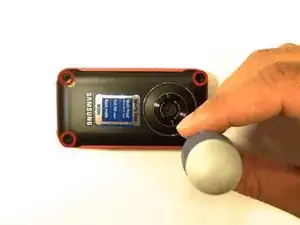
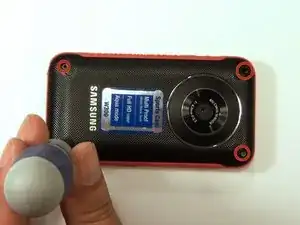
    • Remove all four Hex screws with a Hex 1.5 mm screwdriver.

  3. RZj2rOK6nIHckbVo
    RZj2rOK6nIHckbVo
    GnC2SIBLqQC23o5F
    VUtuooT4nFGseUvl
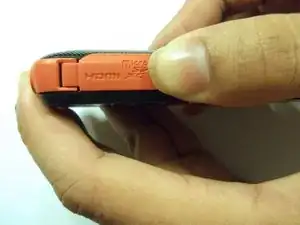
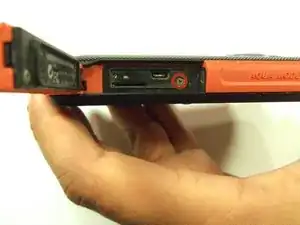
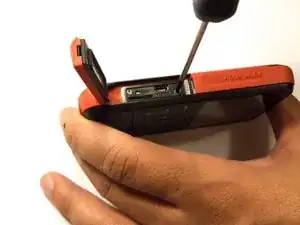
    • To remove the HDMI screw, open the HDMI door on the side. Remove the screw using a Phillip size 00.

  4. NrSjitKJob6b3qMd
    NrSjitKJob6b3qMd
    CDKulyPt123tnQCR
    N4fKfaAwHSpnoEeO
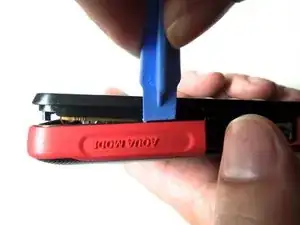
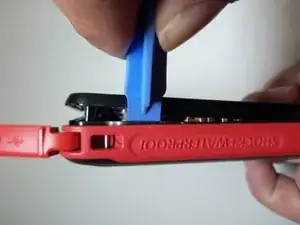
    • As shown in the picture, use the plastic opening tool on both sides on the device. Pry apart both parts.

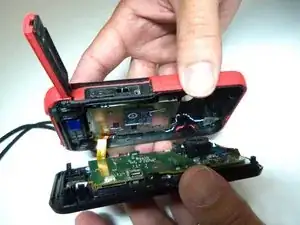
    • Do not pry apart the device too hard. There is a wire that attaches the front case with the rear case.

  5. utMPNBlgrIuCy31b
    utMPNBlgrIuCy31b
    EnJFUx2WaFRdfwEK
    SyyOmVPrFAlUtFSi
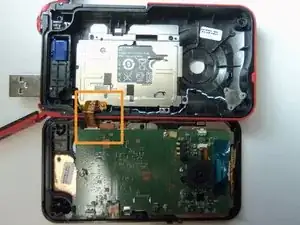
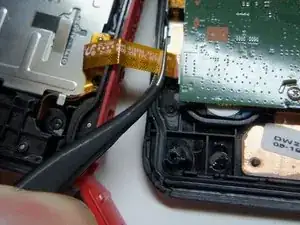
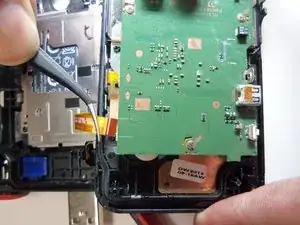
    • Pull the wire ribbon out with a pair of tweezers.

  6. mnAF1CTxyCVVenFs
    mnAF1CTxyCVVenFs
    ZrTonbIPjDgfvBmP
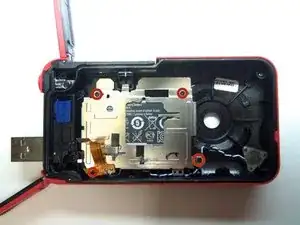
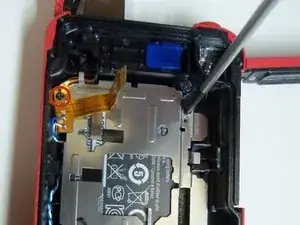
    • To remove the battery housing, you must first use a Phillips size 00 to remove the 4 screws.

  7. EGSgGoIKWoD2u5om
    • Use the plastic opening tool to pry the battery housing open.

  8. NSfqPAABvlWYwNwK
    NSfqPAABvlWYwNwK
    uTw2HU5qGEDCF3uy
    PpeA6AMWxedbFkeQ
    • After removing the battery housing, take the battery out.

  9. eMqJLPdSNOmMjfFo
    eMqJLPdSNOmMjfFo
    m1ZLPX2EvSxpWod1
    ICryXrIZAOWgZyCv
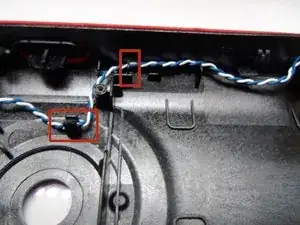
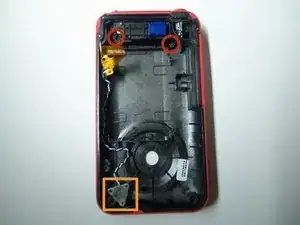
    • Here highlighted are the two Phillips size 00 and the slots where the wire is held.

  10. bMweKKfCJjfQJVy3
    bMweKKfCJjfQJVy3
    JH5ygJPEqb4IGqmx
    UCUdQMB2AhAxKut3
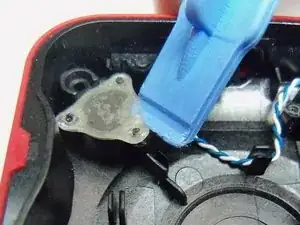
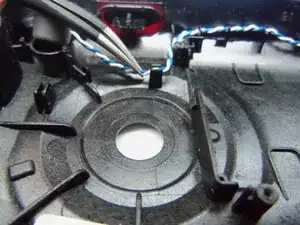
    • Use plastic opening tool to pry the plastic cover as shown

    • Use tweezers to remove the wire out of slots.

  11. rdTsBLBAUFFelrUa
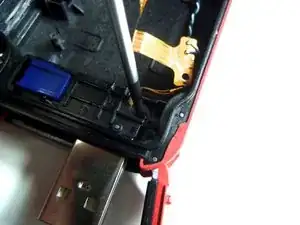
    • Remove both Phillips size 00 on USB port.

  12. Anr1eWPmMZDvjvAg
    Anr1eWPmMZDvjvAg
    QtcYFlMiMkTunEQI
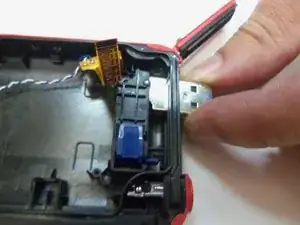
    • Now push USB port inside the case to remove as shown.

Abschluss

To reassemble your device, follow these instructions in reverse order.

Robert

Mitglied seit: 22/01/15

966 Reputation

0 Kommentare