Einleitung
Wenn das Gerät nicht lädt, obwohl es angeschlossen ist könnte die Ladebuchse beschädigt sein. Hier wird der Austausch gezeigt.


Ersatzteile
-
-
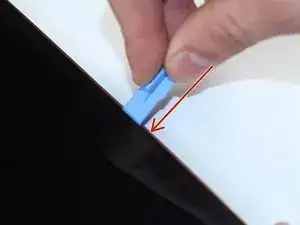
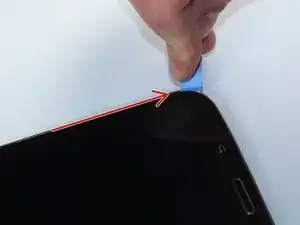
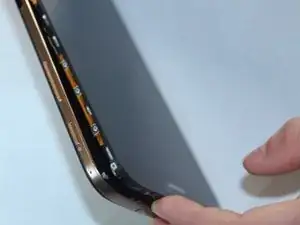
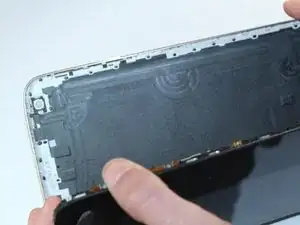
Trenne den Bildschirm vom Rückteil indem du ein größeres Plastiköffnungswerkzeug zwischen sie setzt und aufhebelst.
-
-
-
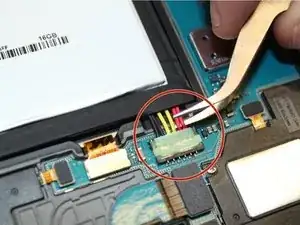
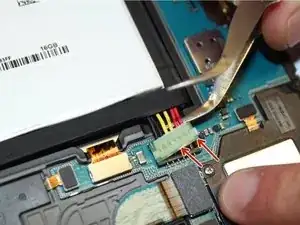
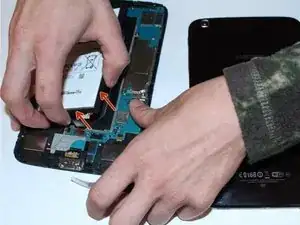
Wenn der Anschluss gelöst ist kannst du den Akku mit den Händen herausziehen. Es kann etwas schwer gehen, weil der Akku auf der Rückseite verklebt ist.
-
-
-
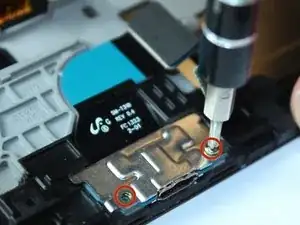
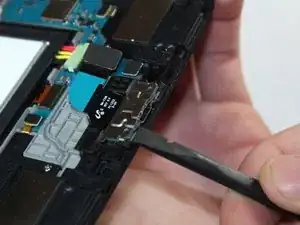
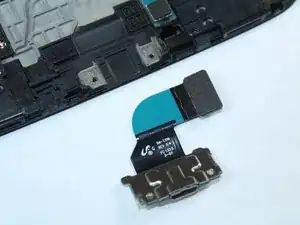
Drehe die beiden 2,9 mm Kreuzschlitzschrauben #000 an der Ladebuchse heraus. Hebe die Buchse mit einem Spudger hoch und entferne sie vom Tab.
-
Um dein Gerät wieder zusammen zu setzen folge den Schritten in umgekehrter Reihenfolge.

10 Kommentare
No need to remove the battery. You don't even need to unplug it, but be sure if you don't unplug it that the battery doesn't have a charge left.
Danyf -
My tablet had a plastic frame around the sides and bottom under the back which was impossible to get around. I had to cut off the section covering the battery charging port in order to get the old one out and put the new one in. but it seems fine and charges well and I'm really pleased I could fix my son's tablet without spending a lot of money.
Very easy repair. Thanks very much!
Separating the back cover was the hardest part of the procedure for me (a retired electrical/software engineer). I used a large flat screwdriver blade instead of the hard plastic tool shown. Go slow all the way around the tablet and expect pops as the pieces separate. I was not able to re-connect the back cover completely, accepting a paper-thin gap about 30% around the cover, but it is secure.
Rick Nungester -