Einleitung
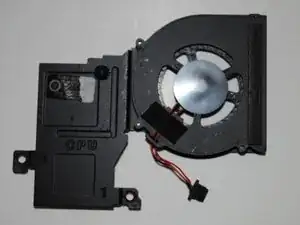
A CPU fan is essential for keeping the device cool and running properly. If you are experiencing overheating issues in your Samsung 500C Chromebook or are hearing loud noises, your CPU fan could be the reason. Luckily, the problem is easily solvable with no special skills necessary and only requires a screwdriver and spudger. This guide will take you through the process of replacing the CPU fan.
Werkzeuge


-
-
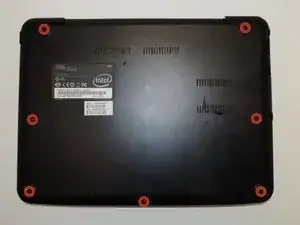
Remove the seven screws from the back panel of the device using a Phillips #0 screwdriver.
-
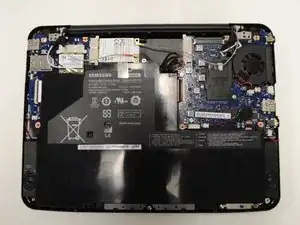
Remove the back panel from the laptop.
-
-
-
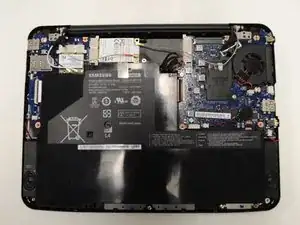
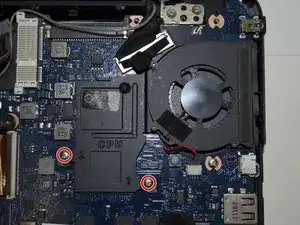
Remove the two screws holding in the CPU fan.
-
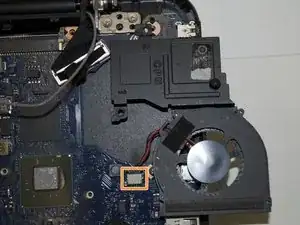
Lift the CPU fan.
-
Detach the cord attached to the fan and attach it to the new CPU fan.
-
To reassemble your device, follow these instructions in reverse order.

Ein Kommentar
la pantalla no enciende, el ventilador arranca pero se apaga, el boton de poder da señal de encendido pero no enciende la pantalla