Einleitung
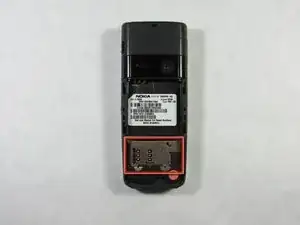
This will guide you through removing the sim card.
-
-
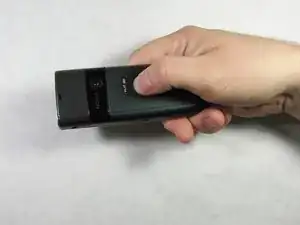
Apply pressure to the battery casing (below the camera) with your thumb and pull towards the bottom of the phone.
-
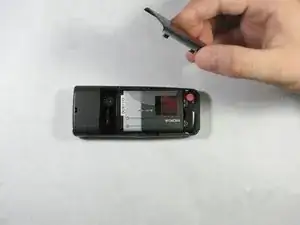
Lift the battery case off of the phone.
-
-
-
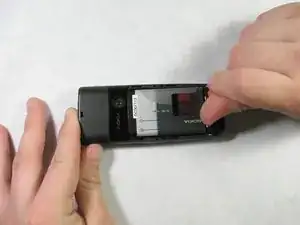
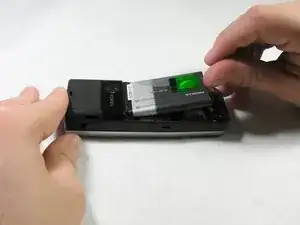
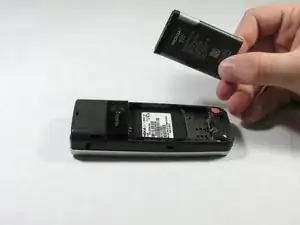
Gently pull the battery out of the phone, using your thumb to apply pressure to the battery at the bottom of the phone.
-
The battery should lift out with minimal resistance.
-
-
-
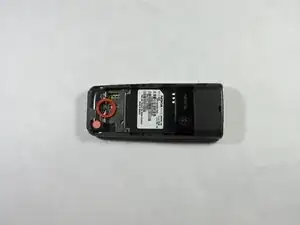
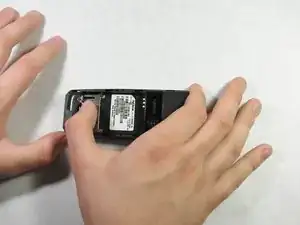
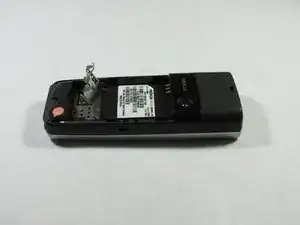
Once you have removed the battery, pull the tab on the metal sim card cover, and lift it up.
-
The sim card is underneath and can now be removed.
-
Abschluss
To reassemble your device, follow these instructions in reverse order.
