Einleitung
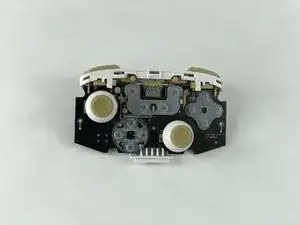
This guide will show you how to access and replace the L and R sticks of your PowerA Enhanced Wireless Controller. If you need to clean any residue surrounding the sticks, pulling them off will help you do so.
Werkzeuge


-
-
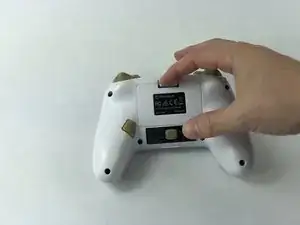
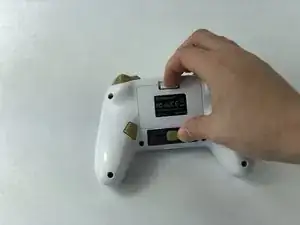
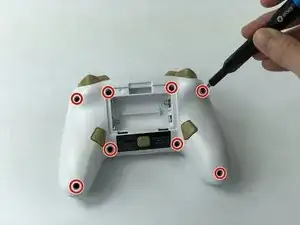
Remove the battery cover by pressing down on the lever located on the top of the cover.
-
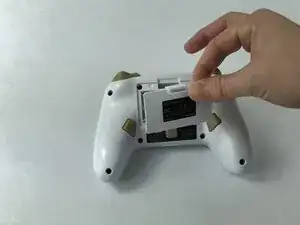
Apply pressure until it clicks out of place, and pull it off.
-
-
-
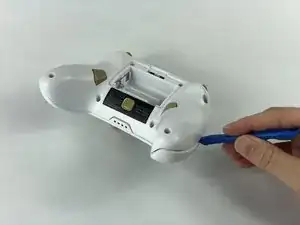
Insert the iFixit opening tool into the seam and gently pry the cover plate up.
-
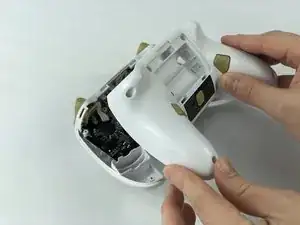
Remove the cover plate once it is loosened.
-
-
-
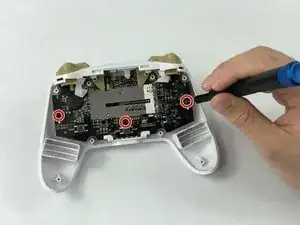
Remove all three screws securing the motherboard using the J00 screwdriver.
-
Remove the motherboard.
-
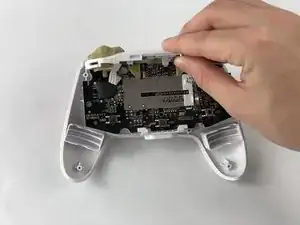
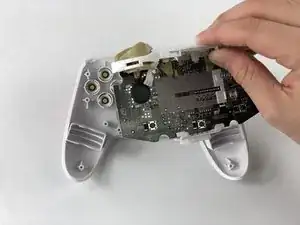
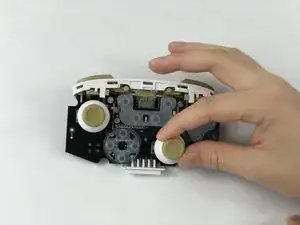
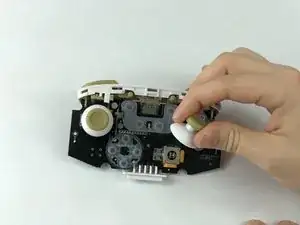
To reassemble your device, follow these instructions in reverse order.

15 Kommentare
My controllers are drifting, What can i do after getting the joystick of to fix that.
MilesGDC -
i dont know i cleaned using plush sticks ( that usually go to ears that one ) i used that and isopropacol alcohoc 90%
it works for 2 weeks ( on me ) and now my Right analog stick is too Loose to wiggle there
BrunoS -
Where can I get replacement thumbsticks for this controller? Are they the same as the Switch Pro Controllers?
i need replacement joy-sticks too
BrunoS -
I get drift and I need help fixing that can someone please help me get rid of the drift
i dont know i cleaned using plush sticks ( that usually go to ears that one ) i used that and isopropacol alcohoc 90%
it works for 2 weeks ( on me ) and now my Right analog stick is too Loose to wiggle there and i cant use it anymore i need to play my Right anolog stick ( from my switch ) to hold it and use my controllers left analog stick to move
BrunoS -