Einleitung
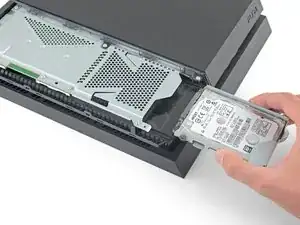
Diese Anleitung zeigt, wie die Festplatte in der Sony PlayStation 4 ausgetauscht werden kann. Wenn du eine neue Festplatte einbauen willst und deine Spielstände und Daten behalten willst, solltest du ein Backup machen, bevor du mit dem Ausbau beginnst.
Ziehe vor Reparaturbeginn den Netzstecker!
Werkzeuge

Ersatzteile
-
-
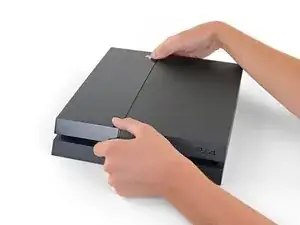
Fasse die PS4 mit beiden Händen am Spalt in der oberen Abdeckung an.
-
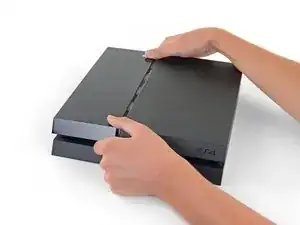
Drücke den glänzenden Teil des Deckels mit den Daumen zur Seite, bis er sich herauslöst.
-
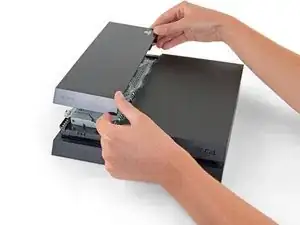
Hebe den glänzenden Deckel hoch und entferne ihn von der PS4.
-
-
-
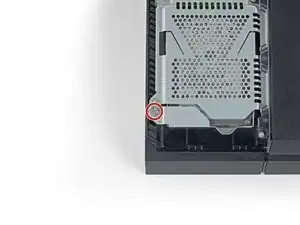
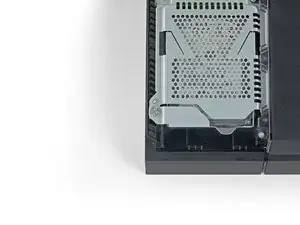
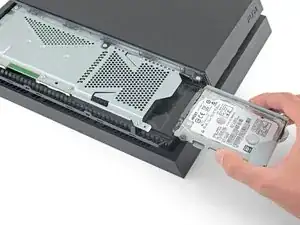
Entferne die einzelne 6,5 mm Kreuzschlitzschraube, mit der der Festplatteneinschub am Gehäuse befestigt ist.
-
-
-
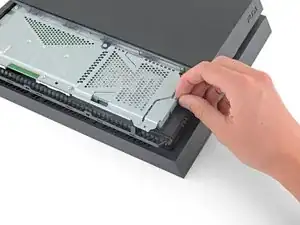
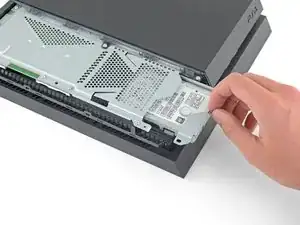
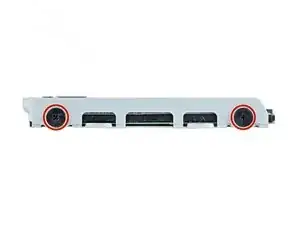
Entferne die beiden 7,2 mm Kreuzschlitzschrauben von der rechten Seite des Festplatteneinschubs.
-
-
-
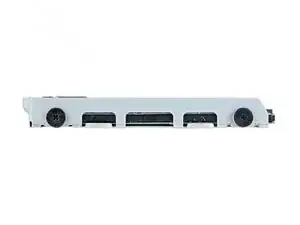
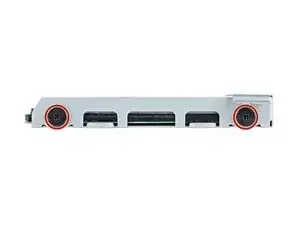
Entferne die beiden 7,2 mm Kreuzschlitzschrauben von der linken Seite des Festplatteneinschubs.
-
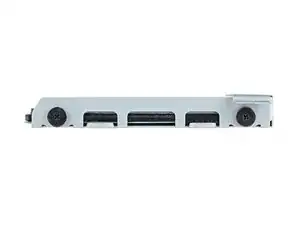
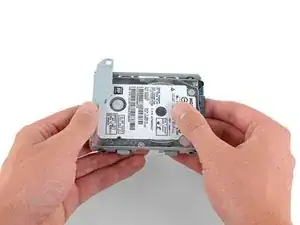
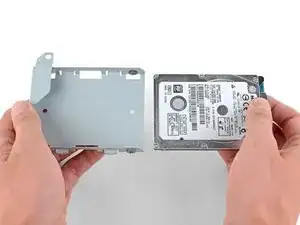
Um dein Gerät wieder zusammenzubauen, folge diesen Schritten in umgekehrter Reihenfolge.
Nach der Reparatur muss das Betriebssystem der PS4 neu installiert werden. Folge dazu der Anleitung von Sony, um die PS4 zu initialisieren und die Systemsoftware einzurichten.
Entsorge deinen Elektromüll fachgerecht.
Hat die Reparatur nicht ganz geklappt? In unserem Forum findest du Hilfe bei der Fehlersuche.

11 Kommentare
This article needs to be vetted. There is a very specific type of hard drive needed for this machine. Also, the machine will need to be backed up to either the PS Network(for PS Plus members) or a removable storage device. Additionally, the latest system update must be available after the new hard drive is installed. Below is an excellent article for this procedure.
can I take out my 500 gig and put in a 1 tb or no ?
Hey Phil,
Yes, you can. I have successfully replaced the original hard drive with a 2TB hard drive I purchased. Just make sure you buy the correct type of hard drive. I recommend using the article Kenneth has linked above in the comment section: http://www.ign.com/wikis/playstation-4/H...
I backed up my saved data on the PS network instead of using an external hard drive and that worked great.
Enjoy the extra storage!
Yes you can upgrade to 1TB or even bigger. Last PS4 firmware update was in august, and it supports storage up to 4TB. You can also use bigger storage but it may result in error.
You can update 2.4-internal HDD or use something like Nyko data bank to use 3.5 inch drives. Also external hard drives is an option, but in order to use them you will need to install the software and games on it.
ps4 hard drives:
I have a CUH-1102A version of this PS4.
Would this teardown work for it?
Cary B -