Einleitung

  1. SS4qDnHDG4jXitSZ
    SS4qDnHDG4jXitSZ
    OCttAjMLTlARvVhR
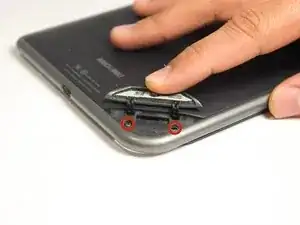
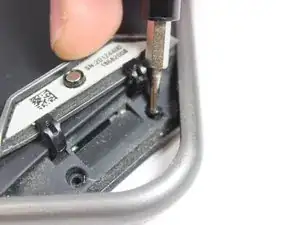
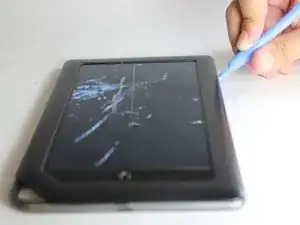
    • Use the T5 Torx screwdriver to remove the two 3.8 mm screws located in the back right corner of the device.

  2. pQ1OsPkRfBA361TG
    pQ1OsPkRfBA361TG
    CXWt1etUkvDI1CMU
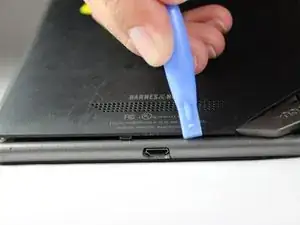
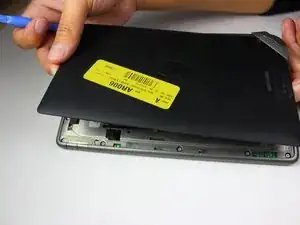
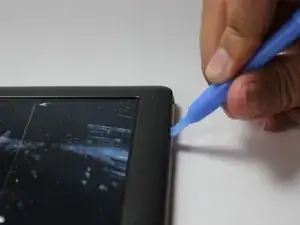
    • Using a plastic opening tool, pry off the back cover by going around the device until the panel is completely detached.

  3. 3XPxMarkoLcYTLCP
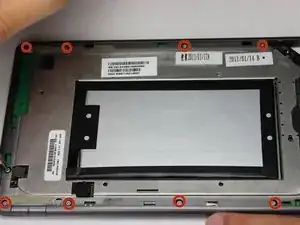
    • Use a T5 Torx screwdriver to remove the ten 4.0 mm screws lining the perimeter of the device.

  4. ThASIIxj4RjPimrD
    ThASIIxj4RjPimrD
    NdGZ4sUZabsDujlO
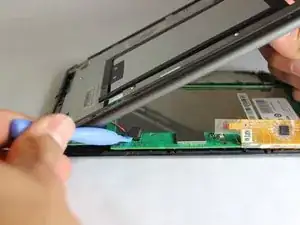
    • Using the plastic opening tools, pry off the front panel of the device.

  5. o3WGHa5i6cLmXdPO
    o3WGHa5i6cLmXdPO
    gYcgKjssddw2LAMY
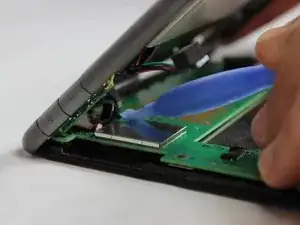
    • With your plastic opening tool, lift up on the connectors to disconnect them.

Abschluss

To reassemble your device, follow these instructions in reverse order.

Matthew Perdomo

Mitglied seit: 20/01/15

497 Reputation

0 Kommentare