Einleitung
Diese Anleitung zeigt dir wie du den Akku austauschen kannst.


Ersatzteile
-
-
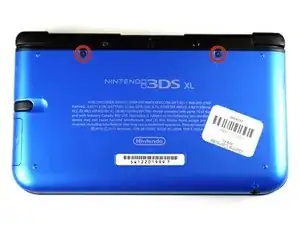
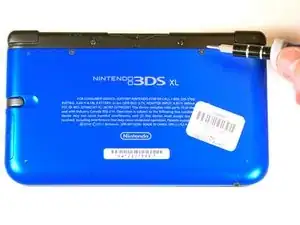
Lockere die beiden 4,2 mm langen Schrauben, die sich oben auf der hinteren Abdeckung befinden.
-
-
-
Halte das Gerät mit der Rückabdeckung nach oben.
-
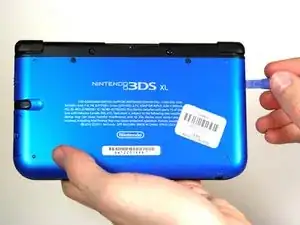
Fange in der Ecke rechts oben an die Rückabdeckung mit einem Plastiköffnungswekzeug abzuhebeln.
-
Halte die Ecke offen, so dass sie nicht wieder einschnappt.
-
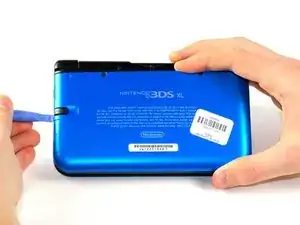
Schaue dir die Stelle unter dem Fach für den Stylus genau an. Heble die Abdeckung ab, falls nötig.
-
Hebe die Abdeckung ab und lege sie beiseite.
-
-
-
Setze das Plastiköffnungswekzeug in die Öffnung rechts vom Akku ein.
-
Hebe den Akku aus dem unteren Gehäuseteil heraus.
-
Entferne ihn und lege ihn beiseite.
-
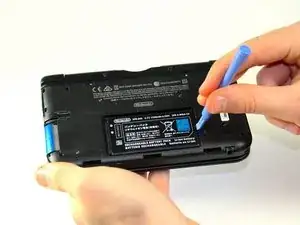
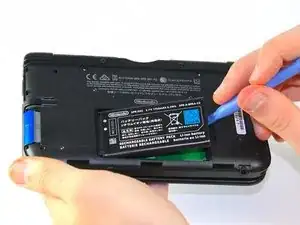
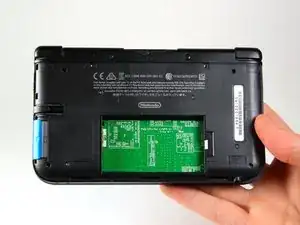
Um dein Gerät wieder zusammen zu setzen Folge den Schritten in umgekehrter Reihenfolge.

4 Kommentare
Time estimate: 3 - 9 hours Difficulty: Very difficult ??????
More like 30-90 seconds, and that's if you have to search for a screwdriver.
机器无法开机怎么办?是电池的问题吗?
It should be noted that the bottom three clips on the bottom of the backplate can’t just be snapped in, they need to be slipped in, so when removing the backplate, it should be tiled away from the system and then pulled up from the bottom, and those three clips on the bottom should be the first clips in when you’re putting it back together, sliding them in with the backplate at an angle, and then the rest of the clips just snap in.
Note: If your top or bottom screen was working before disassembly and doesn't work after reassembly, then it's likely that the connector is loose or dirty or damaged or not clipped or PLACED UPSIDE-DOWN. I had this issue with my Super3DS XL(2015) and it turns out that the reason why my top screen wasn't working after put together, was because I had the top LCD connector upside-down. After I correctly put the connector in, It worked again!
justjustintuber -
what type screwdriver do i use?!? its so small!!!!
Matthew -
I had success using a #00 Phillips head
Jake S -