Einleitung

This guide is to be used to install the back cover in the event that it becomes damaged. A Phillips screwdriver will be needed to complete this installation.

  1. YPuPry5uskBsWTRX
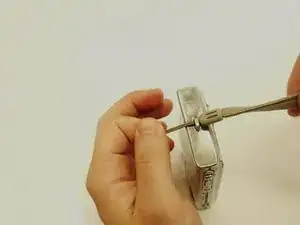
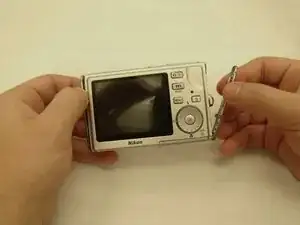
    • Remove wrist strap by unknotting the strap.

  2. 4qIlvUucC4lYQGf6
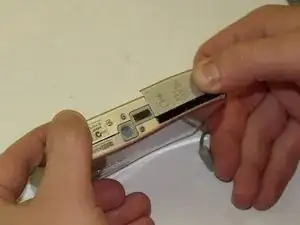
    • Open SD/Battery cover.

  3. MuUGtKVSXYbPrNLp
    MuUGtKVSXYbPrNLp
    MSNERUkGQByZvPYO
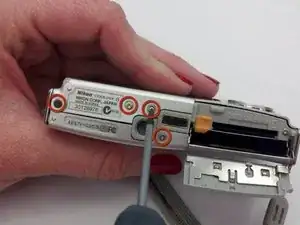
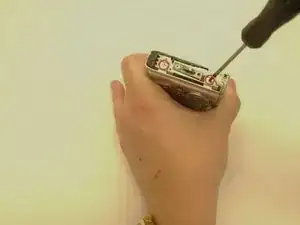
    • Remove the four screws on the bottom of the camera using the Phillips-Head screwdriver.

  4. 5yOJMNdWPaNWVx6C
    5yOJMNdWPaNWVx6C
    rPXCPYUTjYRCaPQP
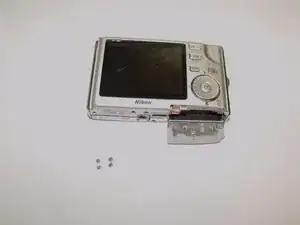
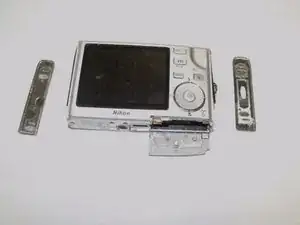
    • Pull the silver side panels on each side.

  5. fOEZeGI4gCZD6gVf
    fOEZeGI4gCZD6gVf
    WDZu3FEAJudjHJs5
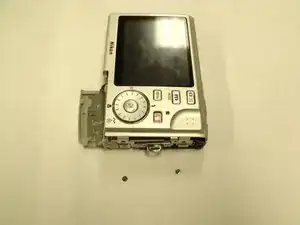
    • On the right side of the camera (that contains the wrist strap loop), use the screwdriver to remove the two screws holding the backplate in place.

    • Repeat this step for the left side.

  6. CdPKXChHG3eT4JGp
    CdPKXChHG3eT4JGp
    IJChEJmmO12c2Xtx
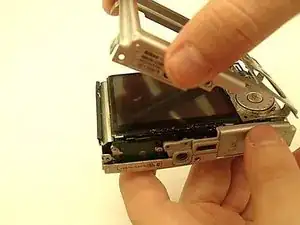
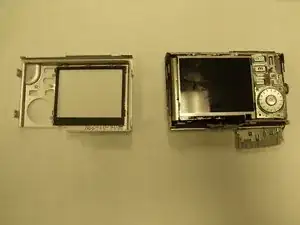
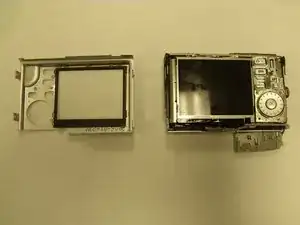
    • Pull the back silver faceplate to separate it from the rest of the camera.

Abschluss

To reassemble your device, follow these instructions in reverse order.

Patty Richeson

Mitglied seit: 11/03/13

99 Reputation

0 Kommentare