Einleitung


-
-
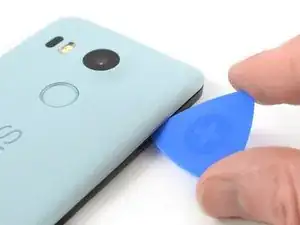
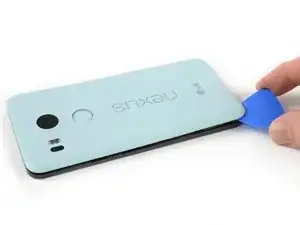
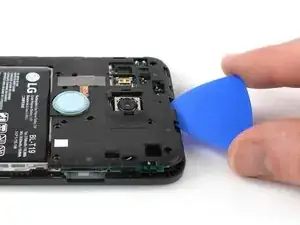
Setze ein Plektrum in die Öffnung des SIM-Karteneinschubs und verdrehe es zur Seite, um die erste Plastikklammer zu lösen, mit der die Rückabdeckung befestigt ist.
-
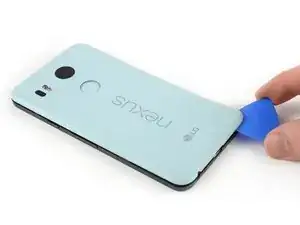
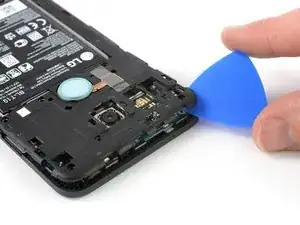
Schiebe das Öffnungswerkzeug um die Oberkante des Gerätes, um die Plastikklammer zu lösen, mit der die Rückabdeckung befestigt ist.
-
-
-
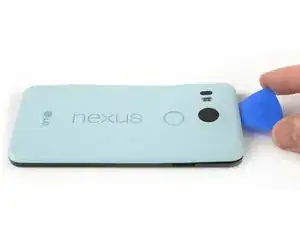
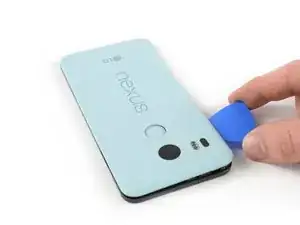
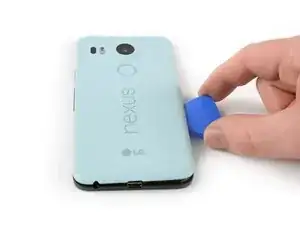
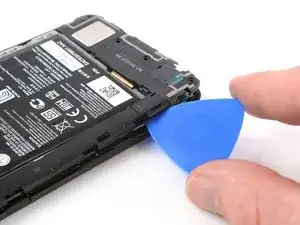
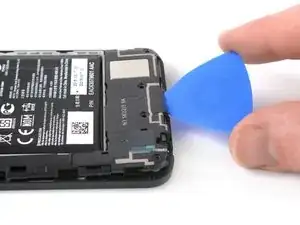
Schiebe das Plektrum um alle Seiten des Smartphones herum, um alle Klammern zu lösen, mit denen die Rückabdeckung befestigt ist.
-
-
-
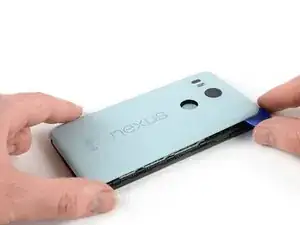
Kippe das Plektrum, um die Rückabdeckung ein wenig anzuheben.
-
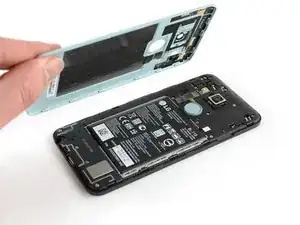
Beim Fingerabdrucksensor befinden sich noch zwei weitere Plastikklammern. Löse sie, indem du die Rückabdeckung behutsam wegziehst.
-
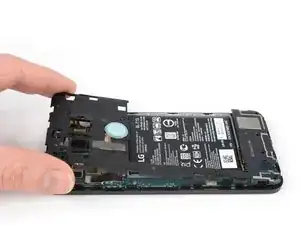
Entferne die Rückabdeckung.
-
-
-
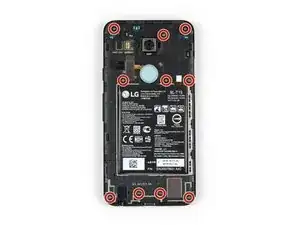
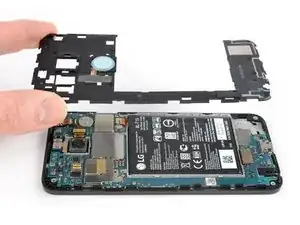
Entferne die zehn 3,6 mm Kreuzschlitzschrauben #000, mit denen der Mittelrahmen befestigt ist.
-
-
-
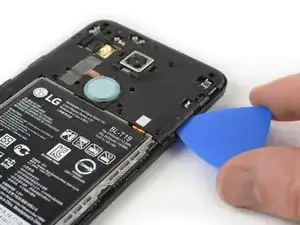
Setze ein Plektrum in den SIM-Karteneinschub ein. Drehe es zur Seite hin, damit sich die Kunststoffraste löst.
-
-
-
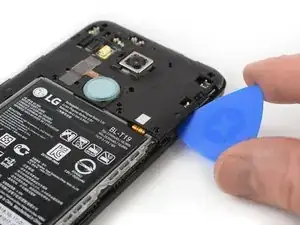
Schiebe das Plektrum weiter um den oberen Teil des Mittelrahmens, um die Plastikrasten zu lösen.
-
-
-
Öffne mit dem Plektrum die Plastikrasten an der langen Kante des Mittelrahmens und an der unteren Kante.
-
-
-
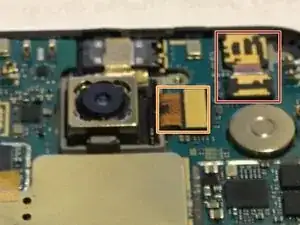
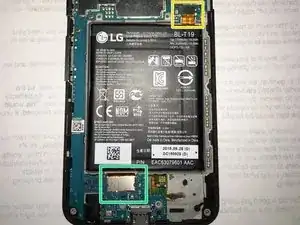
Entferne folgende vier Press-Fit Verbinder. Benutze dazu das flache Ende des Spudgers:
-
Für die Frontkamera.
-
Für die Rückkamera.
-
Für den Akku.
-
Für das Display.
-
-
-
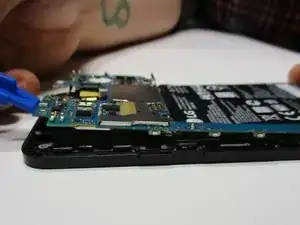
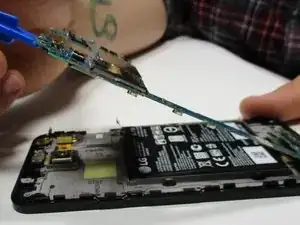
Platziere das Ende eines Plastik-Öffnungswerkzeugs unter einer der beiden oberen Ecken des Motherboards.
-
Drücke das Motherboard behutsam nach oben, um es vom Gehäuse zu lösen.
-
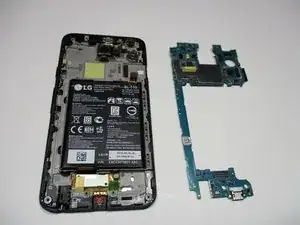
Arbeite die Schritte in umgekehrter Reihenfolge ab, um dein Gerät wieder zusammenzubauen.

40 Kommentare
Anyone with the bootloop problem has been successful on returning the 5X to life by replacing the motherboard?
Jago MF -
that's a stupid question. new motherboard means new operating system. maybe you should just use fastboot and flash stock firmware on your phone easy
where can I get a new motherboard at?????
in most 'google image boot' issues, it is a hardware issue, not software. besides, the phone will not allow a bootloader option.
yes …….and its the only way after bootloop
yes…….and its the only way after bootloop
same here! if anybody has luck fixing the bootloop problem by replacing the motherboard please let us know
joe -
hello, today my phone came out of service with bootloop problem . they changed the motherboard , now everything is good
Has the motherboard part been removed from the "Parts" section??? Not available for purchase anymore??? That would render this guide useless
Jago MF -
What do you mean by useless? Mobos from other suppliers require different take apart?
A guitar pick is a good substitution for the plastic opening tool.
Sam Sippe -
Here’s a photo of the location of the 18 tabs that hold the back cover in place
Steve -
Twisting sideways didn’t do it for me, but sliding along the edge did. However, at first I didn’t realize that the pick was between the motherboard and midframe, rather than between midframe and back cover like it was supposed to. This led to breaking off a spring-loaded connector on the motherboard, connecting to an antenna (I guess) in the back cover. So far I haven’t noticed any reception issues, but I can’t say for sure.
In essence: be careful to get the pick towards the back cover, and not “straight in” under the midframe.
Hampus -