Einleitung
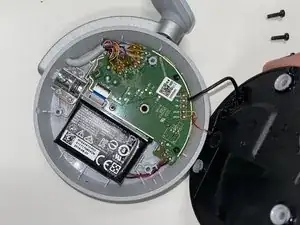
The Microsoft Surface Headphones' rechargeable battery can sometimes become damaged by overcharging or simple degradation over time. Following this guide step by step will show you how to replace the battery and keep your headphones bumping.


-
-
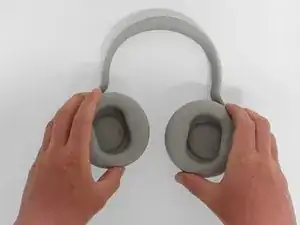
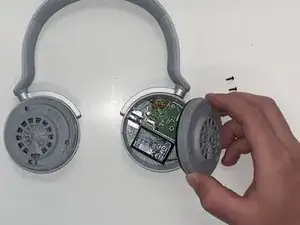
Firmly grasp the ear cushions, and rotate them counterclockwise, about 45 degrees.
-
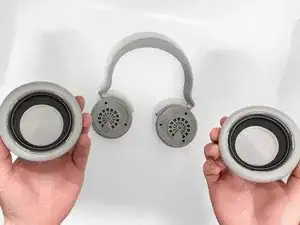
Lift off the ear cushions.
-
-
-
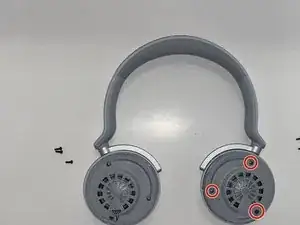
Use a Philips #00 screwdriver to remove the three 2.6 mm screws from the left speaker housing.
-
-
-
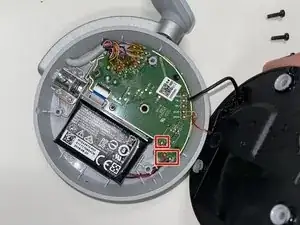
Lift the speaker housing away from the chassis, with care not to dislodge the speaker's motherboard connections.
-
Abschluss
To reassemble your device, follow these instructions in reverse order.