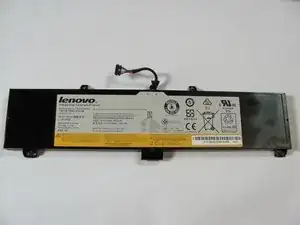
Einleitung
Akkus nutzen sich über die Zeit hinweg ab und sollten ersetzt werden, wenn der Akku sich sehr schnell entlädt. Achte darauf, dass der Computer ausgeschaltet und vom Stromnetz getrennt ist, bevor du den Akku entfernst.
Werkzeuge

Ersatzteile

-
-
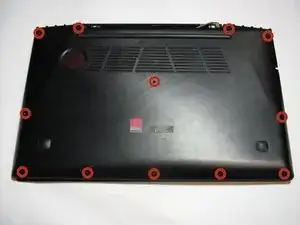
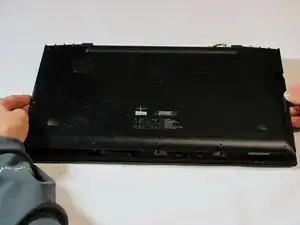
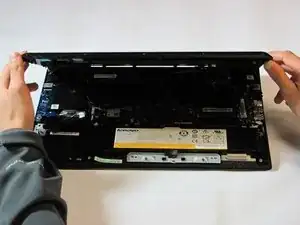
Entferne die zwölf 6 mm langen Schrauben auf der Unterseite des Laptops mit einem Phillips PH1-Schraubendreher.
-
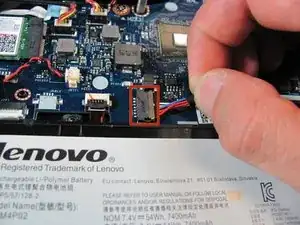
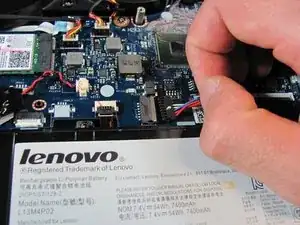
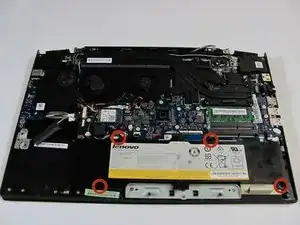
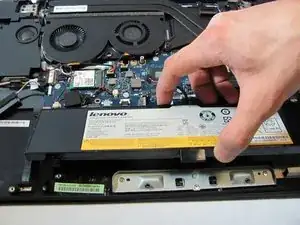
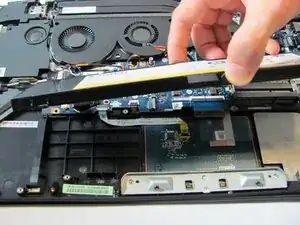
Arbeite die Schritte in umgekehrter Reihenfolge ab, um dein Gerät wieder zusammenzubauen.

8 Kommentare
Is it possible to replace the original battery with one that has a larger capacity? With this I mean if the original battery has 3700 mAh, can it be replaced by a battery with e.g. 5000 mAh?
Perfect instructions. I took the battery out per Geek Squad instructions, put it back in but laptop is getting power as the charging light shows orange flashing like it is charging but won’t power up. Any ideas???
I read in the instructions when I first did the replacement that it might require disconnecting once or twice at a particular charge state to allow the laptop to understand the charge level of the battery. I can’t find those instructions. Any ideas??