Einleitung
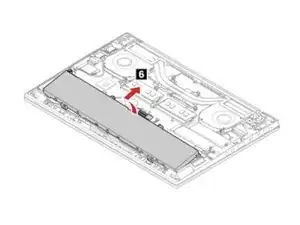
How to replace the battery of a Lenovo ThinkPad P1 Gen2 laptop. The images and information in this guide were taken from this computer's service manual.


Ersatzteile
-
-
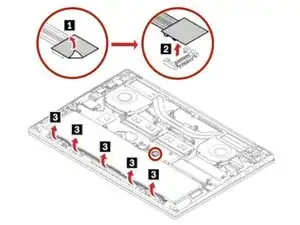
Peel up the insulated sheet from the battery connector.
-
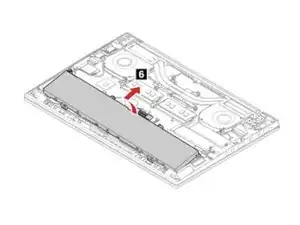
Unplug the battery connector in the direction showed by the arrow.
-
-
-
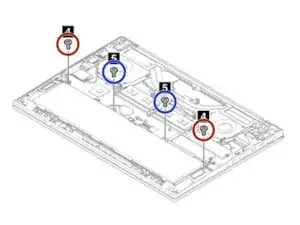
Remove the two M2 × L4 mm, flat-head screws.
-
Remove the two M2 × L5 mm, flat-head, screws.
-
Abschluss
To replace the battery & reassemble your device, follow these instructions in reverse order.