Einleitung
Werkzeuge


-
-
Power off the laptop and place it face-down on a non-scratching surface.
-
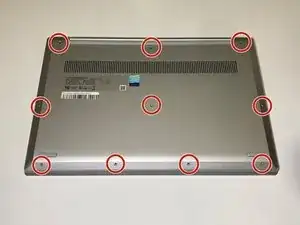
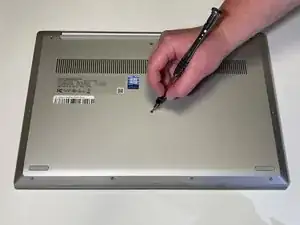
Using a Torx T5 screwdriver head, remove all ten 6 mm screws holding the back panel in place.
-
-
-
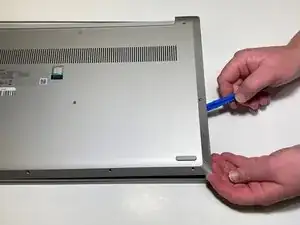
Slide a plastic opening tool underneath the back case near the screen hinges.
-
Gently pry up on either side of the case.
-
Abschluss
To reassemble your device, follow these instructions in reverse order.