Einleitung
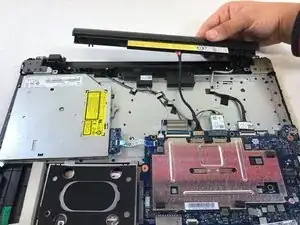
In dieser Anleitung wird der Austausch des Akkus gezeigt. Es wird erklärt, wie die Rückseite entfernt, der Akku ausgeschraubt und der Akku vom Gerät abgetrennt wird.
Werkzeuge


Ersatzteile

-
-
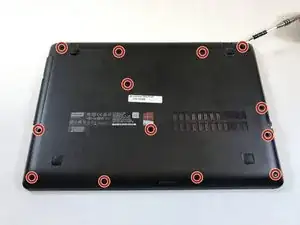
Entferne die dreizehn 9 mm #1 Kreuzschlitzschrauben auf der Gehäuseunterseite.
-
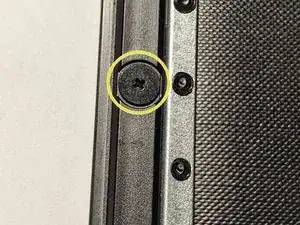
Ziehe das DVD-Laufwerk heraus und schraube die drei Schrauben mit breitem Kopf heraus.
-
-
-
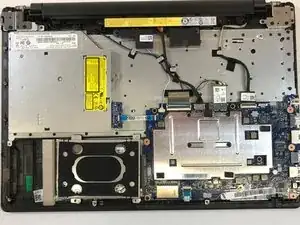
Löse die Gehäuseunterseite vorsichtig ab, indem du ein iFixit Opening Tool in eine der Ecken schiebst.
-
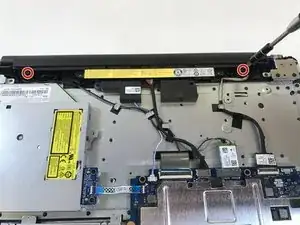
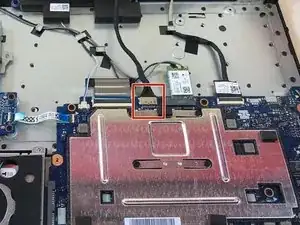
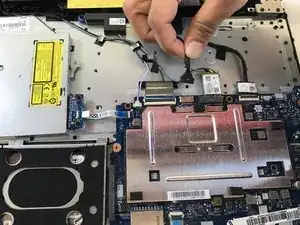
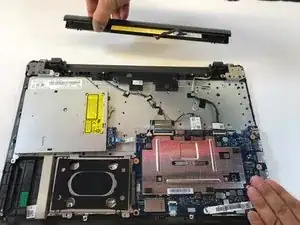
Um dein Gerät wieder zusammenzubauen, folge den Schritten dieser Anleitung in umgekehrter Reihenfolge.

8 Kommentare
Informative except , you didn’t mention the three screws underneath the DVD drive. The DVD drive must be removed first before you can remove the 3 additional screws.
I agree Clare! I didn’t see those either! Very frustrating at first! Thanks for the lead Clare!
Just cannot see where theres 13 screws got 11 cant see anything under or near the Drive clare.
Attention ! Sur le mien, il faut après avoir retiré la vis au dessus de l’étiquette blanche, faire coulisser le lecteur dvd vers l’extérieur (la vis le maintenait en place).
Une fois celui-ci retiré apparaissent les 3 dernières vis à retirer pour pouvoir retirer le boitier inférieur sans souci.
Dominique ENET -