Einleitung

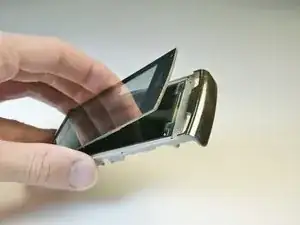
If your phone's touch screen breaks or malfunctions, this guide will show you how to easily remove and replace it.

  1. kcZYHCYcnWSAQl4P
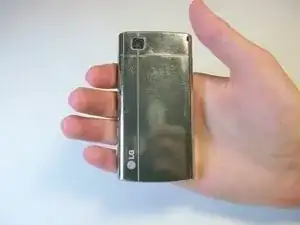
    • Flip the phone over and locate the back cover.

  2. bGbNUdO5G1w1mchL
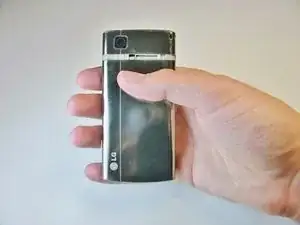
    • Place your thumb under the camera, apply a little pressure, and slide the cover toward the bottom of the phone.

  3. FMyrOWLurEnhGBGn
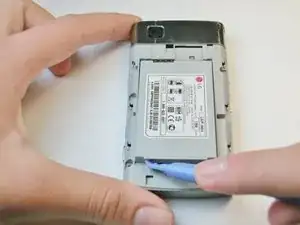
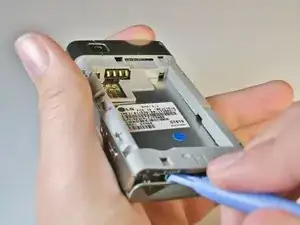
    • Place the plastic opening tool in the small slot in the bottom left-hand corner.

    • Pry the battery upward to remove it.

  4. sH2hUxgXBMQjctZN
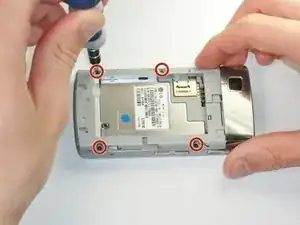
    • Using the #00 Philips screw driver, unscrew the four 4.5mm screws located on each side of the device.

  5. 5kHkF1jjyTxL6LOU
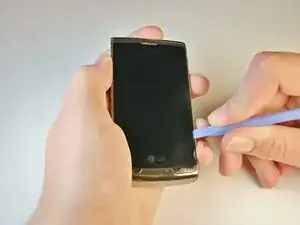
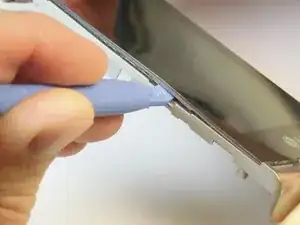
    • Wedge the plastic opening tool between the screen and the case.

    • Gently move the tool along the edge to loosen the screen from the casing. Repeat this for the entire outer edge of the screen.

    • You should not completely separate the screen from the case in this step.

  6. piEAkKJACgSOupRv
    • Flip your phone over to the battery side.

    • Insert the plastic opening tool into the lower seam between the frame and front cover to separate the back panel.

    • Push the scroll wheel, located in the upper left corner, in while lifting the back cover off to prevent breaking it.

    • The volume, lock, and camera buttons are loose so don't lose them.

  7. JSWccSUCTR56IavK
    JSWccSUCTR56IavK
    VJf3Yb5JjkNGlEZ4
    FKqYDGfqhyO5J4XR
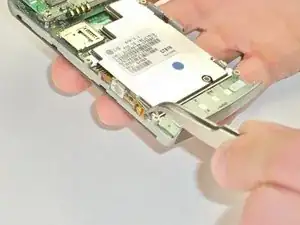
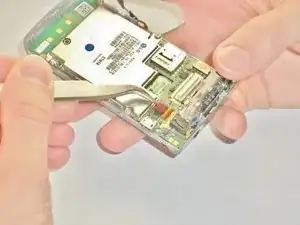
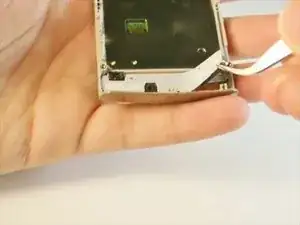
    • Use the metal tweezers to gently peel the yellow tab from the left edge of the phone at the two plastic bases.

    • Do not completely remove the tab from the body, it should still be connected to the phone by the orange plastic.

    • Repeat this for the white tab on the opposite side of the phone.

    • This tab also has two plastic bases adhering it to the edge of the phone.

  8. VEbhPetOuEsJg1ff
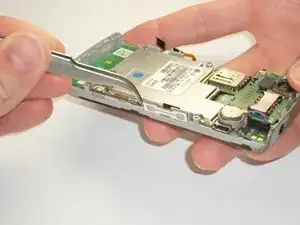
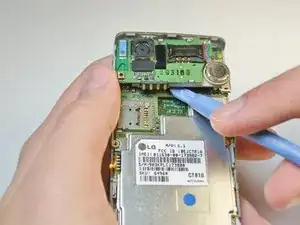
    • Insert your plastic opening tool underneath the speaker/camera panel, and gently pry it upwards.

    • Do not fully remove the panel! It should still be attached to the motherboard by a red and black wire.

  9. uFMKEFLcJpsNITAt
    uFMKEFLcJpsNITAt
    moiSfoHGsKfGKx1d
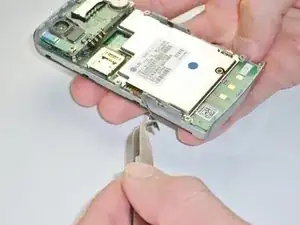
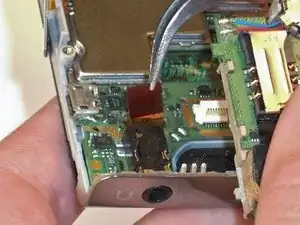
    • Use the metal tweezers to gently lift the edge of the maroon tab, it should pop up easily.

    • Do not remove the tab completely, it should still be connected to the phone.

  10. qGH5GlsX4TVfdYHt
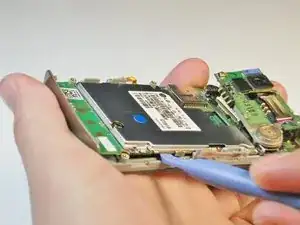
    • Insert the plastic opening tool underneath the motherboard towards the bottom edge of the phone and gently pry it from its case.

    • Lift the motherboard and slide it towards you by hand to free it from the phone.

    • The call and end buttons may fall out when the motherboard is removed! Don't lose the buttons.

  11. Wcf6KoWKPO5TtHXl
    • Remove the call and end buttons using the metal tweezers.

  12. FGwOsrQUDTtLBgYP
    • Wedge the plastic opening tool between the screen and sides of the phone.

    • Slide the tool along the edge to loosen the screen.

    • Repeat for the opposite side.

    • Don't completely remove the screen yet to avoid damaging the screen.

  13. sH4vxAGtNZq1YDvf
    • Wedge the plastic opening tool under the screen where the buttons were to loosen it.

  14. SLPNMtmAjdNGG1dq
    SLPNMtmAjdNGG1dq
    ZyLh1ojEiW2pFswQ
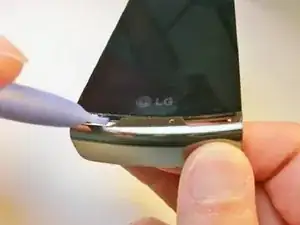
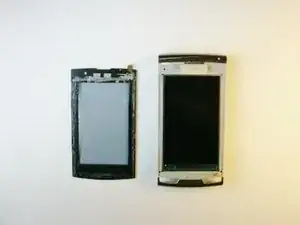
    • Gently peel the touch screen off from the bottom of the phone.

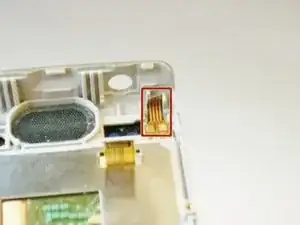
    • Do not damage the yellow tab in the upper right corner of the phone.

Abschluss

To reassemble your device, follow these instructions in reverse order.

Kimberly Kha

Mitglied seit: 16/04/13

163 Reputation

0 Kommentare