Einleitung

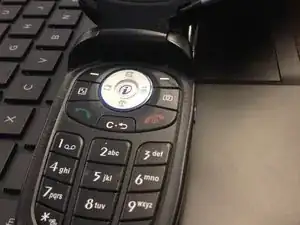
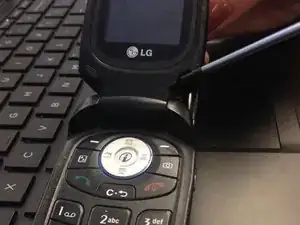
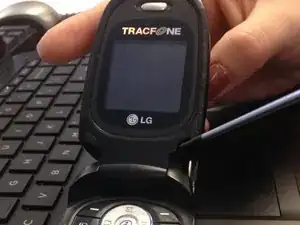
Use this guide to replace the screen on the LG CG225.

  1. lV42u2LakVgvcosy
    • Pry off and set aside all rubber screw covers from back and inside of phone.

  2. QKhij1JKnO1jmYnZ
    • Remove all screws from back and inside of phone using small Phillips screwdriver.

  3. mWeB2KgNs5RKUhjH
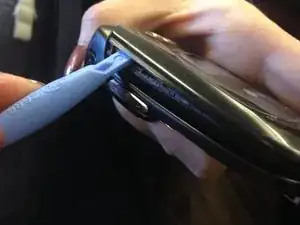
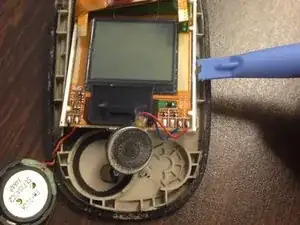
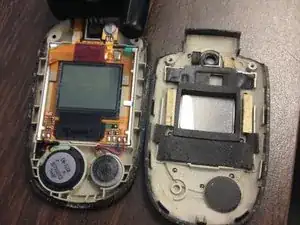
    • Remove faceplate of phone using the plastic pry tool.

  4. LwQkVBkMXgUZU6b6
    LwQkVBkMXgUZU6b6
    VBMa15BJRJs1Xaln
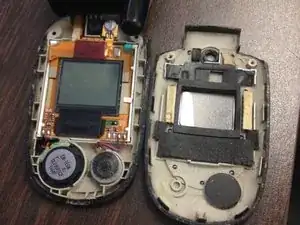
    • Detach round, magnetic batteries from their circular frames.

  5. ALY2FQrWDjlagAAt
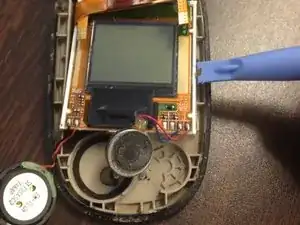
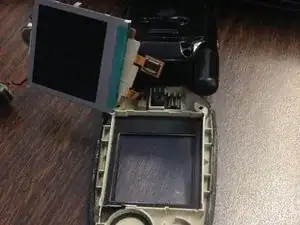
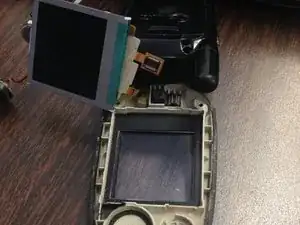
    • Carefully remove screen from it's holding frame.

  6. 6MnAYvtsh56vNxNl
    • You can now insert the replacement screen in the holding frame.

  7. CrdwHGX6P4lZchYu
    • Place round batteries in their respective circular frames.

  8. 2u44rKtJjCnmPDXi
    • Replace the faceplate.

  9. TD6N6XXvRgIVvqXH
    • Replace screws using small Phillips screwdriver.

    • Replace rubber screw covers and insert over the screws.

Abschluss

To reassemble your device, follow these instructions in reverse order.

Mackenzie

Mitglied seit: 13/02/14

1 Reputation

0 Kommentare