Einleitung

  1. nOVTwh1ZZiXj2xdv
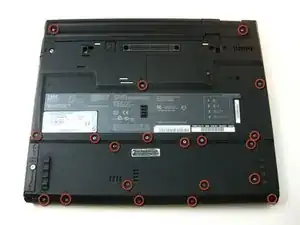
    • Unscrew the 20 Phillips screws on the underside of the T42.

    • For ease of reassembly, keep your screws organized.

  2. XSANOcwcEWryUkJN
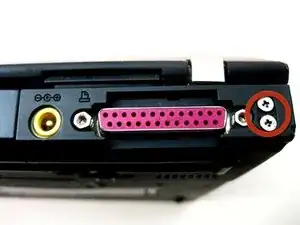
    • Unscrew the 2 Phillips screws on both sides of the T42's rear.

    leave these four screws alone. No need to remove them.

    fredwb -

    Of course you need to remove them you Dingbat! They are the main anchors of the screen hinges, Doh!

    wbcam -

    There are tiny numbers showing the lengths of the screws. 1-2-3-4 where 1 is the shortest.

    The dark red circles are not very easy to see. How about white ones?

    mattikaki -

  3. iuUeFsBx4Wrj2uXb
    • Flip the laptop over and open the screen.

    • The bezel and keyboard will be loose, be careful.

  4. GTJtY3mGQRbaQ12t
    GTJtY3mGQRbaQ12t
    wTbnWCPMvL2LQsAX
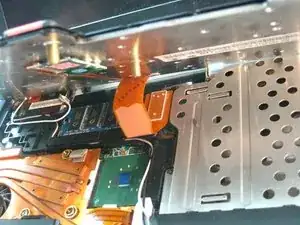
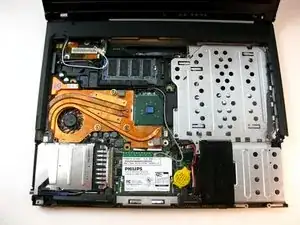
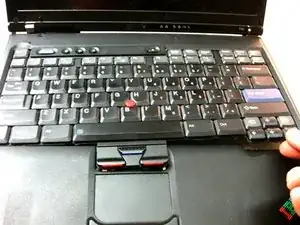
    • Carefully maneuver the palm rest away from the keyboard, as both the keyboard and palm rest/trackpad will come off together.

    • Remember, both the keyboard and trackpad have connectors to the motherboard. Disconnect these before completely removing either component.

Abschluss

To reassemble your device, follow these instructions in reverse order.

Austin Kidd

Mitglied seit: 21/04/10

269 Reputation

0 Kommentare