Einleitung
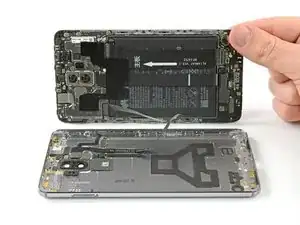
Verwende diese Anleitung, um das Rückteil deines Huawei Mate 9 auszutauschen.


-
-
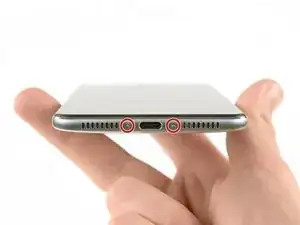
Entferne beide Schrauben an der Unterseite mit einem Torx T2 Schraubendreher.
-
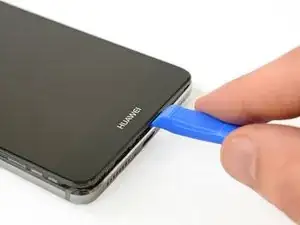
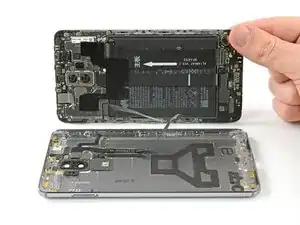
Verwende ein Plastic Opening Tool, um zwischen das Display und das Gehäuse zu gelangen. Öffne das Smartphone, indem du vorsichtig das Display mit den Komponenten aus dem Gehäuse hebelst.
-
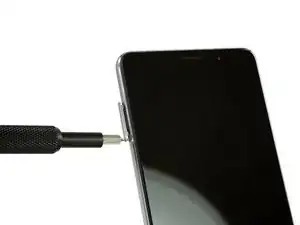
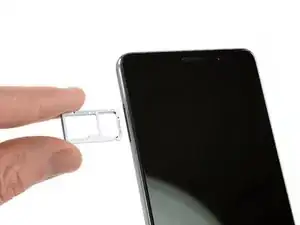
Arbeite die Schritte in umgekehrter Reihenfolge ab, um dein Gerät wieder zusammenzubauen.

Ein Kommentar
So apparently they must have welded my phone together with some unknown super exotic alloy from another planet. After spending nearly an hour removing the 2 screws at the bottom of the phone using a borrowed IFIXIT tool kit from a friend I proceeded to destroy a guitar pick, 1 heavy duty guitar pick looking thingy, and 2 separating tools from the kit and all I’ve succeeded in doing so far was breaking the bottom of the back cover of my phone. All I wanted to do was save the 50 bucks the guy quoted me to fix the charging port but now I’m thinking that’s a pretty good deal after you add up the cost of repair parts for demolishing my phone. $28.00 for a new back cover that will take 6 weeks to get , a new digitizer has to be over a hundred bucks, and how do you put a price on the frustration this is going to be if I keep going? Do yourself a favor and have someone else work on your device while it can still be saved. These 2 suction cups seem to be stronger than me and I’m jacked!!!