Einleitung
This guide will outline the battery replacement process
Werkzeuge


-
-
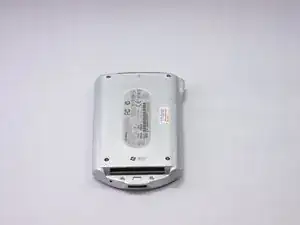
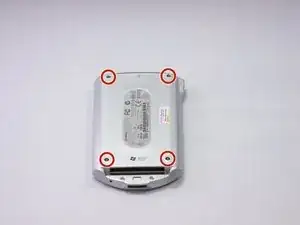
To begin the disassembly of the device, place it on a flat surface with the screen facing down.
-
-
-
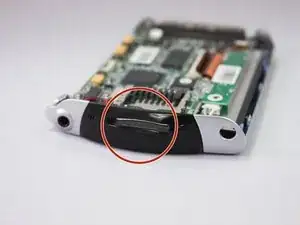
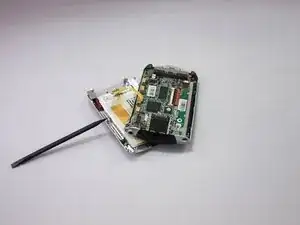
Carefully remove the back cover using the spudger against the grooves along the sides of the iPAQ.
-
-
-
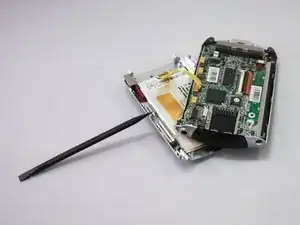
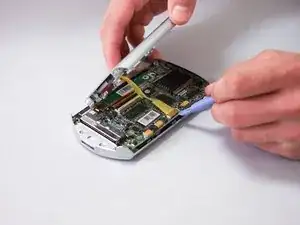
Using the plastic opening tool, carefully detach the yellow ribbon from the connector pins to separate the device into two halves.
-
-
-
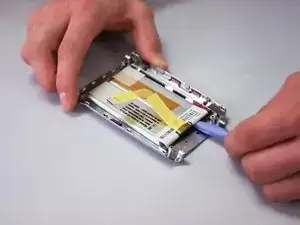
Using a heating pad or blow dryer, heat the back of cover until warm.
-
The glue holding in battery should now be loosened.
-
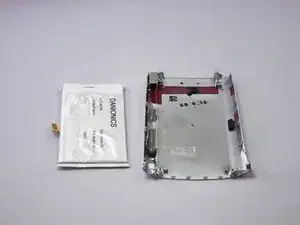
Use plastic opening tool to remove battery from the back cover.
-
-
-
Once the old battery is removed, scrape off the old adhesive from the device backing with the prying tool.
-
To attach the new battery, apply an adhesive to each corner of the backing where the battery sits and place the device into the backing.
-
Allow the adhesive to set for half an hour
-
To reassemble your device, follow these instructions in reverse order.

Ein Kommentar
Does anyone know where nowadays is it possible to get one of those batteries? I’ve been all over the internet and so far found zero… ?