Einleitung

Acht zu allererst darauf, dass das Gerät abgeschaltet und von jeder Stromversorgung getrennt ist.

  1. OOdrmPlBeGhvnQ2J
    OOdrmPlBeGhvnQ2J
    PjYRWXhntmhc1YEt
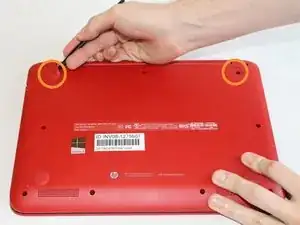
    • Nutze einen Spudger, um die zwei Gummifüße auf der Seite mit den Scharnieren des Laptops zu entfernen. Darunter verbergen sich zwei 9mm-Schrauben.

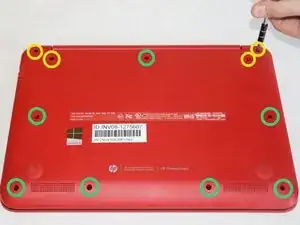
    • Du musst elf Schrauben entfernen.

    • Vier 9mm-Schrauben mit dem PH0-Schraubendreher.

    • Sieben 6mm-Schrauben mit dem PH0-Schraubendreher.

  2. WNy3xqVV5AxXCjND
    WNy3xqVV5AxXCjND
    YMjkLljWWiENQ4dZ
    beoV1GgaGd5fqbtQ
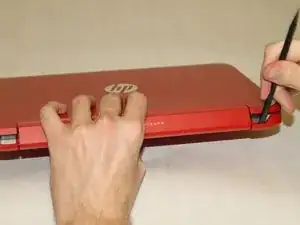
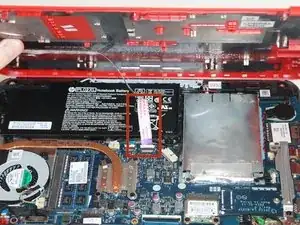
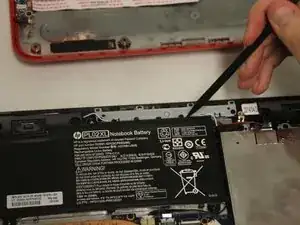
    • Nutze den Spudger, um die Ecken des Laptops bei den Displayscharnieren aufzuhebeln.

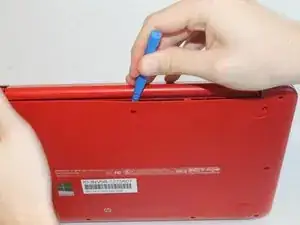
    • Heble mit dem Plastiköffnungswerkzeug entlang der Naht des Laptops, bis sich die Abdeckung löst.

    • Wenn du die Abdeckung öffnest, siehst du ein Kabel, das mit dem Motherboard und der Abdeckung verbunden ist. Sei vorsichtig, dass du es nicht abreißt!

  3. DMtFsgJ5KPnODGnN
    DMtFsgJ5KPnODGnN
    bgMwvARKIldX32rU
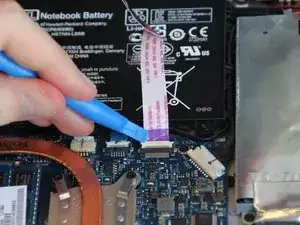
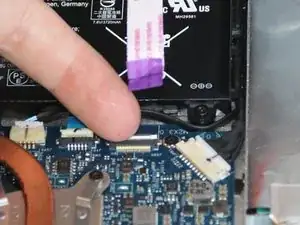
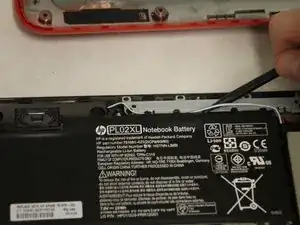
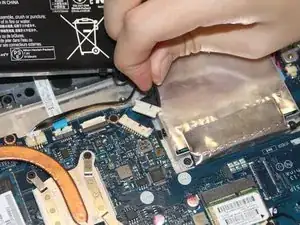
    • Nutze das Plastik-Öffnerwerkzeug, um die weiße Sicherung von der Verbindung zu öffnen.

    • Zieh das Kabel heraus.

  4. WuKiUYyZDpCoSAgr
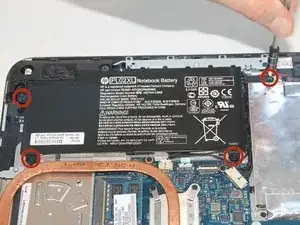
    • Entferne die vier 6 mm Schrauben von der Batterie mit dem PH0-Schraubendreher.

  5. hZByZWeJXLYlIfjX
    hZByZWeJXLYlIfjX
    lflJPF1fJycdLRLI
    gKDfPILdgQeTekDS
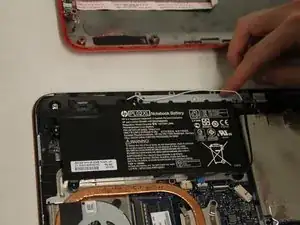
    • Nutze einen Spudger, um die blau/weißen Lautsprecher-Kabel, die neben dem Akku verlegt sind, zu entfernen.

  6. wxTjdGeCXEqbTjYq
    wxTjdGeCXEqbTjYq
    33bcJ2VFM2vCkKvY
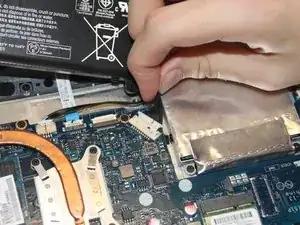
    • Entferne das Akku-Kabel vom Motherboard, indem du es vorsichtig an dem schwarzen Teil des Kabels direkt bei der weißen Lasche herausziehst.

  7. ODx2N6NlloaBd6Vp
    ODx2N6NlloaBd6Vp
    xw2RtOMjNrIWJoQF
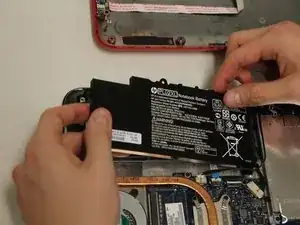
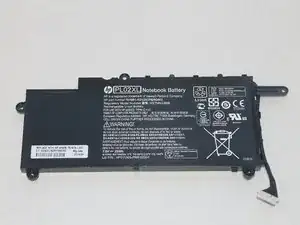
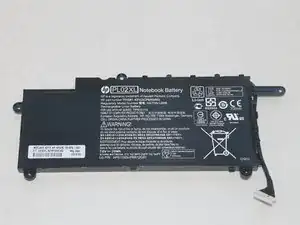
    • Entferne den Akku.

    directions great, but i cant find a place to buy it. not even on the HP we site. Help please

    dwest5555 -

    I found the battery on Amazon

    JoAnne O'Donnell -

    Könnten Sie mir bitte sagen, was für ein Akku verwendet worden ist.

    das wäre für mich sehr hilfreich.

    Vielen Dank

    Junior Kuchi -

Abschluss

Um das Gerät wieder zusammenzubauen, folge den Anweisungen in umgekehrter Reihenfolge.

Natalie

Mitglied seit: 22/01/15

934 Reputation

11 Kommentare

exellent and easy steps............but......where do i buy battery.....?

Akshay R Manohar -

Muy bueno parece facil

mejiawilson -

Great step by step explanation. Solid pictures!!! Could not have fixed this without your contribution!!!

Joe Consumidor -

Purchased this laptop 28/12/2015 and now its just not switching on at all. I will try the repair instructions but I think it should have lasted a bit longer, what ever the problem is. The store where I bought it have checked the cable for me to see if that was the problem and it wasn’t. They wanted £60 to send it off, to find out the issue before anything was even done. The sales assistant said it could be the battery but he said it should have lasted longer. He basically said if its the motherboard you may as well just throw it out. I am sick of paying £100’s out for electrical items that live very short lives. My daughter bought this with her own money that she had been saving. I would not purchase this make of laptop again and where do I get a replacement battery and how much is that likely to be?

jane coombes -

Very good guide, thank you!

FanMac -

I replaced the battery but the laptop won't turn up, the power lighr next to the power connector lite up for couple seconds red and then lighted off.. this is the 2nd battery I try, if I put the old battery attempts to start al least but doesn't have enough power to complete the boot. TIA for your comments

William Parra -

*I love the way u are teaching how to open the laptop*

Richard Chukwu -

Thanks this was really helpful

William Appeadu-Mensah -

Having a difficult time removing the backing. I’ve removed all the screws, but there still some resistance when I try to separate the bottom. Any advice?

Lyttleton Callender -

I actually was able to replace the battery by myself with your excellent guide and I am 80 years old.

Thank you

Joanne 4/6/2020

JoAnne O'Donnell -

Fantastic guide ideal for a first time NoteBook fix

Paul Malyjurek -