Einleitung

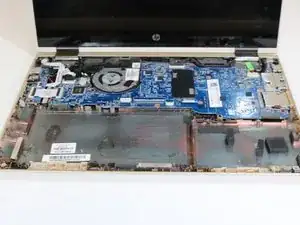
In this guide you will be required to remove the keyboard and disconnect three wires from the device in order to replace the hard drive. You will need to use a iFixit Pro Tech Toolkit.

This task requires patience and attention to detail

  1. L3eZqThAZJ4d1nZh
    • Power off computer.

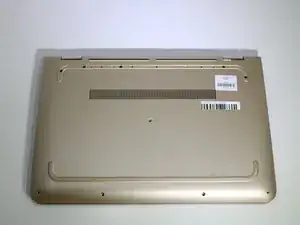
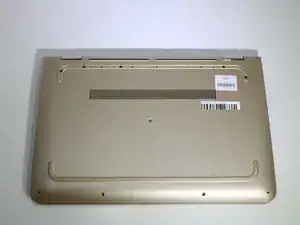
    • Flip the laptop over.

    • Working on your device while its powered on may cause damage to your device.

  2. tMpaDt2JFOEWS2nI
    • Using a Metal Spudger remove the rubber foot closet.

  3. LIAZYXHQoKOhaxGD
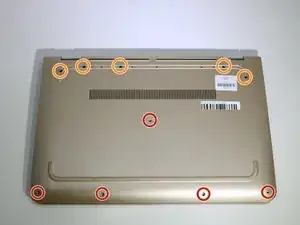
    • Remove all screws located at the bottom of the laptop.

    • 5 Phillips 2.4 x 5.7 mm screws.

    • 5 Phillips 2.8 x 5.0 mm screws.

  4. LZCFT2yOAE2GPie2
    LZCFT2yOAE2GPie2
    d3IrcdLMTMgJECRU
    EFOKuQgGMRg5CuHL
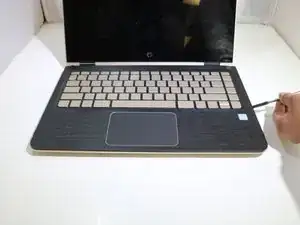
    • Turn laptop over to on its base.

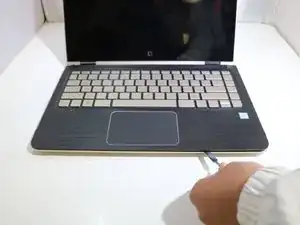
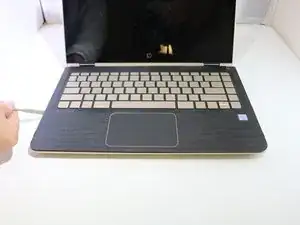
    • Open computer and pry over keyboard panel using the Metal Spudger.

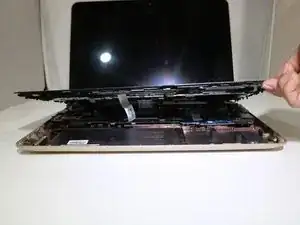
    • Be careful not to pull or disconnect ribbon cables first.

  5. hZkLeLN1WkXKVCgl
    hZkLeLN1WkXKVCgl
    ypFXNCpDjpPBkFps
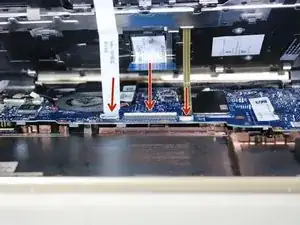
    • Slightly pull off the keyboard and be careful of the three ribbons.

    • Remove the ribbons connected to the frame by gently pulling them out of their connectors.

  6. HFiKZxKGuQOZcGIp
    • Lift the keyboard away from the base of the laptop.

  7. PfiHAiTP5vHZskyO
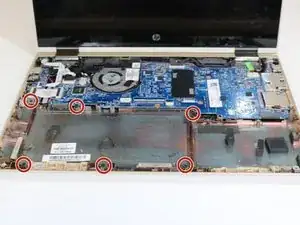
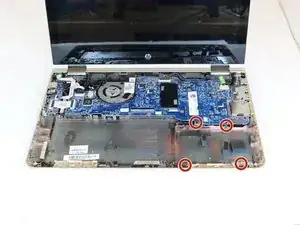
    • Using the Phillips 00 Screwdriver, remove 6 Phillips screws around the perimeter of the battery.

  8. XQyByMxcg2WZmYLH
    XQyByMxcg2WZmYLH
    oC2HahCQ2AotJQEu
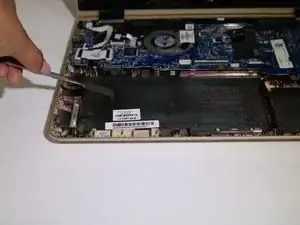
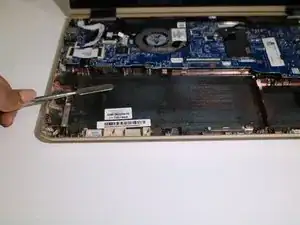
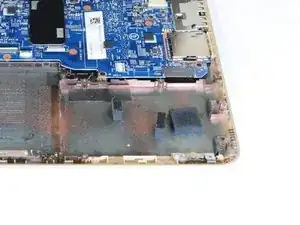
    • Carefully pop out the battery using the silver Metal Spudger to disconnect it from the motherboard.

    • Disconnect the ribbon cables attaching the hard drive to the motherboard.

    • Using the Heavy-Duty Spudger lift up the plastic locks connecting the ribbon cable to the motherboard.

    • Using the purple plastic tab on the ribbon cable, pull it out from the lock on the motherboard.

  9. bhgpZGPbJW1fotZa
    • Using the Phillips00 Screw Driver, remove 4 Phillips screws.

    • Using the tab that is provided, lift the hard drive to remove it from the laptop base.

    • Using the Phillips00 Screw Driver, remove 4 Phillips screws on the exterior of mounting bracket.

    • Remove the mounting bracket.

Abschluss

To reassemble your device, follow these instructions in reverse order.

Teresita Aragon

Mitglied seit: 17/01/19

566 Reputation

0 Kommentare