Einleitung
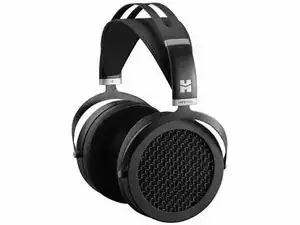
This guide will show you how to replace the headstrap on your HIFIMAN Sundara planar magnetic headphones.
In preparation for this guide, you will need the following tools:
- Cutting pliers.
You will also need the following materials:
- HIFIMAN Sundara
- New HIFIMAN Sundara headstrap
Werkzeuge

Ersatzteile
-
-
This step is necessarily destructive, and with careful application of the cutting pliers, no damage will be done to the headphones. Make sure to remove both fasteners.
-
The headstrap-headband interface is the piece of plastic which the headstrap itself adheres and whereby it attaches or interfaces with the headband.
-
-
-
Remove the old headstrap from the headband as shown by detaching the headstrap-headband interfaces from the headband.
-
A metal strip is present inside both of the headstrap-headband interfaces. Make sure to retrieve them and set them aside in a salient location.
-
Remove the drivers (speakers) as shown.
-
-
-
Insert the new headstrap as shown into the headband by inserting the headstrap-headband interface into the headband, but do not yet press the interface into the headband.
-
Don't forget to re-insert the metal strips mentioned in Step 2 here as shown in the video.
-
-
-
As the design of the headband is ambipolar, which side is designated as the left or right side does not matter.
-
Before inserting the drivers back into the headband, make sure to slip on the metal fasteners, one for each driver, onto the extension adjustment.
-
Make sure the metal fasteners have the written polarity, either L or R, facing on the inside.
-
After ensuring the fasteners are facing the correct direction, slide the drivers back into the headband and firmly press closed the plastic headstrap-headband interface as shown in the video.
-
-
-
Firmly push the metal fastener upwards to permanently secure the headstrap-headband interface to the headstrap as shown. No adhesive is required.
-
Make sure to apply equal amounts of force as you push the fastener onto the interface.
-





Headstrap replacement is complete.
