Einleitung

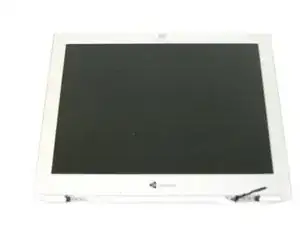
Removal of LCD display

  1. nikUTaQ6OUsGduvU
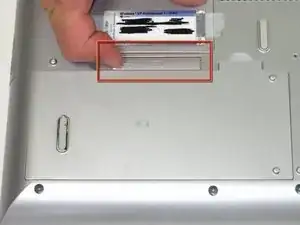
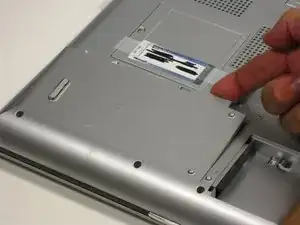
    • Flip the laptop over. Slide the battery release tab to the right.

  2. PQaeIZFWxDPeusWB
    • Lift the battery out.

  3. qqVCUwIrHyVK1UYN
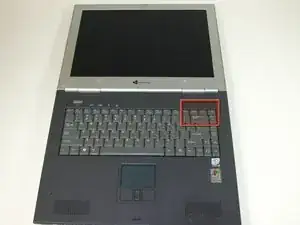
    • Insert the spudger between the "sysrq" and "ins" keys.

    • Gently lift the power button panel from the right to left.

  4. wksnqx2eTNHXSdrB
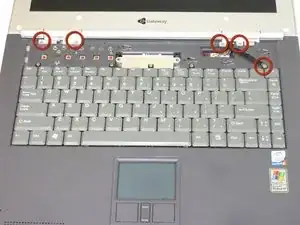
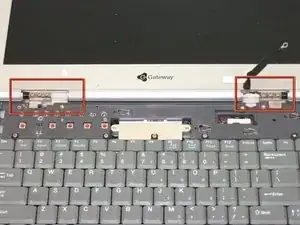
    • Remove 5 screws.

    • 4 screws holding LCD hinge covers in place and 1 screw for LCD grounding.

    • Remove hinge covers.

  5. vVieMiKAUxUFvNnF
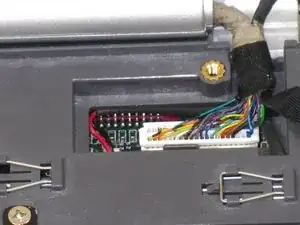
    • Gently unplug LCD from system board.

  6. vxMOwKSXVXrfBFq6
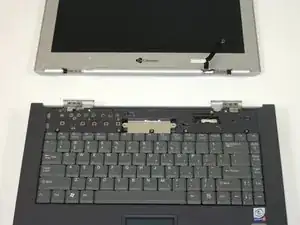
    • Remove 6 screws holding LCD to hinge.

  7. vILgjWVDNNSIkqsK
    • Pull LCD away from case.

Abschluss

To reassemble your device, follow these instructions in reverse order.

Elizabeth Mazer

Mitglied seit: 15/10/10

78 Reputation

0 Kommentare