Einleitung
This guide shows how to remove and replace the battery for the Dell XPS 13 9300 laptop.
For your safety, discharge your battery below 25% before disassembling your device. This reduces the risk of a dangerous thermal event if the battery is accidentally damaged during the repair. If your battery is swollen, take appropriate precautions.


Ersatzteile
-
-
If you use BitLocker, make sure to have your Recovery Key written down.
-
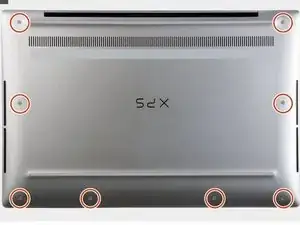
Use a Torx T5 screwdriver to remove the eight screws that secure the base cover to the palm-rest and keyboard assembly
-
-
-
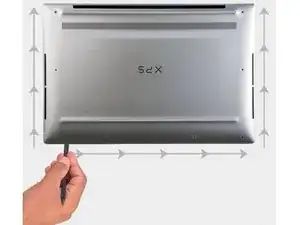
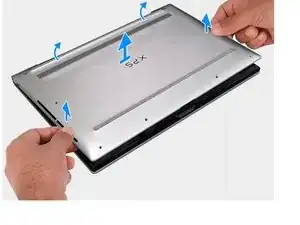
Starting from the bottom-left corner, use a spudger to pry the base cover in the direction of the arrows to release the base cover from the palm-rest and keyboard assembly.
-
-
-
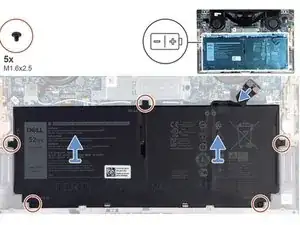
Use a Phillips screwdriver to remove the five screws securing the battery.
-
Lift and remove the battery.
-
Hold the laptop's power button down for 15 seconds to drain any residual power from the laptop.
-
To reassemble your device, follow these instructions in reverse order.
Take your e-waste to an R2 or e-Stewards certified recycler.
Repair didn’t go as planned? Try some basic troubleshooting, or ask our Answers community for help.