Einleitung
If you're having distorted or loss of sound coming from your device, you will need this quick guide to replacing your speakers. You will need a few tools to get the job done but beyond that, this is a relatively simple repair with no special hazards to be aware of.
Werkzeuge


-
-
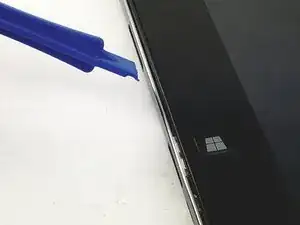
Slide one of the plastic opening tools in the crack on the side of the device with the windows button.
-
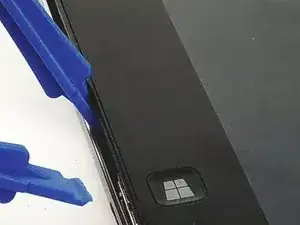
Slide the other plastic opening tool facing the opposite way in the crack next to the first one and pry the back cover off a little bit at a time or slide them around the edge as necessary.
-
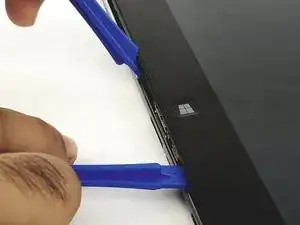
Finally, slide the two plastic opening tools all around the case until it is open.
-
-
-
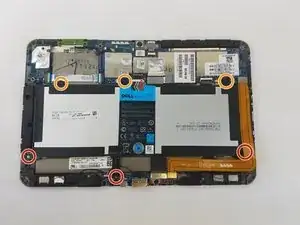
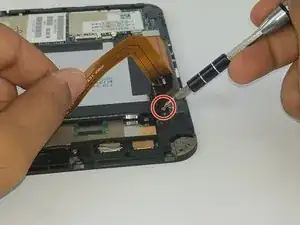
Unscrew the three black, 4mm screws with a phillips screwdriver size PH 0 (one of which is under the gold colored ribbon cable.)
-
Unscrew the three gray, 3mm screws with the same screwdriver (phillips screwdriver size PH 0.)
-
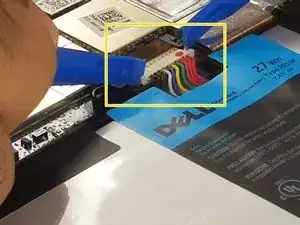
Unplug the connector the connects the battery to the mother board.
-
-
-
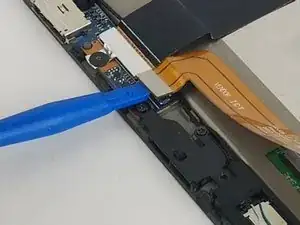
Use the plastic opening tools to unplug the gold/orange ribbon cable as shown in the picture.
-
Use the plastic opening tools to unplug the speakers from the motherboard as shown in the picture.
-
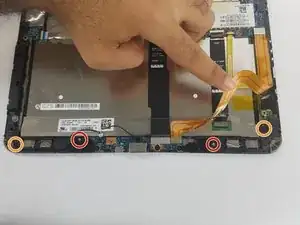
Unscrew the 4 screws shown in the picture with a phillips screwdriver size PH 0.
-
4 mm screws
-
3 mm screws
-
-
-
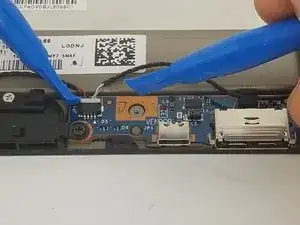
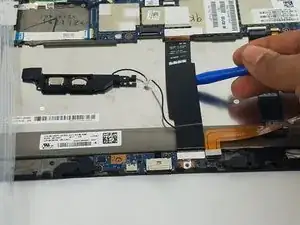
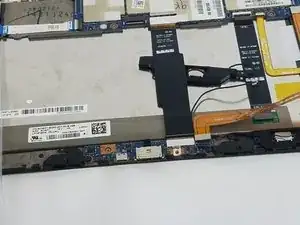
Finally, use the plastic opening tools to lift up the black cable shown in the picture.
-
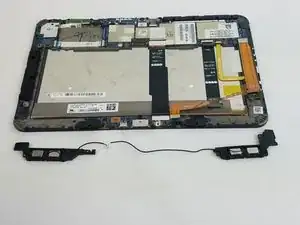
Slide one end of the speaker to the other side and the speaker will be out.
-
To reassemble your device, follow these instructions in reverse order.
