Einleitung
Werkzeuge


-
-
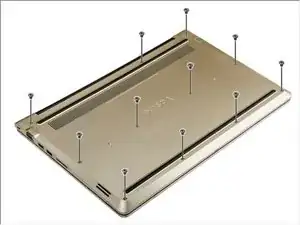
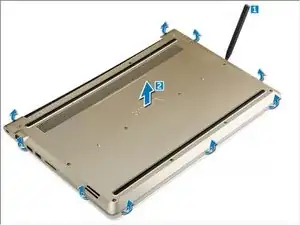
Using a scribe, pry the edges of the back cover from all sides [1].
-
Lift the back cover from the computer [2].
-
-
-
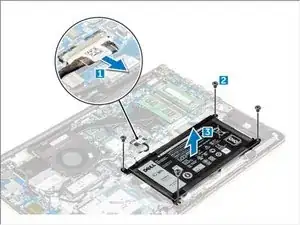
Disconnect the battery cable from the connector on the system board [1].
-
Remove the screws that secure the battery to the computer [2].
-
Lift and remove the battery from the computer [3].
-
-
-
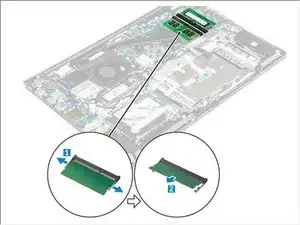
Pull the retention clips from the memory module until it pops up. [1]
-
Remove the memory module from the connector on the system board. [2]
-
Abschluss
To reassemble your device, follow these instructions in reverse order.
