Einleitung

This guide will walk you through how to remove the power port in your Dell Inspiron 15-7548.

  1. knLVFeuIYeP2ABLa
    knLVFeuIYeP2ABLa
    YLShUY4tnrdyWVtM
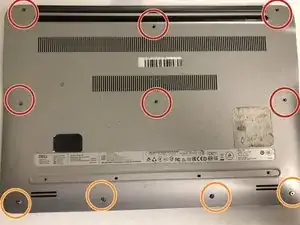
    • Unscrew the six 2.5x6mm screws and remove them using a Phillips #1 screwdriver.

    • Loosen the four 2x3mm captive screws at the bottom.

    • The four screws on the bottom are captive screws and cannot be removed.

  2. PAVmaqoSkSONEdWP
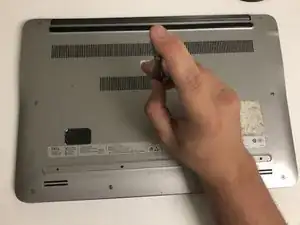
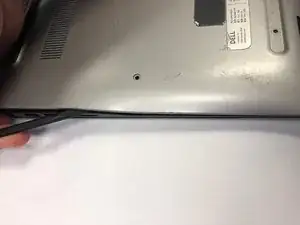
    • Using the flat head side of the spudger separate the the back panel from the rest of the laptop.

    • When separating the bottom and right side of the case do not insert the spudger more than half an inch.

  3. SNuyXoiAVk6b3iWD
    SNuyXoiAVk6b3iWD
    2IPFru43VIGfcspP
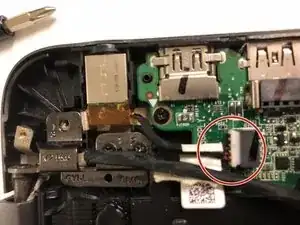
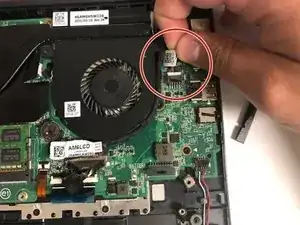
    • Grab the wires and lightly pull to remove the power port from the motherboard.

Abschluss

To reassemble your device, follow these instructions in reverse order.

Christopher Fisher

Mitglied seit: 26/09/18

379 Reputation

0 Kommentare