Einleitung
Werkzeuge

-
-
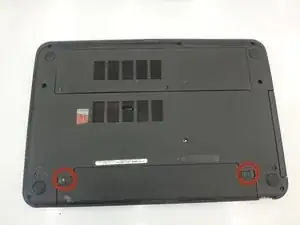
Flip the laptop over.
-
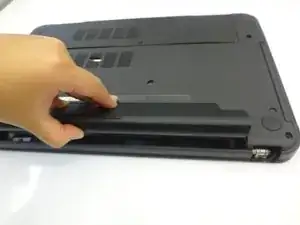
Slide the latches toward the outside of the laptop to unlock the battery.
-
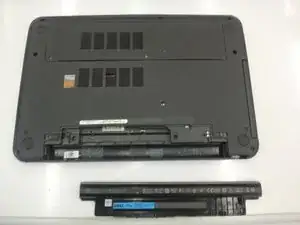
Lift the battery out of the laptop.
-
-
-
Flip laptop right side up
-
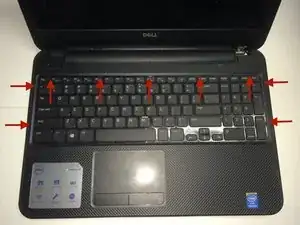
Using a flat head screwdriver, depress locking tabs holding keyboard into place
-
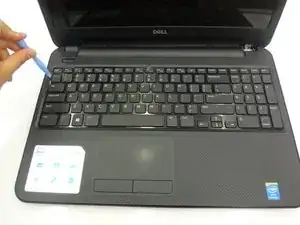
Using a spudger, pry the keyboard from the laptop, giving room to access with hands.
-
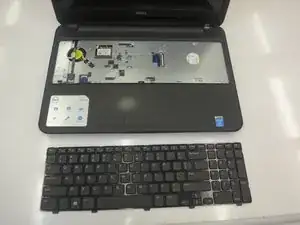
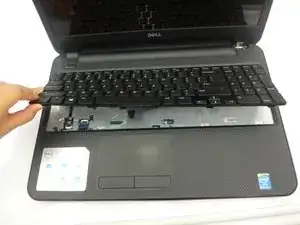
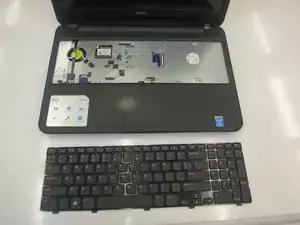
Using hands, remove keyboard completely from laptop body, leaving only the connecting cord that attaches the keyboard to the laptop.
-
-
-
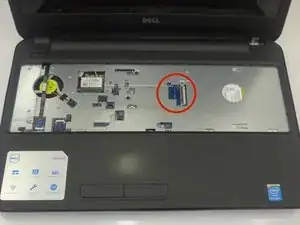
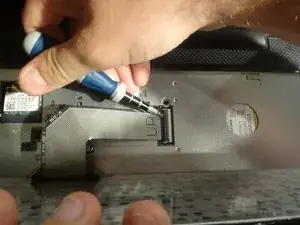
To disconnect the keyboard, locate the keyboard cable locking mechanism.
-
Open the locking mechanism by gently pulling up.
-
Slide out the keyboard cable from the interface to separate the keyboard form the laptop.
-
Abschluss
To reassemble your device, follow these instructions in reverse order.

Ein Kommentar
Awesome post. Thanks