Einleitung

Use this guide to replace the video card in your computer.

  1. ElUsnSBAWaLOJXGZ
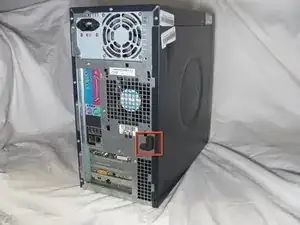
    • Locate the case cover latch on the back of the computer.

  2. qMyOcnbDViqIqilc
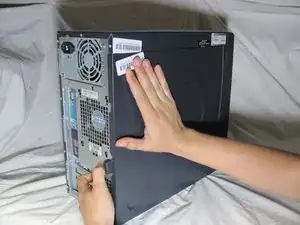
    • Using your index finger, slide and hold the cover latch down.

    • While holding the latch down, place your other hand flat on the side of the case and firmly shift the side panel to the left until it disengages.

  3. 6V4IAOqDMRyFZK1s
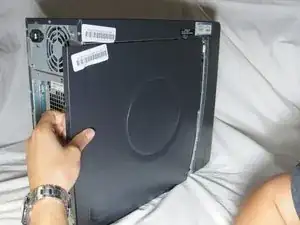
    • Grab the edge of the panel and slide it away from the case until it is removed.

  4. 2kviCeKtqiTbHZRf
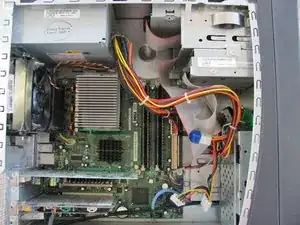
    • Lay the computer flat so that you are looking down on all of the components.

  5. GYd2PKrEjKElfCUS
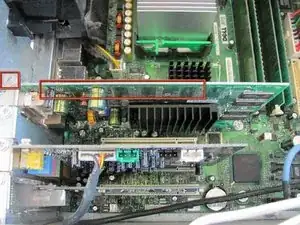
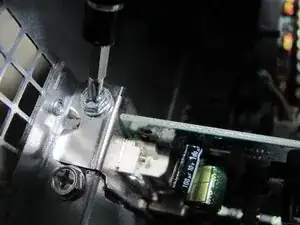
    • Locate the Video Card and the screw attached to the Video Card as shown in the picture.

  6. X4YNeQieIiKroSMl
    • Remove the 8.9 mm screw by using a Phillips #2 screw-driver.

  7. NsUEHHmqk4oaLgpF
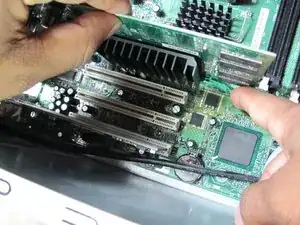
    • Push down on the green clip located by the bottom right corner of the video card while simultaneously pulling the card up with your other hand.

  8. IXKCTpmEP6g36axL
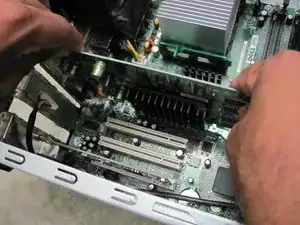
    • Pull the remainder of the card up and out of it's slot.

Abschluss

To reassemble your device, follow these instructions in reverse order.

Arvind

Mitglied seit: 12/10/11

326 Reputation

0 Kommentare