Einleitung

  1. 2adcwvjHZA6yadej
    2adcwvjHZA6yadej
    W2nPBILEOTXuPHct
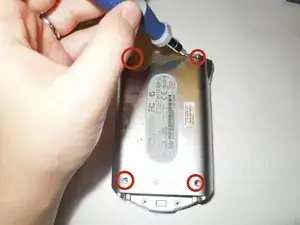
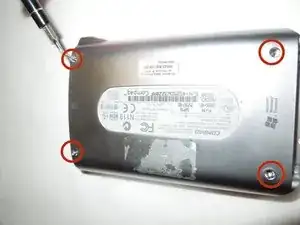
    • Remove the four 0.8 mm Phillips #00 screws from the back cover.

  2. pBIUghhxAqNbp26V
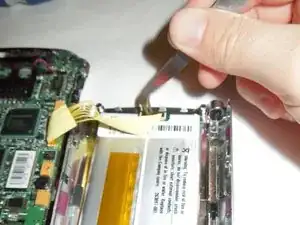
    • Detach the yellow wire from comb that is attached to the battery.

  3. F4e3AaVnQCQIGxVf
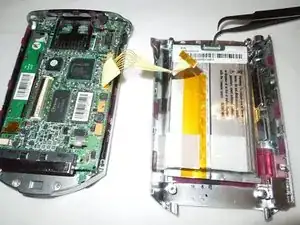
    • The yellow wire is removed from the comb attached to the battery.

  4. oYJWWutEKtTtFHjm
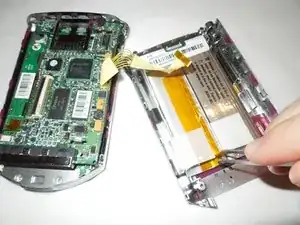
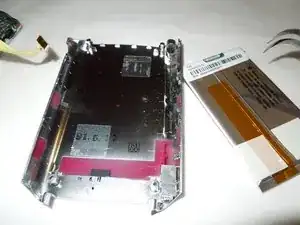
    • Remove the battery using tweezers from back cover.

  5. KOS1u1KVno3WlCAR
    • Detach the battery from back cover.

Abschluss

To reassemble your device, follow these instructions in reverse order.

Sedina Cavcic

Mitglied seit: 05/09/14

383 Reputation

Ein Kommentar

One question; Where can I get a new battery????

Every place I have looked have a smaller batter,  not like the one you show.

Stephen

[mailto:oharasc85@gmail.com|oharasc85@gmail.com]

Stephen O'Hara -