Einleitung

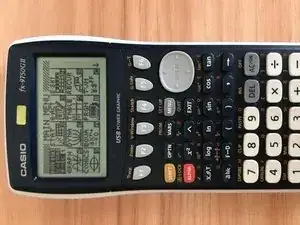
If the screen of your Casio fx-9750GII graphing calculator has been damaged or broken, follow this guide. You will need to disassemble the device to get to the screen so it will take some time and patience.

  1. kwCGOJBK2ylnKLRB
    kwCGOJBK2ylnKLRB
    EERVPDGDUFtSEayv
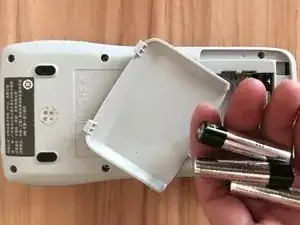
    • Turn off the calculator and flip it over so the backside is facing up.

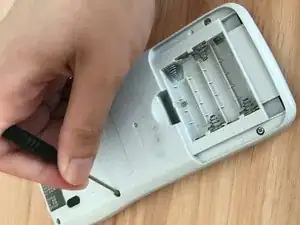
    • Slide the battery door off and remove all of the batteries.

  2. hDcHRQB1ESBHyRPc
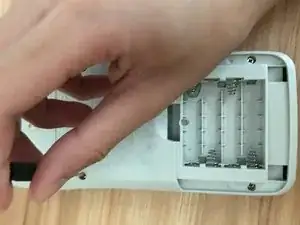
    • Use a screwdriver to remove the screws from the back of the calculator.

  3. pMY3JANp3AEqNamM
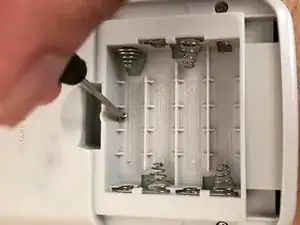
    • Carefully remove the screw from the battery slot.

  4. poSmDBiqVljlMClM
    poSmDBiqVljlMClM
    c4JUHfdl3bVClXAy
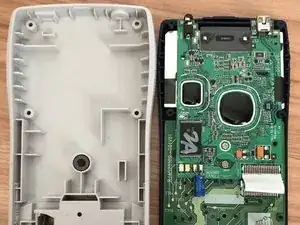
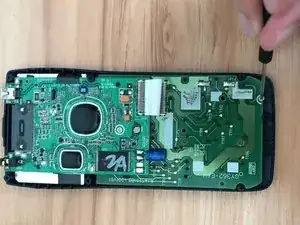
    • Remove the back case from the calculator.

    • Be careful of the spring that shows in the second picture. The spring is the convertor of the battery.

  5. cD3qbMjQlULPEffu
    cD3qbMjQlULPEffu
    CwFLibRdZAUQ2h1P
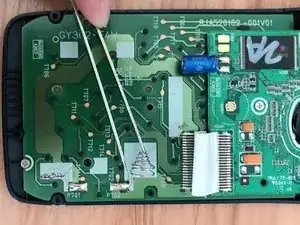
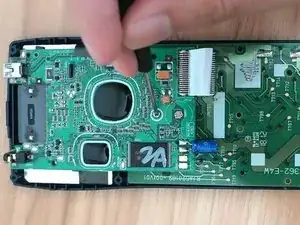
    • Remove the screws from the motherboard.

  6. RHDXPFlgAHWcJROo
    RHDXPFlgAHWcJROo
    QxUKN3FO1NWDaAJG
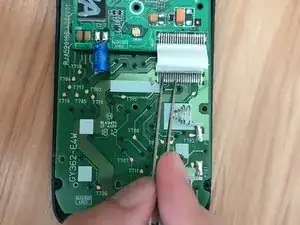
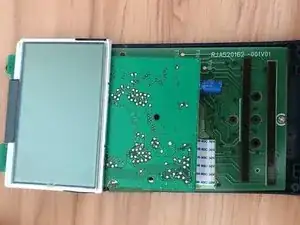
    • Separate the screen cable from the motherboard using tweezers.

    • Remove the calculator screen.

    • Replace the screen.

  7. FKgiyhLJSmprCmfJ
    FKgiyhLJSmprCmfJ
    ZJPXxwdEAyie6ZWZ
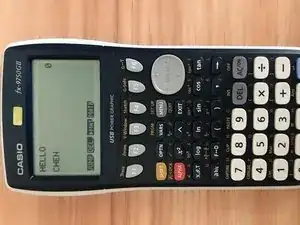
    • Replace the board and back cover of the calculator, then install the batteries to test if the new screen works well.

Abschluss

To reassemble your device, follow these instructions in reverse order.

YORK-CHEN-F21SEG[2]

Mitglied seit: 19/09/21

145 Reputation

0 Kommentare